Components/Connections
29
Maglock
RM Readers with Mag Locks
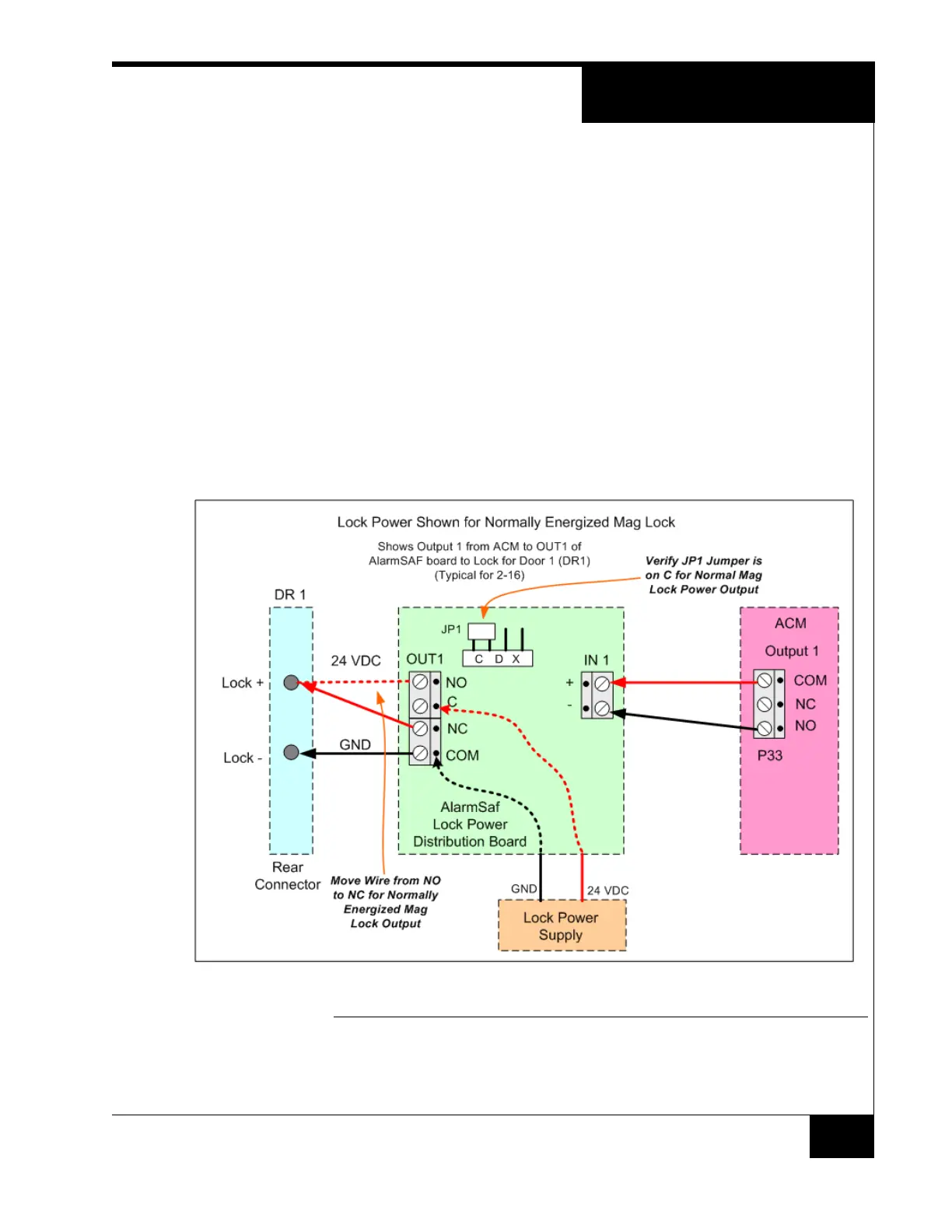
Maglocks require a normally energized output.
1. Verify the JPn jumper to be in the either the C or D position
2. Move the wire from the NO pin to the NC pin
3. Connect Lock+ to pin 9
4. Connect Lock- to pin 10
It is also possible to accomplish the normally energized case by other means:
Move the NO wire on the ACM relay to the NC pin.
Program the output to be normally energized in the software of the
C•CURE system
FIGURE 21. Mag Lock



 To Next Page