August 3, 2019 20
WIFI Troubleshooting:
• Light on the dongle won’t turn green when connecting to WIFI:
o If using a cell phone, make sure the cellular function is turned off.
o Try turning off your local wireless router until you finish setup above.
o You may need to reset your dongle (see below).
• Light on dongle is green but system cannot be seen by the application on PC or App.
o Make sure your local wireless router that the Sol-Ark is connected to is connected to the
internet.
• General troubleshooting techniques:
o Make sure that the dongle is plugged in all the way.
o Unplug the dongle and plug it back in.
o Reset the dongle.
o Uninstall phone app and reinstall.
• How to Reset the WIFI Dongle
o While the dongle is plugged into the Sol-Ark and has power, press and hold the reset button for
10 seconds. The LED should turn red.
o If Your dongle does not have a reset button, log into it and click “reset” under the device
management tab.
• Which barcode should I scan when setting up the phone app?
o The barcode on the WIFI dongle, not the QR code above
• I have tried everything, but it still won’t connect.
o Sometimes firewall settings on home routers will block traffic to the dongle, you may need to
relax your firewall settings.
E.M.P Systems only:
Suppressor installation
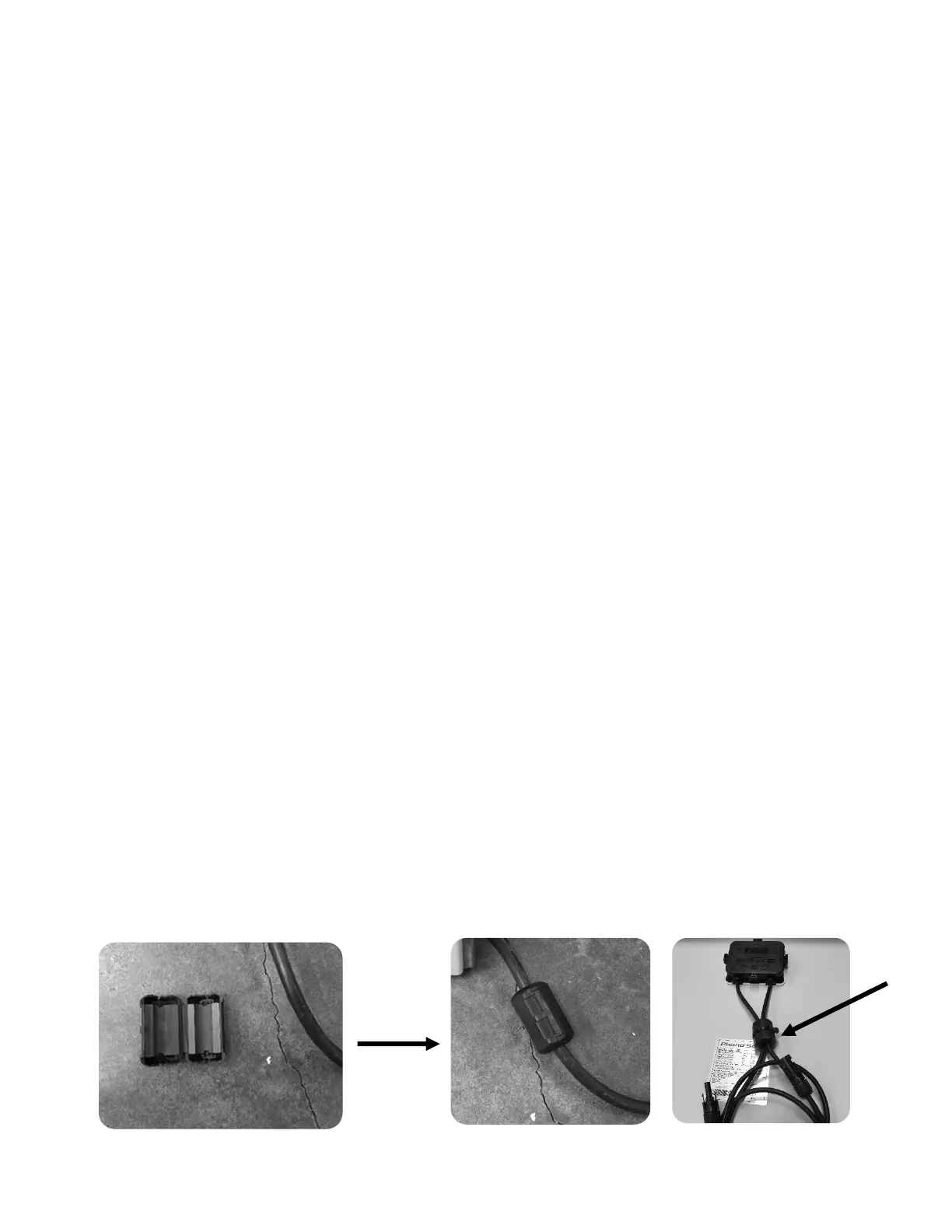
• If your system was purchased with Lightning / EMP Hardening, the vast majority of protection is in the
Sol-Ark. However, you also have EMP suppressors that get installed on the power cords of appliances
that are connected to the transfer switch. Although not critical, it is recommended they be installed as
close as possible to the appliance.
• You also have EMP suppressors that get installed on both solar panel wires with a zip tie. Closer to the
panel is better. If you purchased the panels from us, we already installed >150kV/m protection inside
the solar panels.



 To Next Page