18
5. Insert the connector in the enclosure and pull the cable backwards until
the tabs on the sides click in position.
6. Tighten the cable gland with a 4 Nm torque.
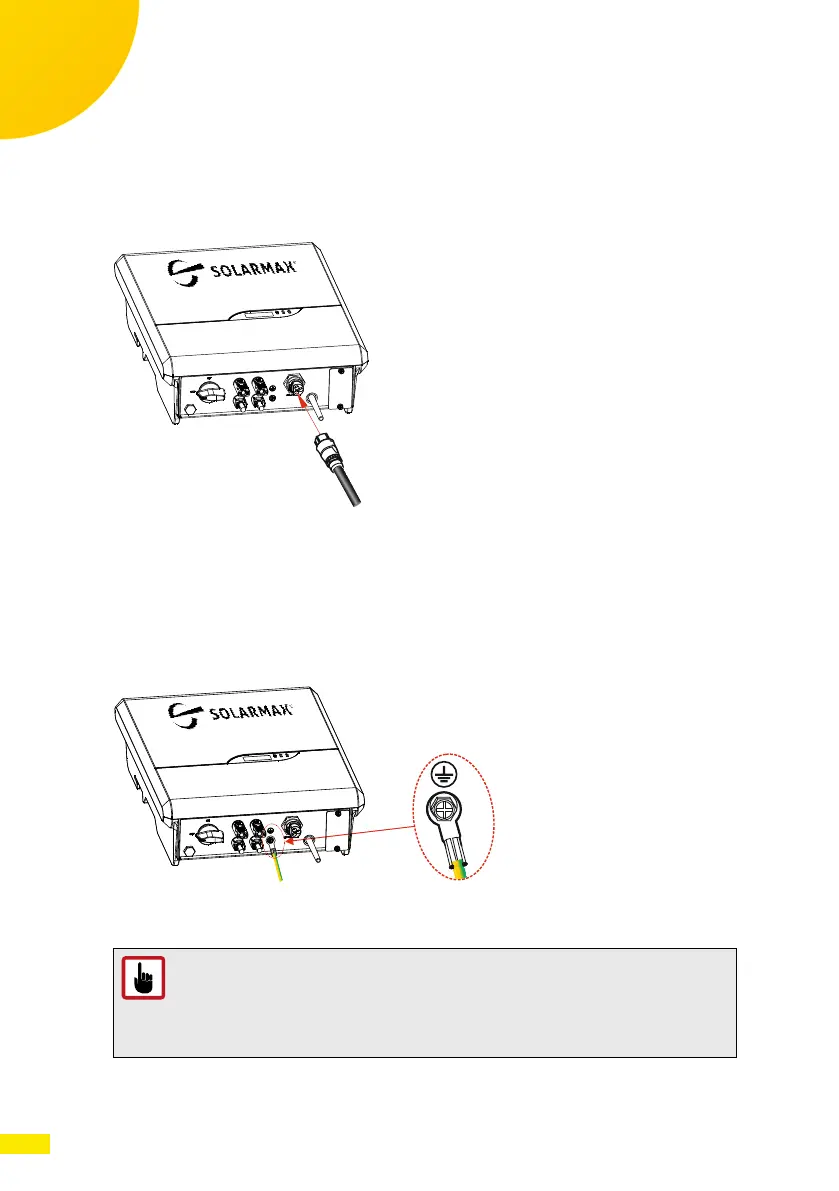
7. Insert the connector in the counterpart located at the bottom of the
inverter pushing it until the side tab clicks and locks it in position.
Fig. 12: Connecting the AC cable to the SP inverter
8. If you have to remove the AC connector, use a screwdriver to press the side
tab and unlock it from the enclosure, while pulling down the connector to
disengage it from the inverter.
Protective Earth Connection
Connect the external Protective Earth cable:
Fig. 13: Connecting the external Protective Earth cable
CAUTION!
The external Protective Earth connection cannot substitute the one
present in the AC connector used to connect the inverter to the grid.
Make sure that both cables are present and connected, otherwise
warranty may be void in case of failure of the electrical connections.



 To Next Page