17
en
5�2�2 Connection instructions
AC Connector
NOTE
Use a copper wire of size 20 ... 14 mm external diameter (section 4 ...
6mm
2
). Use only rigid or exible conductors.
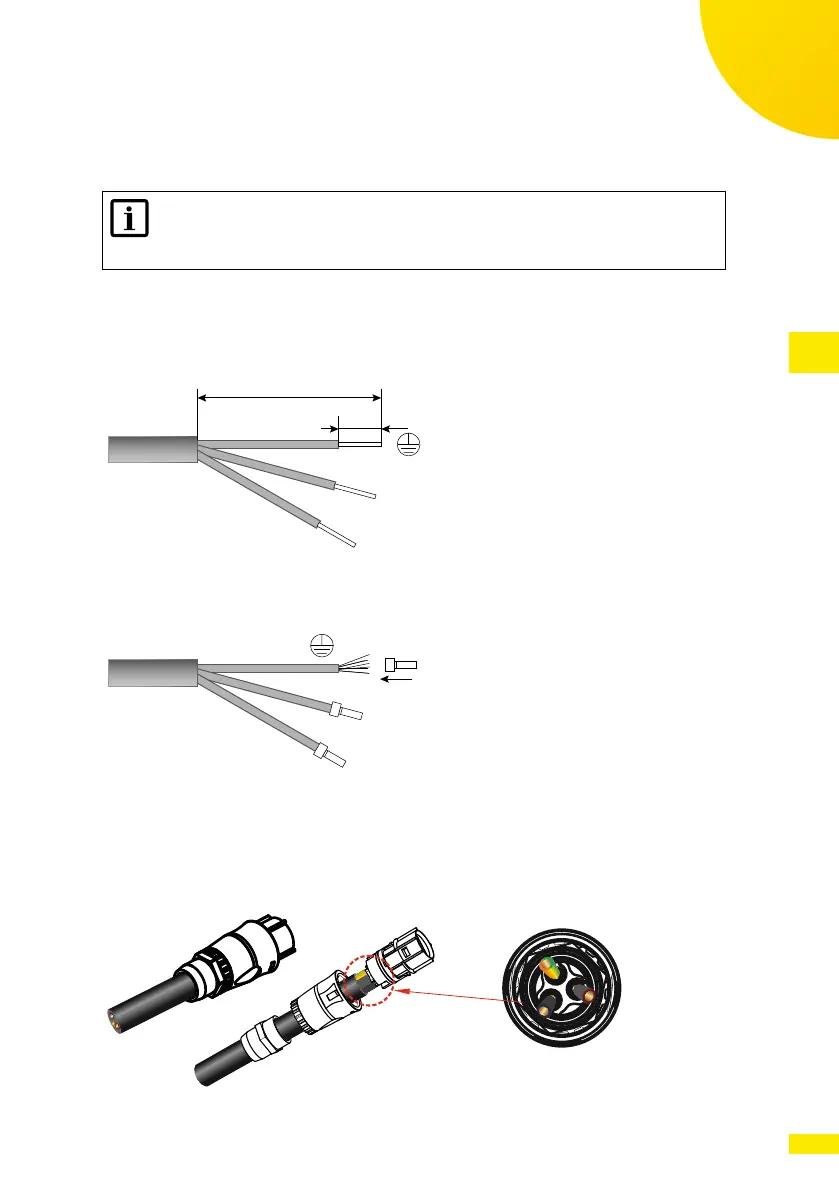
1. Remove the external isolation of the cable to free the N (Neutral) and L
(Line) wires for a length Y of 36 mm, and to free the PE (Protective Earth)
wire for a length Y of 40 mm. Remove the isolation of the individual wires
for a length X of about 10 ... 15 mm.
y
x
N
L
Fig. 9: Removing the isolation of the AC cable
2. Crimp or solder tip terminals on the wires.
N
L
Fig. 10: Connecting the tip terminals to the AC cable
3. Check that all the parts of the AC connector are present and in good condi-
tion. Insert the cable in the cable gland and into the connector enclosure.
4. Insert and lock the individual conductors PE, N and L in the respective con-
nector terminals.
G
N
L
Zo o m i n
Fig. 11: Connecting the AC cable to the AC connector



 To Next Page