26
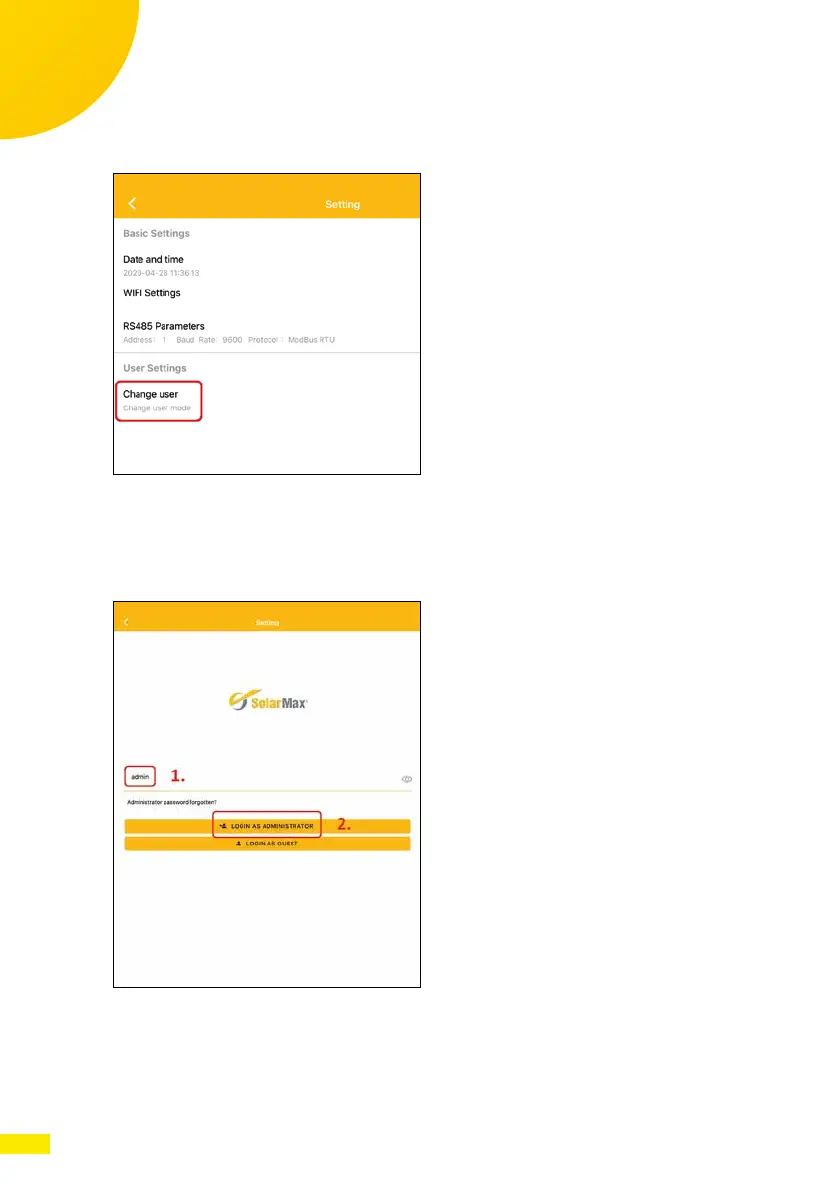
3. Select the button “Change user“ to get the access menu (see the following
gure).
Fig. 25: App MaxLink Settings
4. Enter the administrator password to change inverter data. Use the pass-
word “admin” (see the following gure).
5. Select buttton “Login as Administrator“.
Fig. 26: Login to the inverter
6. If the login was successful, you can change settings, e.g. national stand-
ards, power factor or power derating (see the following gure).



 To Next Page