SR971,SR972 Solar station operation manual
-------------------------------------------------------------------------------------------------------------------------------------
12
5. Wire connection of solar controller
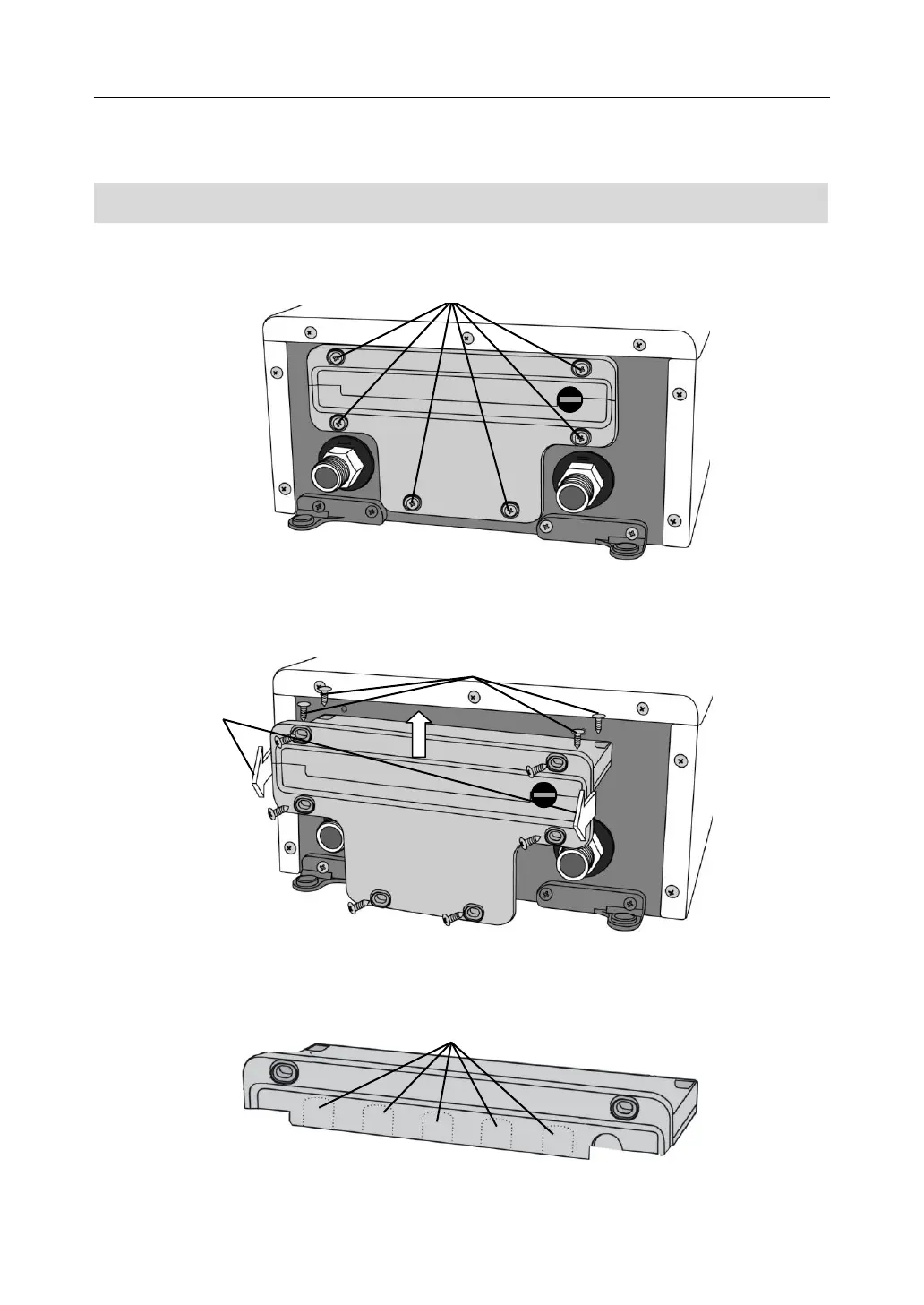
5.1 Open the connection box
►Loosen the fixing screw (B) which is on the back of connection box
►Pull out the connection box downwards parallelly. ( C)
►Loosen the protection screw ( D), open the cover of terminal upwards
► Using proper tools ( like knife) to take out the plastic ( E) piece, wires can pentrate
connection termial through preprepared holes.



 To Next Page