Press & hold
My (stop) Button
my
4.
4) Press and hold the MY (stop) utton until the shade jogs.
New Upper Limit (Up stop Position) is now added to memory.
b
my
Press &
hold UP
& DOWN
Button
my
my
Press &
hold Either
UP or DOWN
Button
my
2.
3.
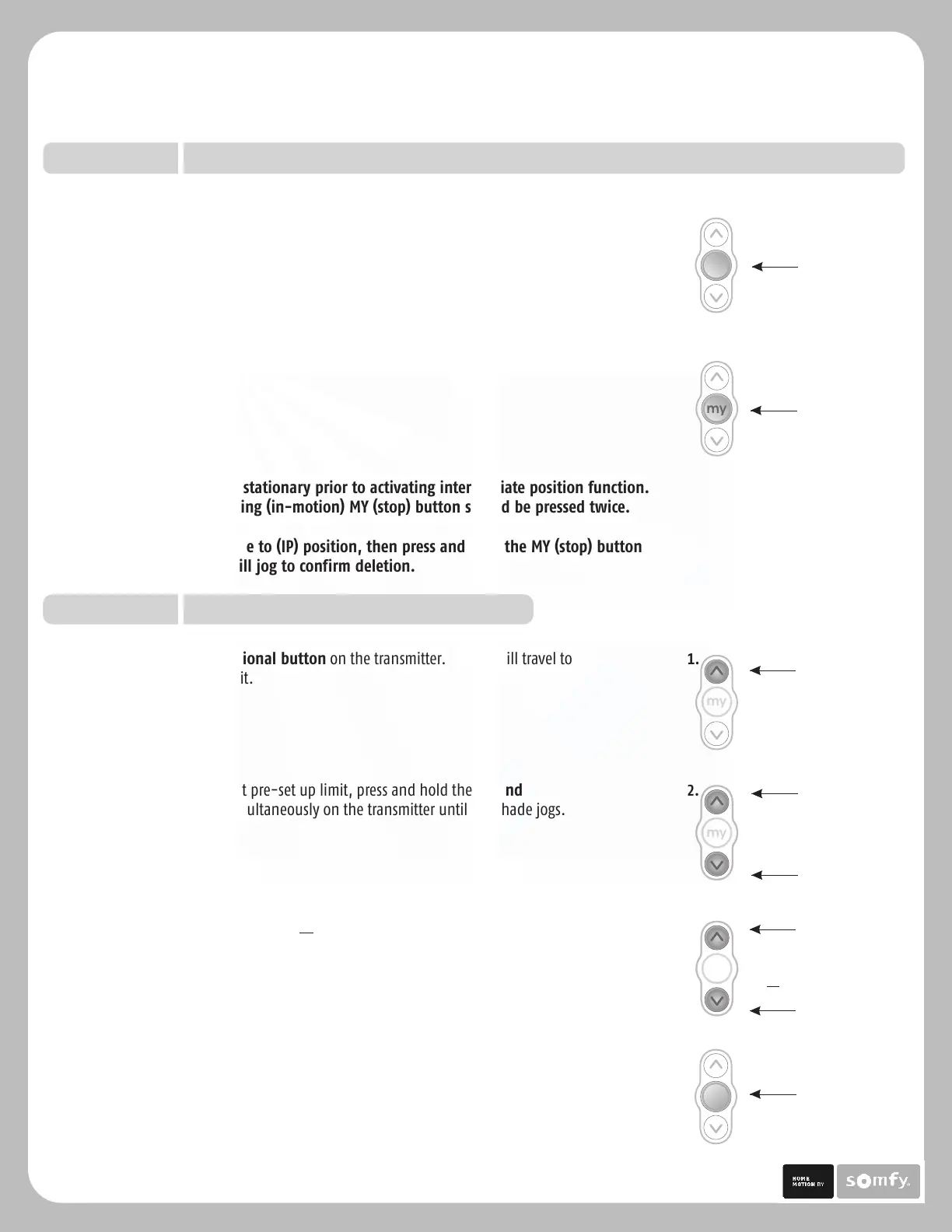
2) Once shade stops at pre-set up limit, press and hold the UP and
DOWN uttons simultaneously on the transmitter until the shade jogs.b
3) Press and hold either the UP or DOWN utton on the transmitter to adjust
shade to new position.
b
my
Press MY (stop)
Button
3.
Press UP
Button
mymy
1.
1) Press the UP directional utton on the transmitter. Shade will travel to
the pre-set UP limit.
b
Note: Shade should be stationary prior to activating intermediate position function.
If shade is actively moving (in-motion) MY (stop) utton should be pressed twice.
To Delete: Activate shade to (IP) position, then press and hold the MY (stop) utton
for 5 seconds. Shade will jog to confirm deletion.
b
b
3) Activate the shade intermediate position by pressing the MY (Stop)
from ANY shade position.
button
Re-adjusting Upper Limit (UP Shade Position)
OPTION TWO
my
Press & hold
MY (stop) Button
2.
2) Once the desired Intermediate position is reached, Press and hold the
MY (stop) on the transmitter until the shade jogs. Intermediate
position is now added to memory
button
Sonesse 30 Programming & Operation Instructions
TM
P.6
OPTION ONE
Setting an Intermediate Position (IP) continued.
Solar Control, LLC | 888-550-4836





 To Next Page