4-1
Chapter 4 Menu
Many functions that are not used with the controller can be used by opening the menu.
These functions enable settings for specific purposes and allow for more functional sonar
usage.
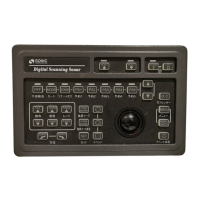
The menu is operated using the menu key ( ) on the controller and the cross-cursor
operated by the track ball.
4.1 Entering the menu
Press the menu key ( ) on the controller. The menu screen is displayed in the right part
of the screen.
Move the cross-cursor using the track ball onto the frame of the menu item that you want
to select. Press the menu key ( ) of the controller, and then the menu item in the frame
that is selected with the cross-cursor is opened.


 To Next Page