[62] Shooting Selecting a drive mode (Continuous shooting/Self-timer)
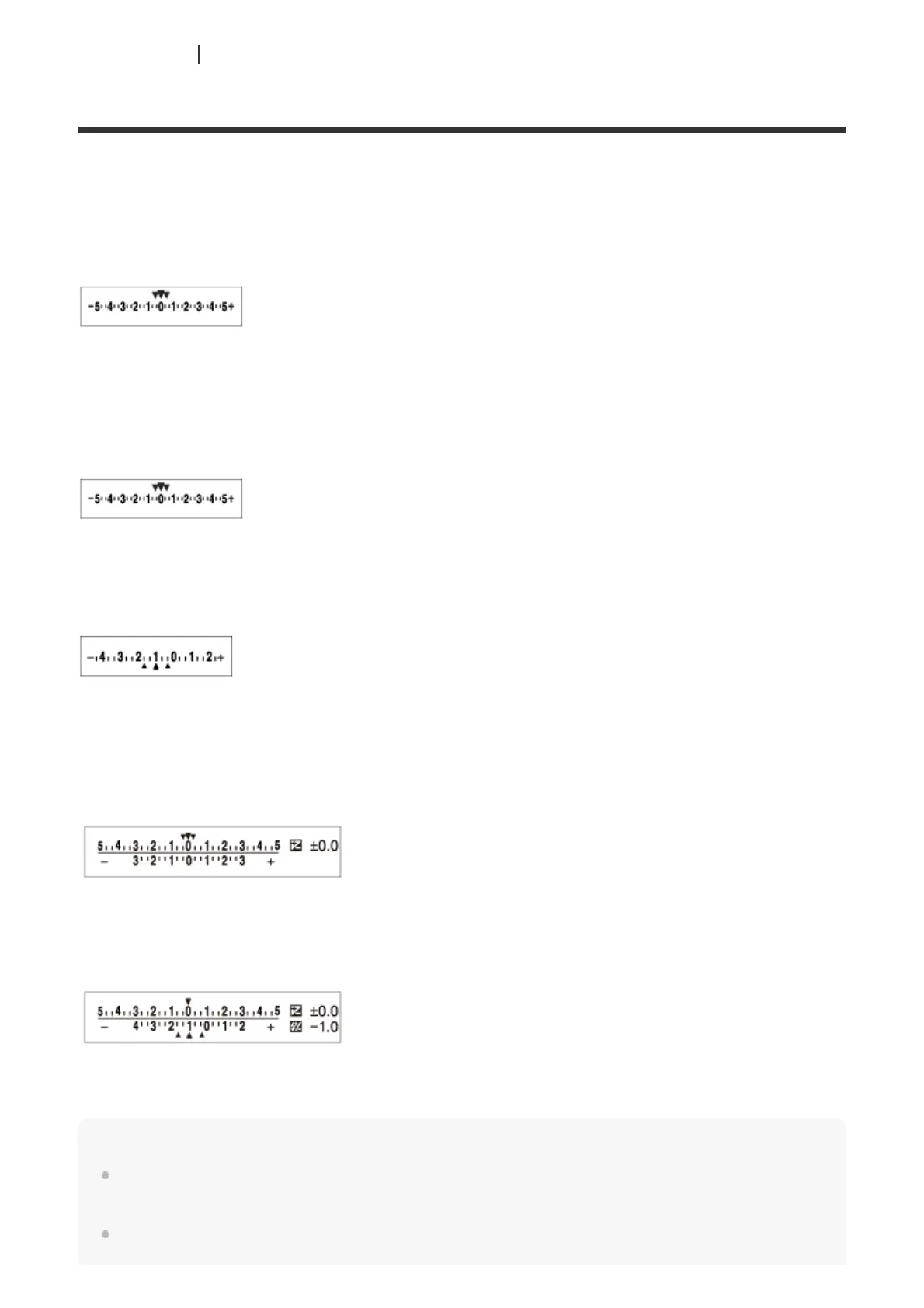
Indicator during bracket shooting
Viewfinder
Ambient light* bracketing
3 images shifted by 0.3 EV steps
Exposure compensation ±0.0 EV
Monitor (Display All Info. or Histogram)
Ambient light* bracketing
3 images shifted by 0.3 EV steps
Exposure compensation ±0.0 EV
Flash bracketing
3 images shifted by 0.7 EV steps
Flash compensation -1.0 EV
Monitor (For viewfinder)
Ambient light* bracketing (upper indicator)
3 images shifted by 0.3 EV steps
Exposure compensation ±0.0 EV
Flash bracketing (lower indicator)
3 images shifted by 0.7 EV steps
Flash compensation -1.0 EV
Note
During bracket shooting, guides equal to the number of images to be shot are displayed over/under
the bracket indicator.
When you start single bracket shooting, the guides will disappear one by one as the camera records
Ambient light: A generic term for non-flash light including natural light, electric bulb and fluorescent lighting.
Whereas the flash light blinks for a moment, ambient light is constant, so this kind of light is called "ambient light."
*



 To Next Page