Step 3: Connectingto the Network
• To connect the system to your network, you need to make network settings that suit your usage environment and
components. For details, see "Setting up the Network" (page 53) and "[Network Settings]" (page 62).
For BDV-E580/BDV-T58
Select the method based on your LAN (Local Area Network) environment.
• If you use a wireless LAN
The system hits built-in Wi-Fi, and you can connect the system to the network by making the network
settings.
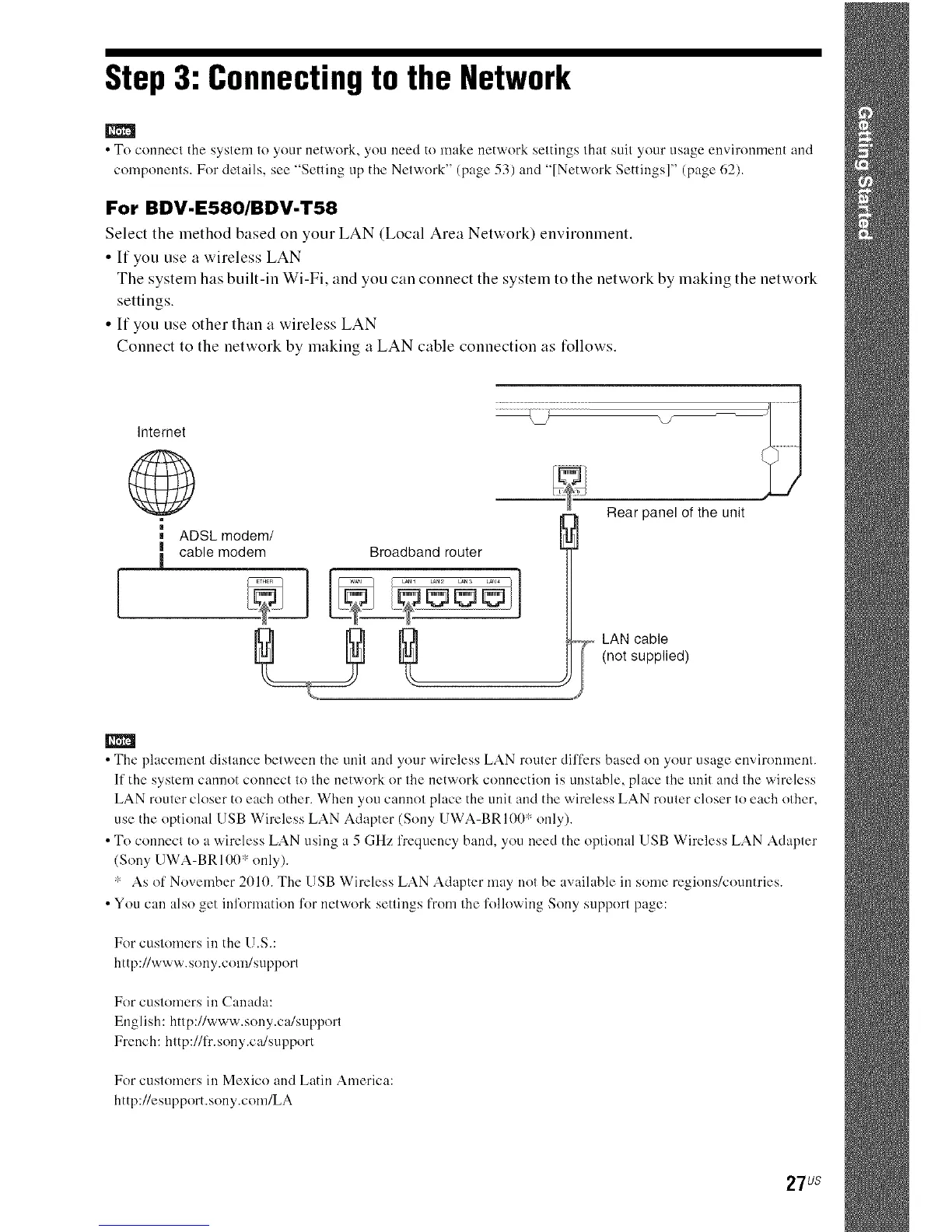
• If you use other than it wireless LAN
Connect to the network by making a LAN cable connection its follows.
.................._ \7
Intemet
©
ADSL modem/
I cable modem Broadband router
!
Rear panel of the unit
LAN cable
(not supplied)
•The placement distance between the unit and your wireless LAN router differs based on your usage environment.
If the system cannot connect to the network or the network connection is unstable, place the unit and the wireless
LAN router closer to each other. When you cannot place the unit and the wireless LAN router closer to each other,
use the optional USB Wireless LAN Adapter (Sony UWA-BR100* only).
• To connect to a wireless LAN using a 5 GHz frequency band, you need the optional USB Wireless LAN Adapter
(Sony [ JWA-BR100" only).
* As of November 2010. The USB Wireless LAN Adapter may not be available in some regions/countries.
•You can also get in%rmation %r network settings from the %llowing Sony support page:
For customers in the U.S.:
http://www.sony.com/suppor(
For customers ill Canada:
English: http://www.sony.ca/support
French: http://fr.sony.ca/support
For customers in Mexico and Latin America:
http://esupport.sony.com/LA
27us



 To Next Page