[]
[]
[]
[]
Network condition indicator
dill Indicates signal strength for a wireless
connection.
8% Indicates a wired connection.
Network transmission speed
The next video file name
The currently selected video file name
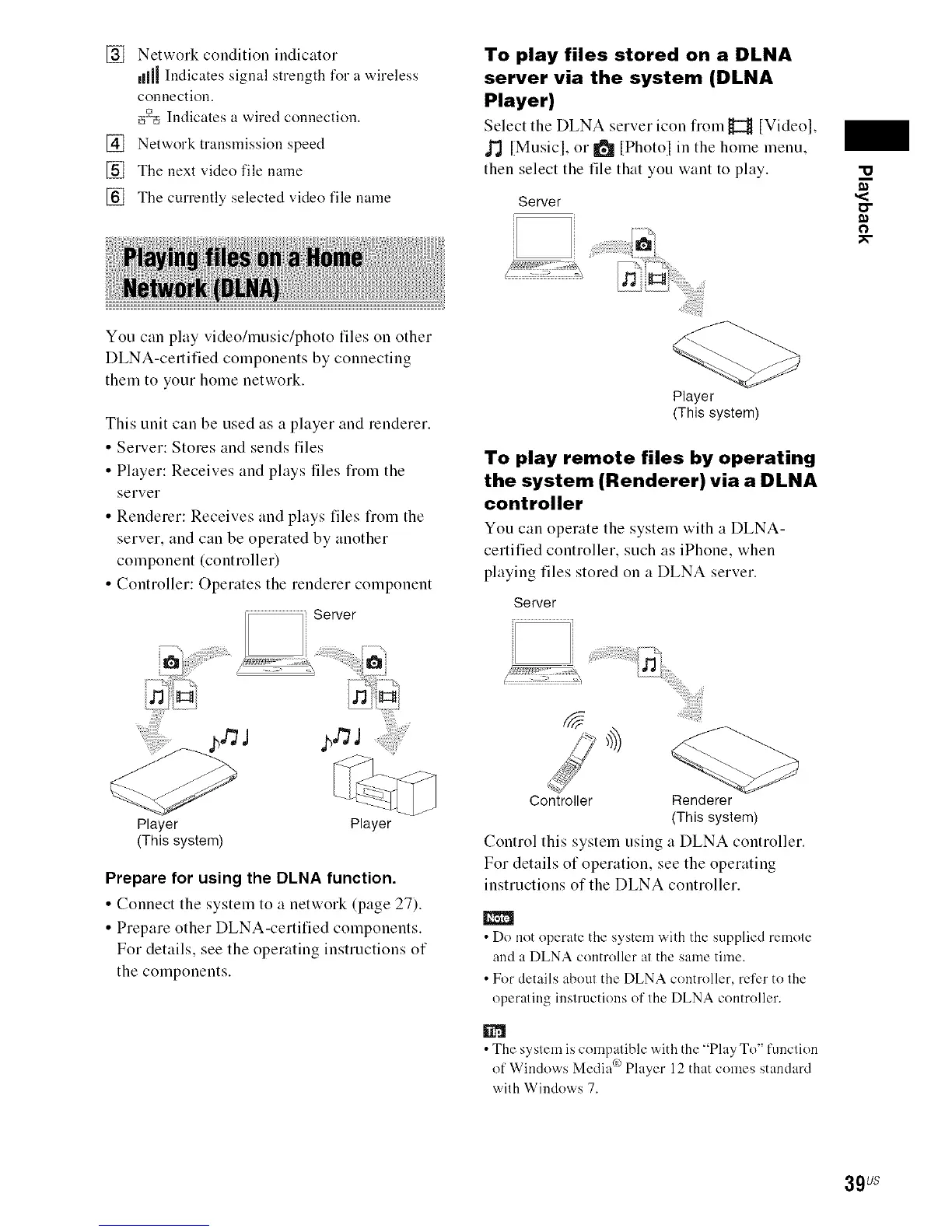
To play files stored on a DLNA
server via the system (DLNA
Player)
Select the DLNA server icon fiom H [Videol,
J'J [Musicl, or 101[Photol in the home menu,
then select the file that you want to play.
Server
o
You can play video/music/photo files on other
DLNA-certified components by connecting
them to your home network.
This unit can be used as a player and renderer.
• Server: Stores and sends files
• Player: Receives and plays tiles fiom the
server
• Renderer: Receives and plays files fiom the
server, and can be operated by another
component (controller)
• Controller: Operates the renderer component
Player Player
(This system)
Prepare for using the DLNA function.
• Connect the system to a network (page 27).
• Prepare other DLNA-certified components.
For details, see the operating instructions of
the components.
Player
(This system)
To play remote files by operating
the system (Renderer) via a DLNA
controller
You can operate the system with a DLNA-
certified controller, such as iPhone, when
playing files stored on a DLNA server.
Server
_i_i!ii_iiiiii!il;i_iiiiii!iiiiiiiii_i_!i_i_ii_!iliiii_ii_iiii_i!_i,_
Controller Renderer
(This system)
Control this system using a DLNA controller.
For details of operation, see the operating
instructions of the DLNA controller.
• Do not operate the system with the supplied remote
and a DLNA controller at the same time.
• For details about the DLNA controller, refer to the
operating instructions of the DLNA controller.
• The syslem is compalible with the "Play To" function
of Windows Media °_Player 12 that comes standard
with Windows 7.
39us



 To Next Page