Step4: Performingthe
EasySetup
Before performing Step 4
Make sure all connections are secure, and then
connect the AC power cord (mains lead).
Follow the Steps below to make the basic
adjustments for using the system.
Displayed items vary depending on the country
model.
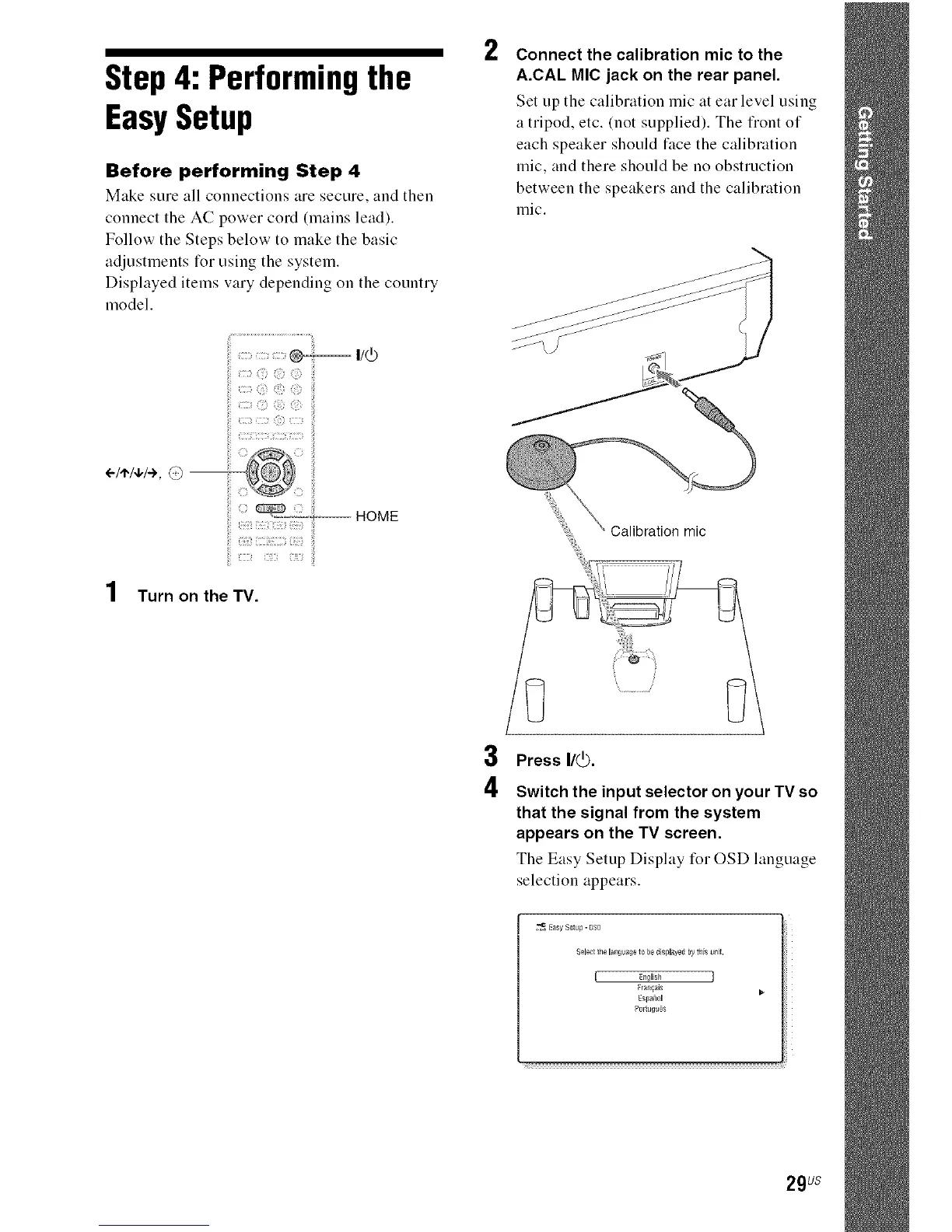
I/(_)
) ©
:: ) © ©
© )
÷/a'/q,/÷, @ --
....÷.... HOME
Turn on the TV,
2
Connect the calibration mic to the
A.CAL MIC jack on the rear panel.
Set up the calibration mic at ear level using
a tripod, etc. (not supplied). The fiont of
each speaker should face the calibration
mic, and there should be no obstruction
between the speakers and the calibration
mic.
Calibration mic
3
4
Press I/_).
Switch the input selector on your TV so
that the signal from the system
appears on the TV screen.
The Easy Setup Display for OSD language
selection appears.
29us



 To Next Page