EasyManua.ls Logo

Sony CCD-TR44 - Inserting a Cassette

Sony CCD-TR44
56 pages
Print Icon
To Next Page IconTo Next Page
To Previous Page IconTo Previous Page
Loading...
Inserting
a
Cassette
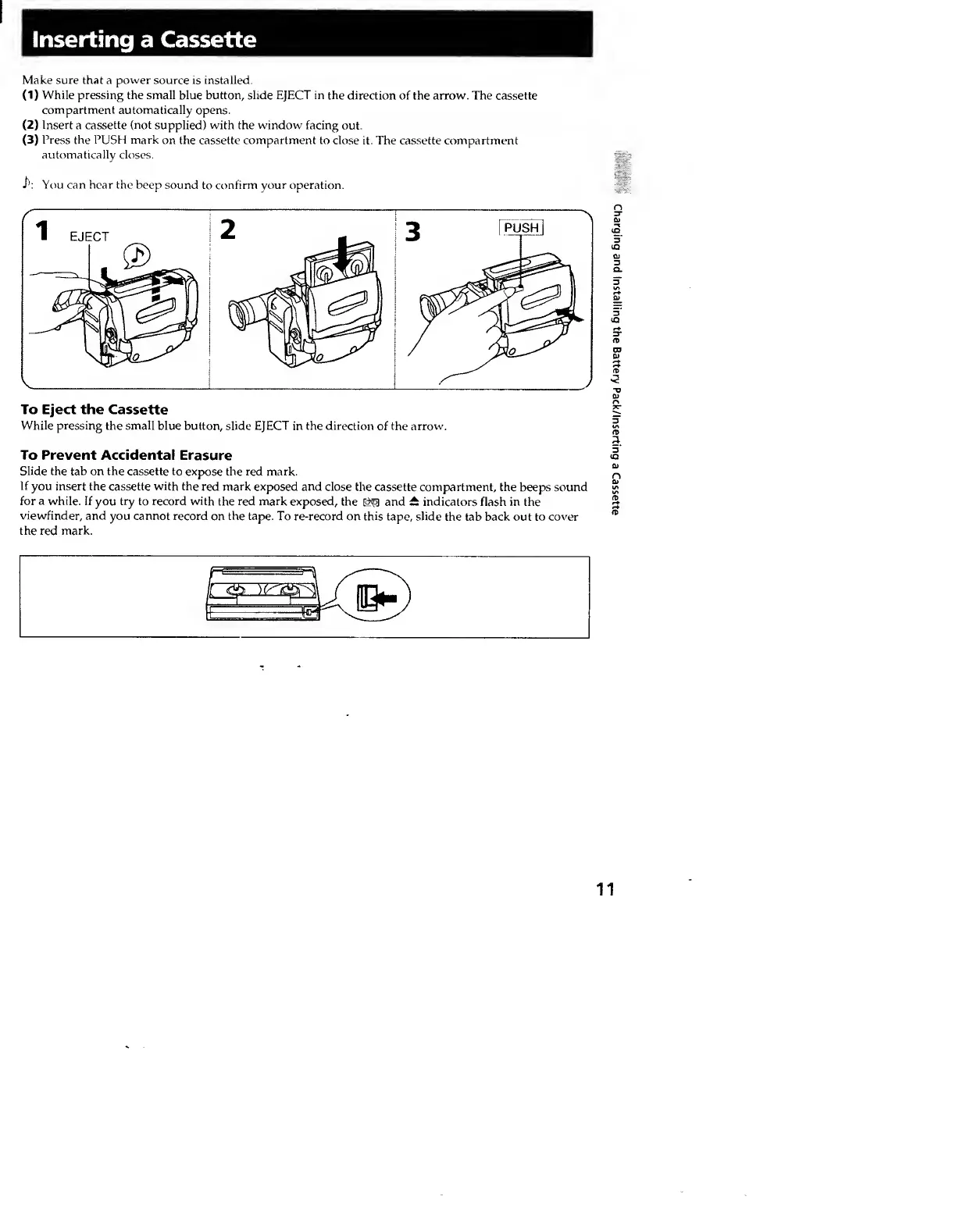
Make
sure
that
a
power
source
is
installed.
(
1
)
While
pressing
the
small
blue
button,
slide
EJECT
in
the
direction
of
the
arrow.
The
cassette
compartment
automatically
opens.
(
2
)
Insert
a
cassette
(not
supplied)
with
the
window
facing
out.
(3)
Press
the
PUSH
mark
on
the
cassette
compartment
to
close
it.
The
cassette
compartment
automatically
closes.
i':
You
can
hear
the
beep
sound
to
confirm
your
operation.
To
Eject
the
Cassette
While
pressing
the
small
blue
button,
slide
EJECT
in
the
direction
of
the
arrow.
To
Prevent
Accidental
Erasure
Slide
the
tab
on
the
cassette
to
expose
the
red
mark.
If
you
insert
the
cassette
with
the
red
mark
exposed
and
close
the
cassette
compartment,
the
beeps
sound
for
a
while.
If
you
try
to
record
with
the
red
mark
exposed,
the
and
it
indicators
flash
in
the
viewfinder,
and
you
cannot
record
on
the
tape.
To
re-record
on
this
tape,
slide
the
tab
back
out
to
cover
the
red
mark.
Charging
and
Installing
the
Battery
Pack/Inserting
a
Cassette