EasyManua.ls Logo

Sony CCD-TR44 - Changing the Mode Settings

Sony CCD-TR44
56 pages
Print Icon
To Next Page IconTo Next Page
To Previous Page IconTo Previous Page
Loading...
Changing
the
Mode
Settings
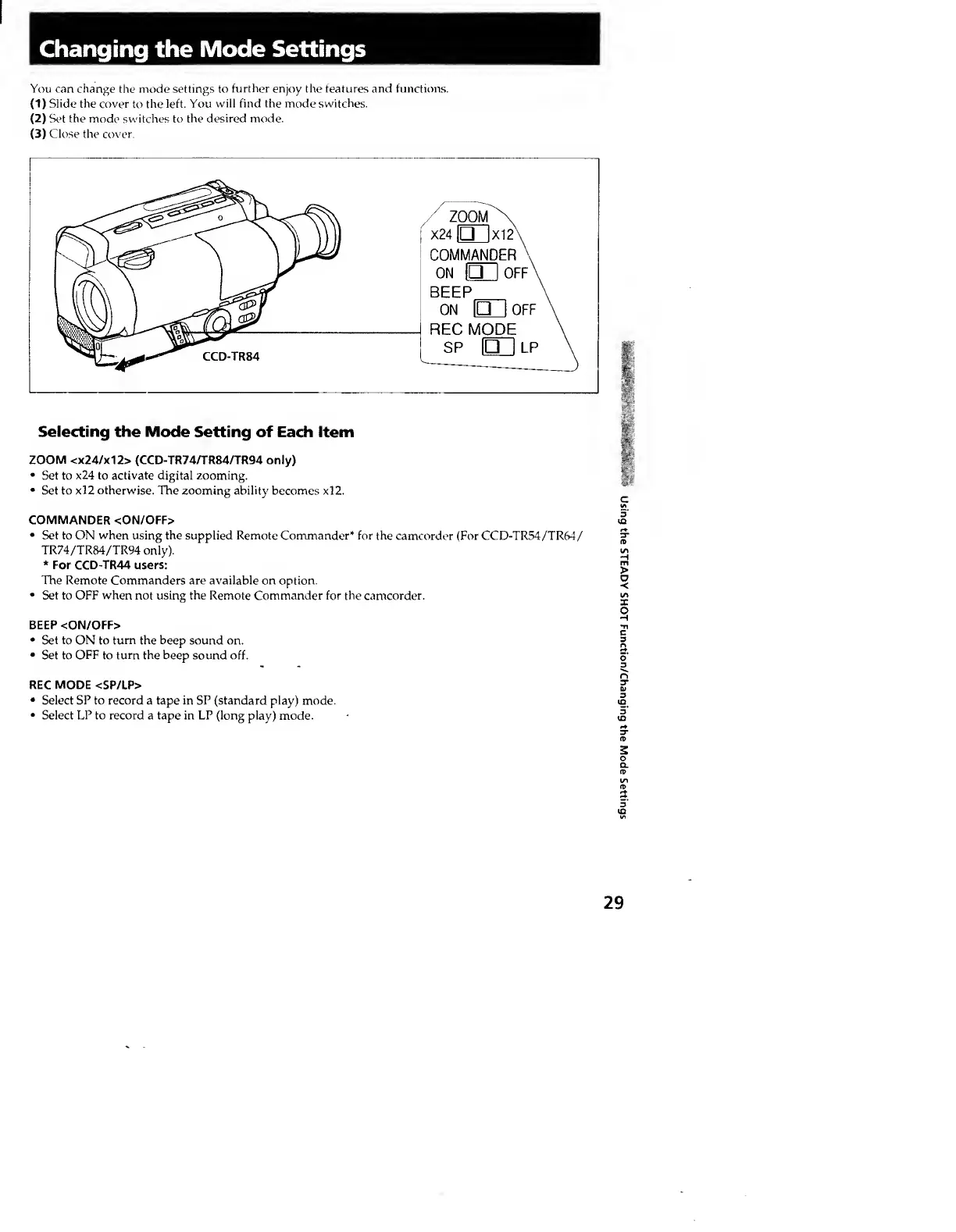
You
can
change
the
mode
settings
to
further
enjoy
the
features
and
functions.
(
1
)
Slide
the
cover
to
the
left.
You
will
find
the
mode
switches.
(2)
Set
the
mode
switches
to
the
desired
mode.
(3)
Close
the
cover.
Selecting
the
Mode
Setting
of
Each
Item
ZOOM
<x24/x12>
(CCD-TR74/TR84/TR94
only)
Set
to
x24
to
activate
digital
zooming.
Set
to
xl2
otherwise.
The
zooming
ability
becomes
xl2.
COMMANDER
<ON/OFF>
Set
to
ON
when
using
the
supplied
Remote
Commander*
for
the
camcorder
(For
CCD-TR54/TR64/
TR74/TR84/TR94
only).
*
For
CCD-TR44
users:
The
Remote
Commanders
are
available
on
option.
Set
to
OFF
when
not
using
the
Remote
Commander
for
the
camcorder.
BEEP
<ON/OFF>
Set
to
ON
to
turn
the
beep
sound
on.
Set
to
OFF
to
turn
the
beep
sound
off.
REC
MODE
<SP/LP>
Select
SP
to
record
a
tape
in
SP
(standard
play)
mode.
Select
LP
to
record
a
tape
in
LP
(long
play)
mode.
29
Using
the
STEADY
SHOT
Function/Changing
the
Mode
Settings