EasyManua.ls Logo

Sony CCD-TR44 - Superimposing a Title

Sony CCD-TR44
56 pages
Print Icon
To Next Page IconTo Next Page
To Previous Page IconTo Previous Page
Loading...
Supetimposing
a
Title
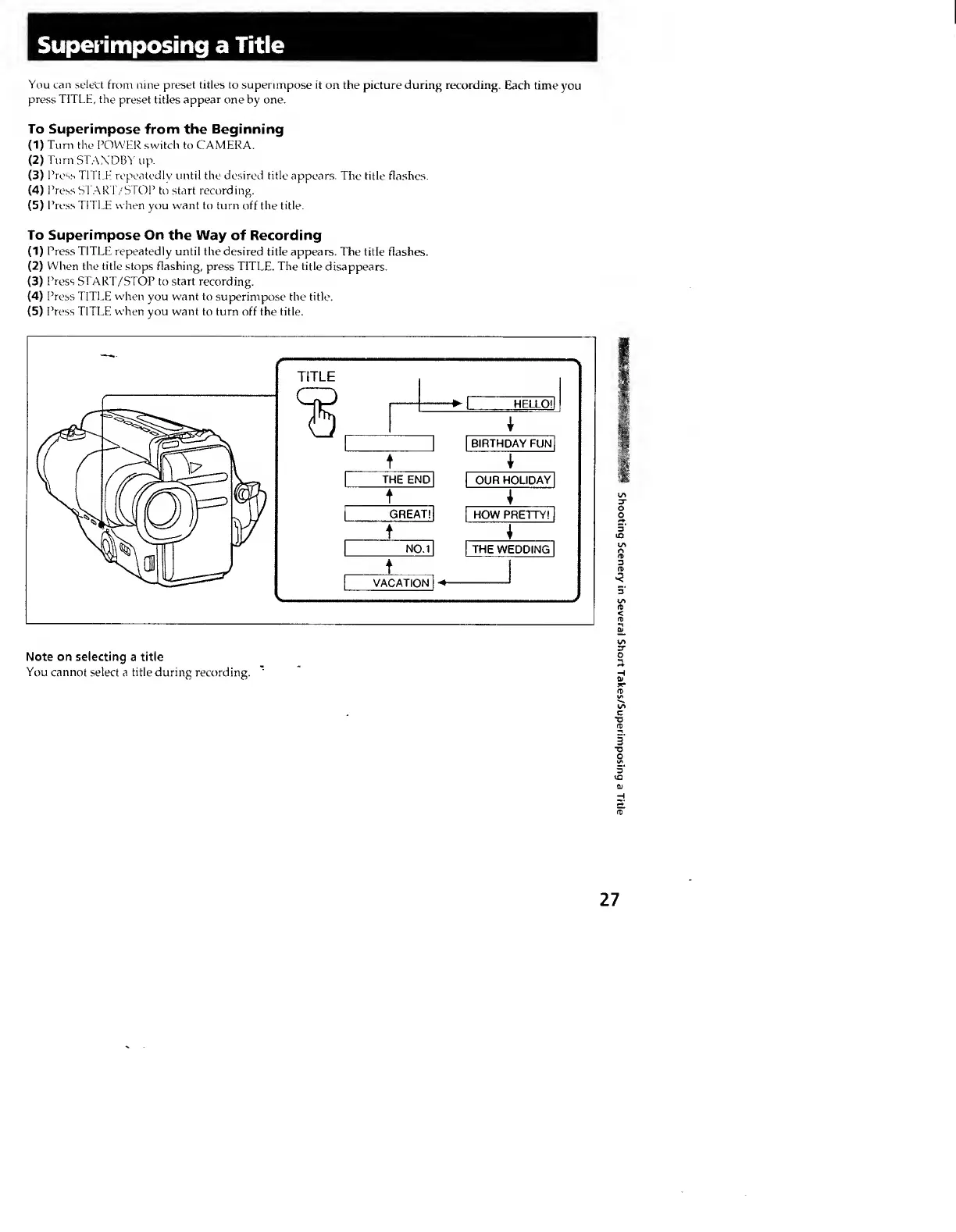
You
can
select
from
nine
preset
titles
to
superimpose
it
on
the
picture
during
recording.
Each
time
you
press
TITLE,
the
preset
titles
appear
one
by
one.
To
Superimpose
from
the
Beginning
(
1
)
Turn
the
POWER
switch
to
CAMERA.
(
2
)
Turn
STANDBY
up.
(
3
)
Pr
ess
TITLE
repeatedly
until
the
desired
title
appears.
The
title
flashes.
(
4
)
Press
ST,\R'r/STOP
to
start
recording.
(
5
)
Press
TITLE
when
you
want
to
turn
off
the
title.
To
Superimpose
On
the
Way
of
Recording
(
1
)
Press
TITLE
repeatedly
until
the
desired
title
appears.
The
title
flashes.
(
2
)
When
the
title
stops
flashing,
press
TITLE.
The
title
disappears.
(
3
)
Press
START/STOP
to
start
recording.
(
4
)
Press
TITLE
when
vou
want
to
superimpose
the
title.
(
5
)
Press
TITLE
when
you
want
to
turn
off
the
title.
Note
on
selecting
a
title
You
cannot
select
a
title
during
recording.
27
shooting
Scenery
in
Several
Short
Takes/Superimposing
a
Title