EasyManua.ls Logo

Sony CCD-TR44 - Identifying the Parts

Sony CCD-TR44
56 pages
Print Icon
To Next Page IconTo Next Page
To Previous Page IconTo Previous Page
Loading...
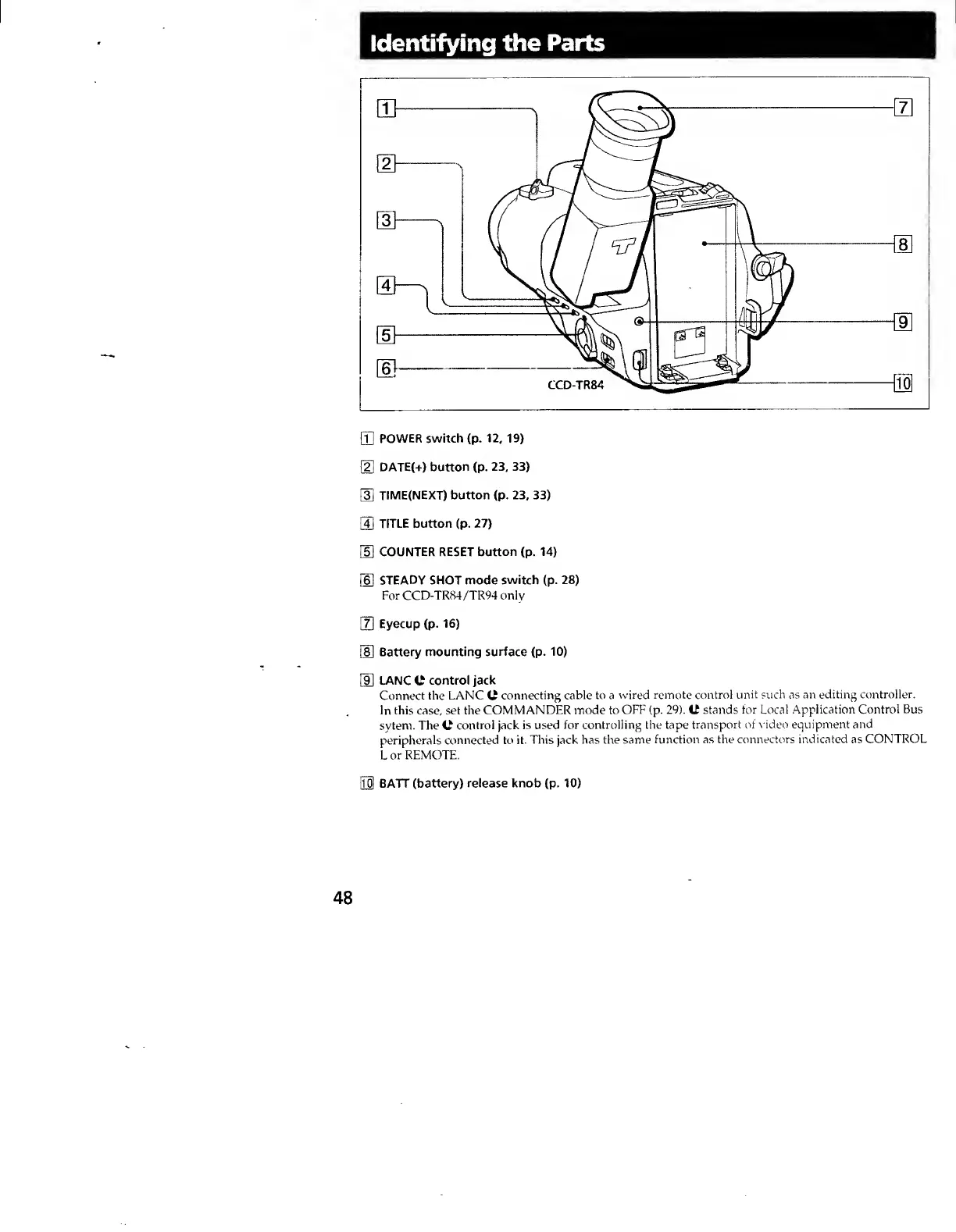
Identifying
the
Parts
[T]
POWER
switch
(p.
12,
19)
[U
DATE(+)
button
(p.
23,
33)
[3]
TIME(NEXT)
button
(p.
23,
33)
[U
TITLE
button
(p.
27)
HI
COUNTER
RESET
button
(p.
14)
(U
STEADY
SHOT
mode
switch
(p.
28)
For
CCD-TR84/TR94
only
[7]
Eyecup
(p.
16)
[8]
Battery
mounting
surface
(p.
10)
[9]
LANC
C
control
jack
Connect
the
LANC
C
connecting
cable
to
a
wired
remote
control
unit
such
as
an
editing
controller.
In
this
case,
set
the
COMMANDER
mode
to
OFF
(p.
29).
C
stands
for
Local
Application
Control
Bus
sytem.
The
C
control
jack
is
used
for
controlling
the
tape
transport
of
\
ideo
equipment
and
peripherals
connected
to
it.
This
jack
has
the
same
function
as
the
connectors
indicated
as
CONTROL
L
or
REMOTE.
Ho!
BATT
(battery)
release
knob
(p.
10)
48