EasyManua.ls Logo

Sony CCD-TR44 - Using the Zoom Feature

Sony CCD-TR44
56 pages
Print Icon
To Next Page IconTo Next Page
To Previous Page IconTo Previous Page
Loading...
Using
the
Zoom
Feature
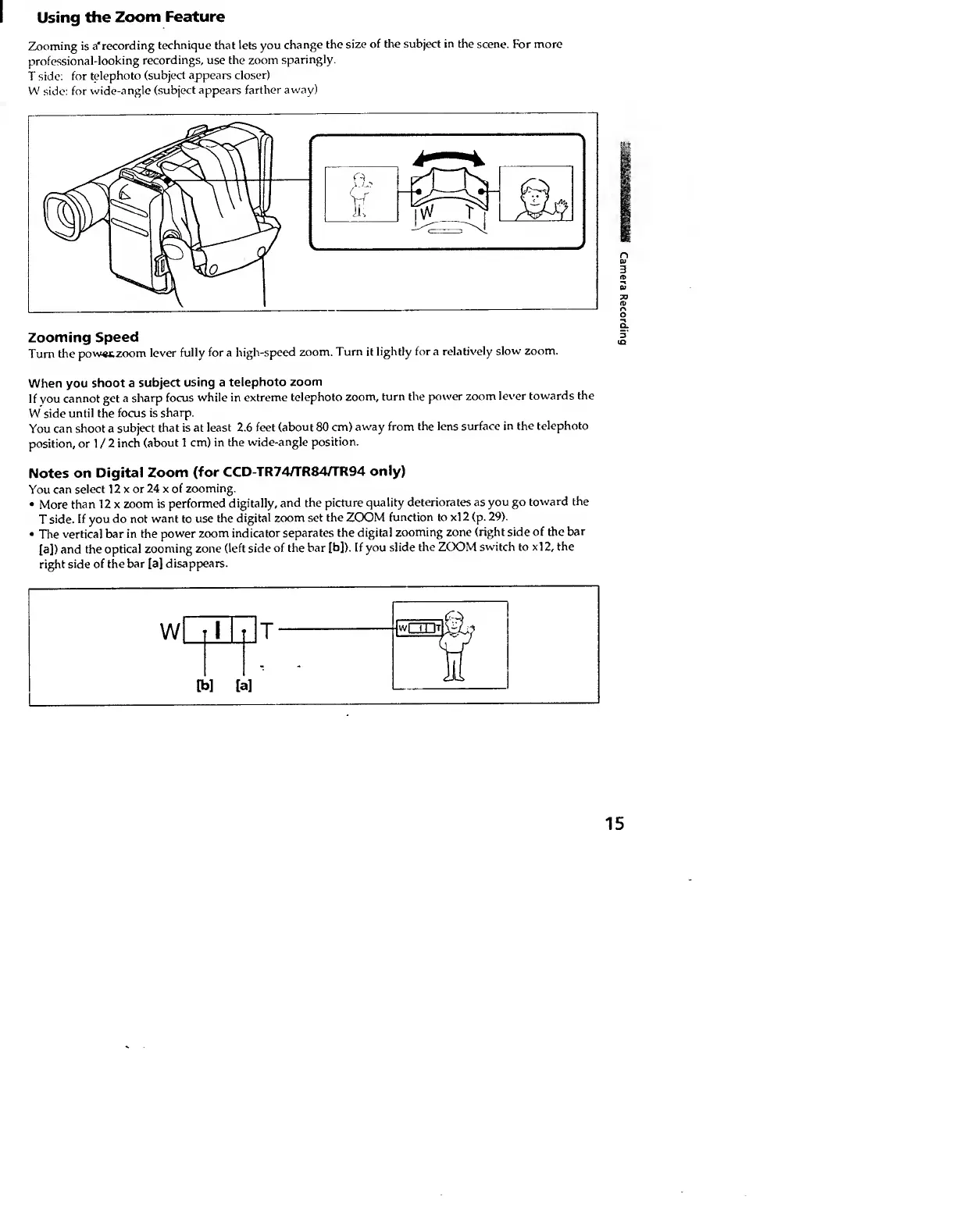
Zooming
is
a'recording
technique
that
lets
you
change
the
size
of
the
subject
in
the
scene.
For
more
professional-looking
recordings,
use
the
zoom
sparingly.
T
side:
for
telephoto
(subject
appears
closer)
W
side:
for
wide-angle
(subject
appears
farther
away)
Zooming
Speed
Turn
the
pow«tzoom
lever
fully
fora
high-speed
zoom.
Turn
it
lightly
fora
relatively
slow
zoom.
When
you
shoot
a
subject
using
a
telephoto
zoom
If
you
cannot
get
a
sharp
focus
while
in
extreme
telephoto
zoom,
turn
the
power
zoom
lever
towards
the
W
side
until
the
focus
is
sharp.
You
can
shoot
a
subject
that
is
at
least
2.6
feet
(about
80
cm)
away
from
the
lens
surface
in
the
telephoto
position,
or
1
/
2
inch
(about
1
cm)
in
the
wide-angle
position.
Notes
on
Digital
Zoom
(for
CCD-TR74/TR84/rR94
only)
You
can
select
12
x
or
24
x
of
zooming.
More
than
12
x
zoom
is
performed
digitally,
and
the
picture
quality
deteriorates
as
you
go
toward
the
T
side.
If
you
do
not
want
to
use
the
digital
zoom
set
the
ZOOM
function
to
xl
2
(p.
29).
The
vertical
bar
in
the
power
zoom
indicator
separates
the
digital
zooming
zone
(right
side
of
the
bar
[a])
and
the
optical
zooming
zone
(left
side
of
the
bar
[b]).
If
you
slide
the
ZCXDM
switch
to
xl2,
the
right
side
of
the
bar
[a]
disappears.
15
Camera
Recording