EasyManua.ls Logo

Sony CCD-TR44 - Shooting Scenery in Several Short Takes

Sony CCD-TR44
56 pages
Print Icon
To Next Page IconTo Next Page
To Previous Page IconTo Previous Page
Loading...
Shooting
Scenery
in
Several
Short
Takes
Long,
continuous
shots
of
scenery
tend
to
be
dull,
and
have
to
be
edited
to
make
an
interesting
video.
With
the
5
SEC
(5-second
recording)
mode,
the
camcorder
records
for
about
5
seconds
and
then
switches
to
Standby
mcxie,
so
that
you
will
automatically
take
a
series
of
quick
shots
resulting
in
a
lively
video.
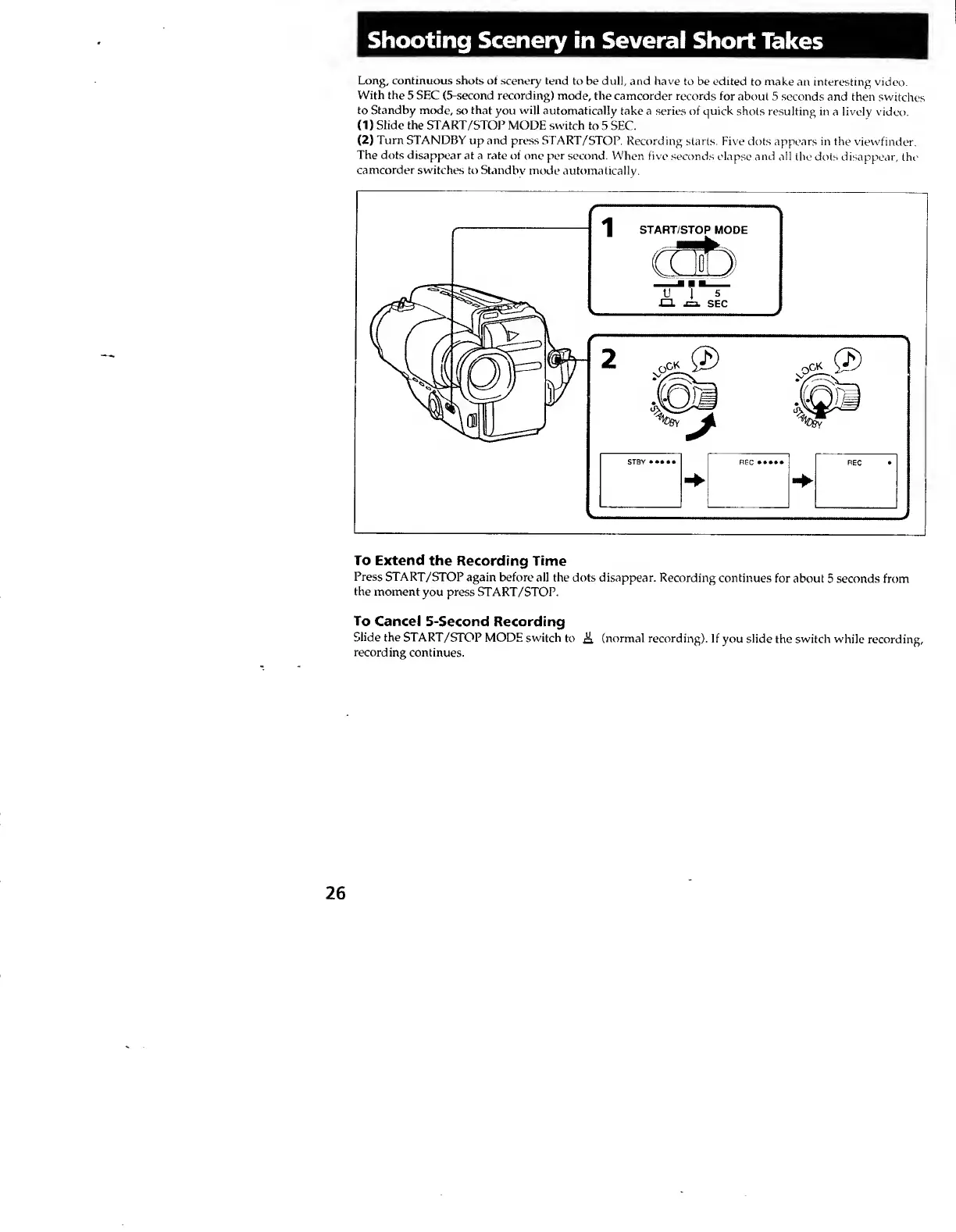
(1)
Slide
the
START/STOP
MODE
switch
to
5
SEC.
(
2
)
Turn
STANDBY
up
and
press
START/STOP.
Recording
starts.
Five
dots
appears
in
the
viewfinder.
The
dots
disappear
at
a
rate
of
one
per
second.
When
five
seconds
elapse
and
all
the
dots
disappear,
the
camcorder
switches
to
Standbv
mode
automatically.
To
Extend
the
Recording
Time
Press
START/STOP
again
before
all
the
dots
disappear.
Recording
continues
for
about
5
seconds
from
the
moment
you
press
START/STOP.
To
Cancel
5-Second
Recording
Slide
the
START/STOP
MODE
switch
to
A
(normal
recording).
If
you
slide
the
switch
while
recording,
recording
continues.
26