EasyManua.ls Logo

Sony CCD-TR44 - Recording with the Date or Time

Sony CCD-TR44
56 pages
Print Icon
To Next Page IconTo Next Page
To Previous Page IconTo Previous Page
Loading...
Using
a
Car
Battery
Use
the
DCP-77
DC
pack
(not
supplied).
Connect
tlie
cord
of
the
DC
pack
to
the
cigarette
lighter
socket
of
a
car
(12
V
or
24
V).
Connect
the
DC
pack
to
the
battery
mounting
surface
of
the
camcorder.
To
remove
the
DC
pack
The
fXT
pack
is
removed
in
the
same
way
as
the
battery
pack
(p.
10).
Recording
with
the
Date
or
Time
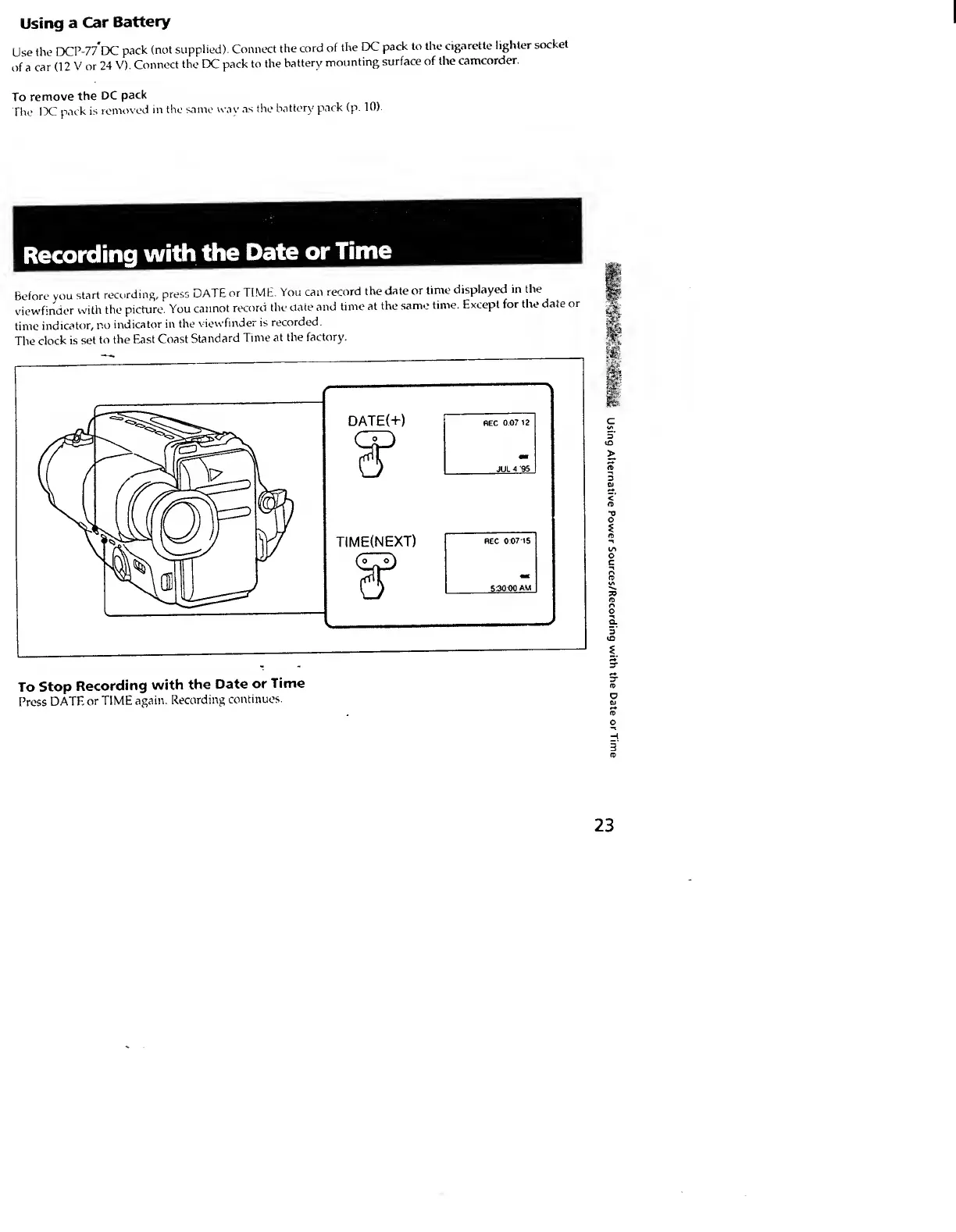
Before
you
start
recording,
press
DATE
or
TIME.
You
can
record
the
date
or
time
displayed!
in
the
viewfinder
with
the
picture.
You
cannot
record
the
date
and
time
at
the
same
time.
Except
for
the
date
or
time
indicator,
no
indicator
in
the
viewfinder
is
recorded.
The
clock
is
set
to
the
East
Coast
Standard
Time
at
the
factory.
To
Stop
Recording
with
the
Date
or
Time
f’rcss
DATE
or
TIME
again.
Recording
continues.
3
rp
23
Using
Alternative
Power
Sources/Recording
with
the
Date
or
Ti