EasyManua.ls Logo

Sony CCD-TR44 - Checking Your Model Number

Sony CCD-TR44
56 pages
Print Icon
To Next Page IconTo Next Page
To Previous Page IconTo Previous Page
Loading...
Checking
Your
Model
Number
The
instructions
in
this
manual
are
for
six
models
listed
below.
Before
you
start
reading
and
operating,
check
your
model
number
by
looking
at
the
bottom
of
your
camcorder.
Tl-ie
CCD-TR54
is
the
model
used
for
illustration
purposes.
Otherwise,
the
model
name
is
indicated
in
the
illustrations.
Any
differences
in
operation
are
clearly
indicated
in
the
text,
for
example,
"For
CCD-TR84
only
".
As
you
read
through
this
manual,
buttons
and
settings
on
the
camcorder
are
shown
in
capital
letters,
e
g.
Set
the
POWER
switch
to
CAMERA
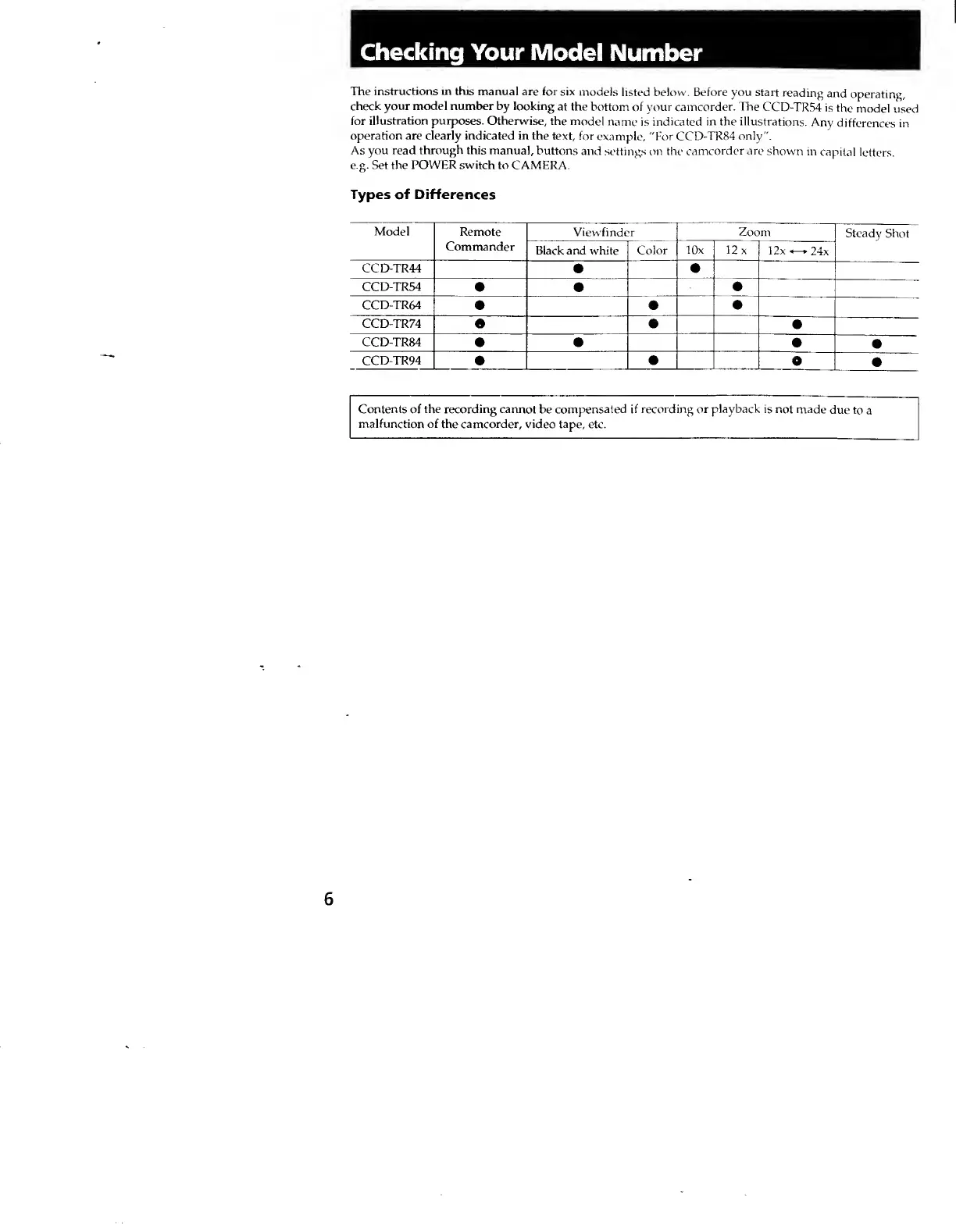
Types
of
Differences
Model
Remote
Commander
1
Viewfinder
1
Zoom
Steady
Shot
Black
and
white
Color
lOx
12
X
12x
24x
CCD-TR44
CCD-TR54
CCD-TR64
CCD-TR74
CCD-TR84
CCD-TR94
O
Contents
of
the
recording
cannot
be
compensated
if
recording
or
playback
is
not
made
due
to
a
malfunction
of
the
camcorder,
video
tape,
etc.
6