EasyManua.ls Logo

Sony CCD-TR44 - Resetting the Date and Time

Sony CCD-TR44
56 pages
Print Icon
To Next Page IconTo Next Page
To Previous Page IconTo Previous Page
Loading...
Resetting
the
Date
and
Time
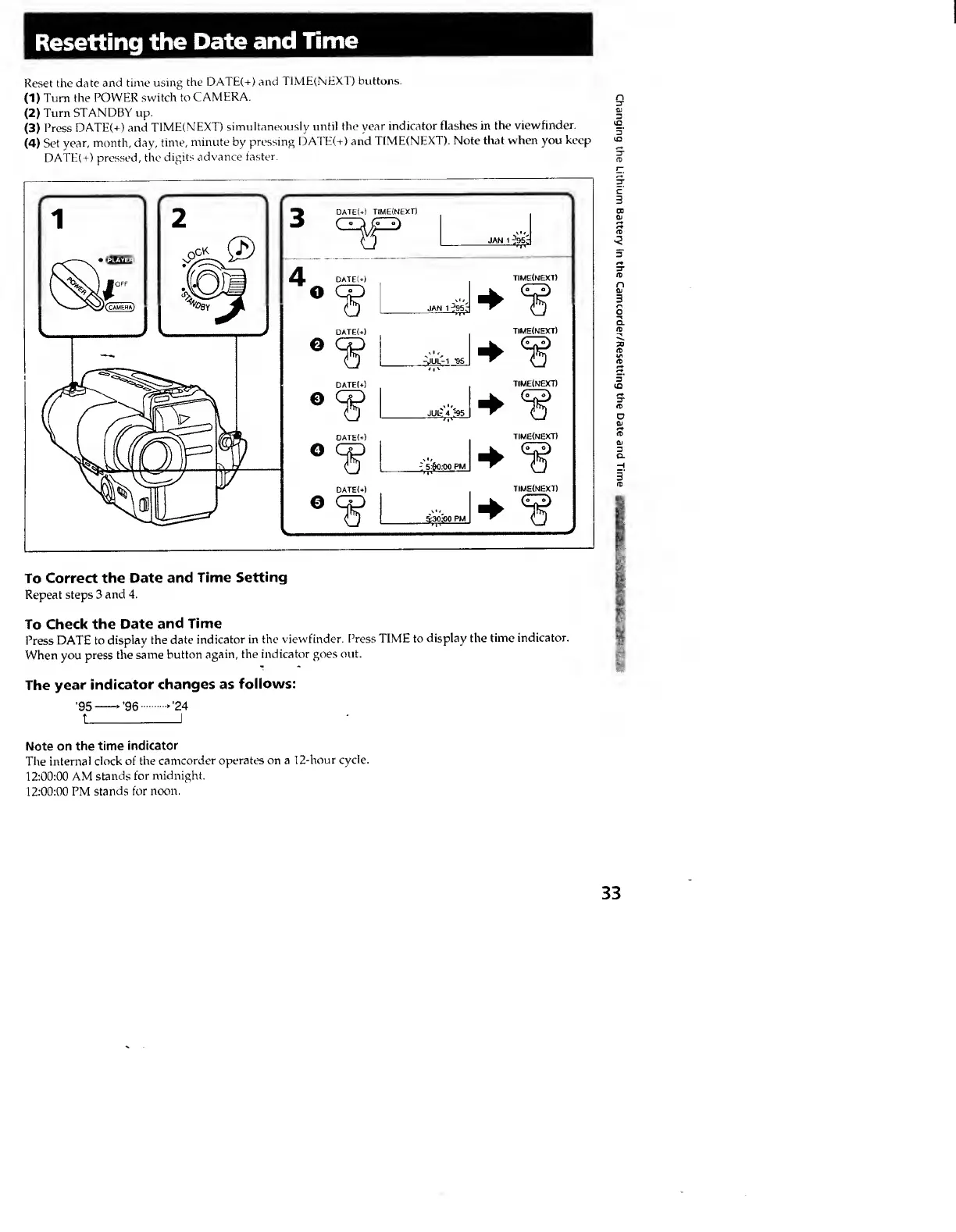
Reset
the
date
and
time
using
the
DATE(+)
and
T1ME(NEX1)
buttons.
(1)
Turn
the
POWER
switch
to
CAMERA.
(2)
Turn
STANDBY
up.
(3)
Press
DATE(+)
and
TIME(NEXT)
simultaneously
until
the
year
indicator
flashes
in
the
viewfinder.
(4)
Set
year,
month,
day,
time,
minute
by
pressing
DATE(+)
and
TIME(NEXT).
Note
that
when
you
keep
DATE(+)
pressed,
the
digits
advance
faster.
To
Correct
the
Date
and
Time
Setting
Repeat
steps
3
and
4.
To
Check
the
Date
and
Time
Press
DATE
to
display
the
date
indicator
in
the
viewfinder.
Press
TIME
to
display
the
time
indicator.
When
you
press
the
same
button
again,
the
indicator
goes
out.
The
year
indicator
changes
as
follows:
'95->'96.>'24
t_I
Note
on
the
time
indicator
The
internal
clock
of
the
camcorder
operates
on
a
12-hour
cycle.
12:00:00
AM
stands
for
midnight.
12:00:00
PM
stands
for
noon.
33
Changing
the
Lithium
Battery
In
the
Camcorder/Resetting
the
Date
and
Time