EasyManua.ls Logo

Sony CCD-TR44 - Page 13

Sony CCD-TR44
56 pages
Print Icon
To Next Page IconTo Next Page
To Previous Page IconTo Previous Page
Loading...
Note
on
Standby
mode
If
you
leave
the
camcorder
for
5
minutes
or
more
with
a
cassette
inserted
in
Standby
mode,
the
camcorder
goes
off
automatically.
This
prevents
wearing
down
the
battery
and
wearing
out
the
tap>e.
To
resume
Standby
mode,
turn
STANDBY
down
once
and
turn
it
up
again.
To
start
recording,
press
START/STOP.
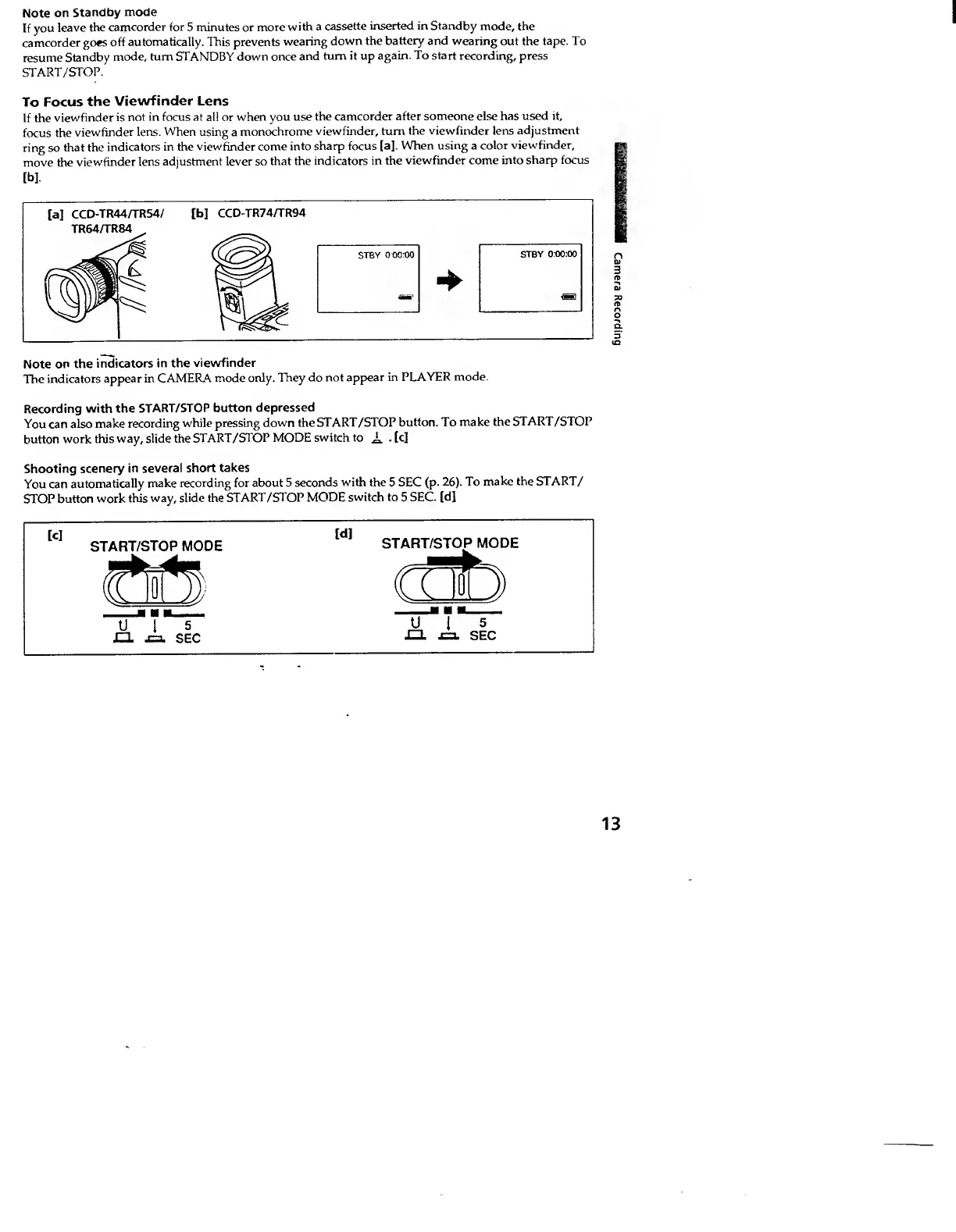
To
Focus
the
Viewfinder
Lens
If
the
viewfinder
is
not
in
focus
at
all
or
when
you
use
the
camcorder
after
someone
else
has
used
it,
focus
the
viewfinder
lens.
When
using
a
monochrome
viewfinder,
turn
the
viewfinder
lens
adjustment
ring
so
that
the
indicators
in
the
viewfinder
come
into
sharp
focus
[a].
When
using
a
color
viewfinder,
move
the
viewfinder
lens
adjustment
lever
so
that
the
indicators
in
the
viewfinder
come
into
sharp
focus
Note
on
the
indicators
in
the
viewfinder
The
indicators
appear
in
CAMERA
mode
only.
They
do
not
appear
in
PLAYER
mode.
Recording
with
the
START/STOP
button
depressed
You
can
also
make
recording
while
pressing
down
the
START/STOP
button.
To
make
the
START/STOP
button
work
this
way,
slide
the
START/STOP
MODE
switch
to
Ji.
.
[c]
Shooting
scenery
in
several
short
takes
You
can
automatically
make
recording
for
about
5
seconds
with
the
5
SEC
(p.
26).
To
make
the
START/
STOP
button
work
this
way,
slide
the
START/STOP
MODE
switch
to
5
SEC.
[d]
13
Camera
Recording