Customizing Your Camcorder
Customizing Your Camcorder
49
z Tips
• The ID-1 system sends aspect ratio information (16:9, 4:3, or letter box) by inserting
signals between video signals.
• When you record in the [16:9 FULL], the date or time indicator will be widened on wide-
screen TVs.
• For TRV328/428:
The SteadyShot does not work. If you set [16:9 FULL] in the menu settings when the
SteadyShot is working, flashes and the SteadyShot does not function.
For TRV260/265:
You can record a 16:9 wide picture on the tape to watch on a 16:9 wide-screen TV
([16:9 WIDE] mode).
With this function [ON], your camcorder offers even wider angles when you
move the power zoom lever to the “W” side than recording in [OFF].
When you connect your camcorder to the S video input jack of a TV compatible
with the ID-1/ID-2 system and play the tape, the TV switches to full mode
automatically.
Refer also to the manuals supplied with your TV.
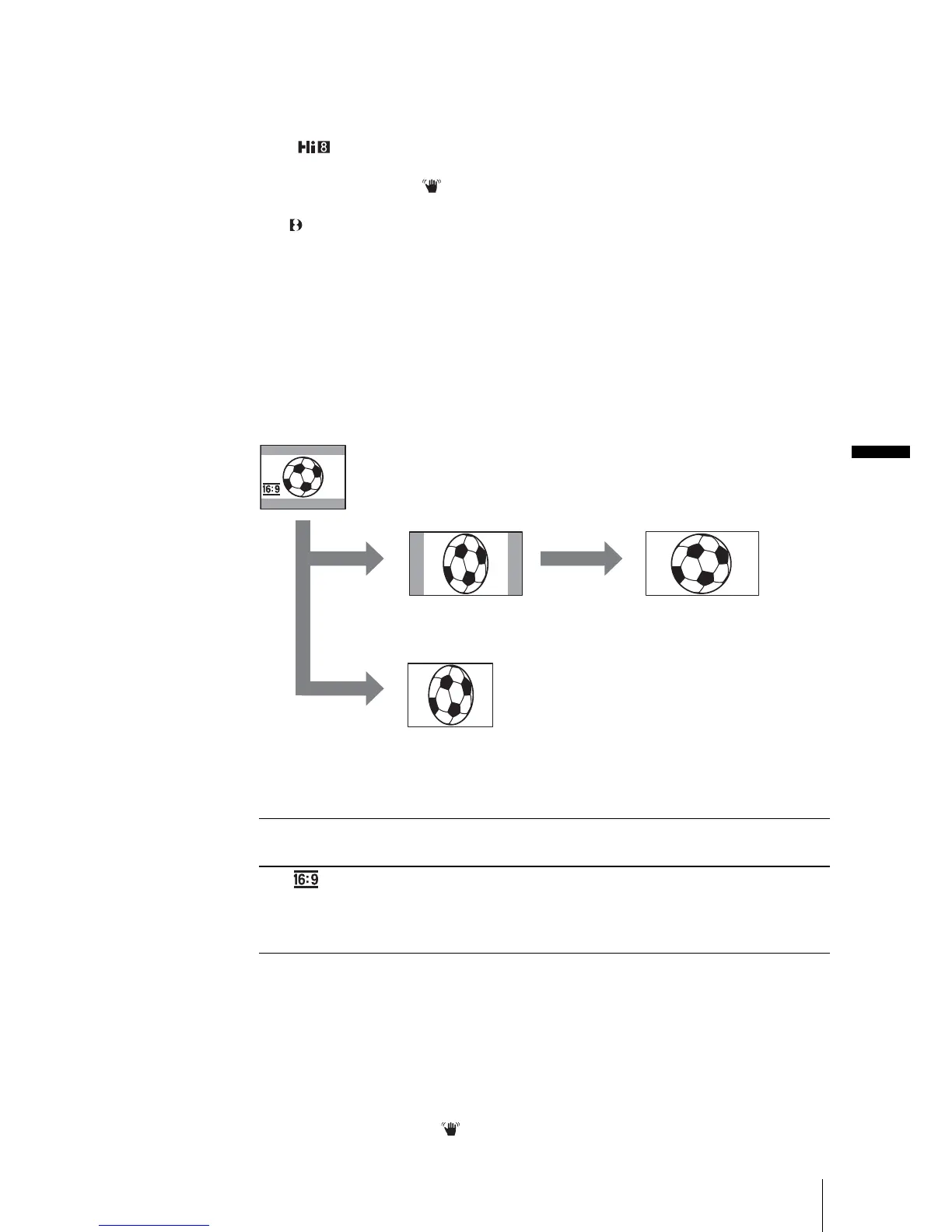
* Picture appears in full screen when the wide-screen TV switches to full mode.
**In 4:3 mode. When you play a picture in the wide mode, it appears as you have seen on the
LCD screen.
z
Tips
• The ID-1 system sends aspect ratio information (16:9, 4:3, or letter box) by inserting
signals between video signals.
• The ID-2 system sends a copyright protection signal with the ID-1 signals inserted between
video signals in an analog connection.
• S1 video sends information with the standard S video signal to select wide mode
automatically.
• The SteadyShot does not work. If you set [16:9 WIDE] to [ON] in the menu settings when
the SteadyShot is working flashes and the SteadyShot does not function.
GOFF Standard setting (to record pictures to play back on a 4:3 TV). The
recorded picture will not be wide.
ON ( ) Select to record a picture to be played back on a 16:9 wide TV. The
recorded picture will be played in full mode when you connect to your
TV using an S (S1) video input jack compatible with ID-1/ID-2
systems.
When viewed on the LCD screen
When viewed on a 16:9 wide screen TV*
When viewed on a standard TV**
,continued














 To Next Page