Playback
Playback
39
Playing the picture on
a TV
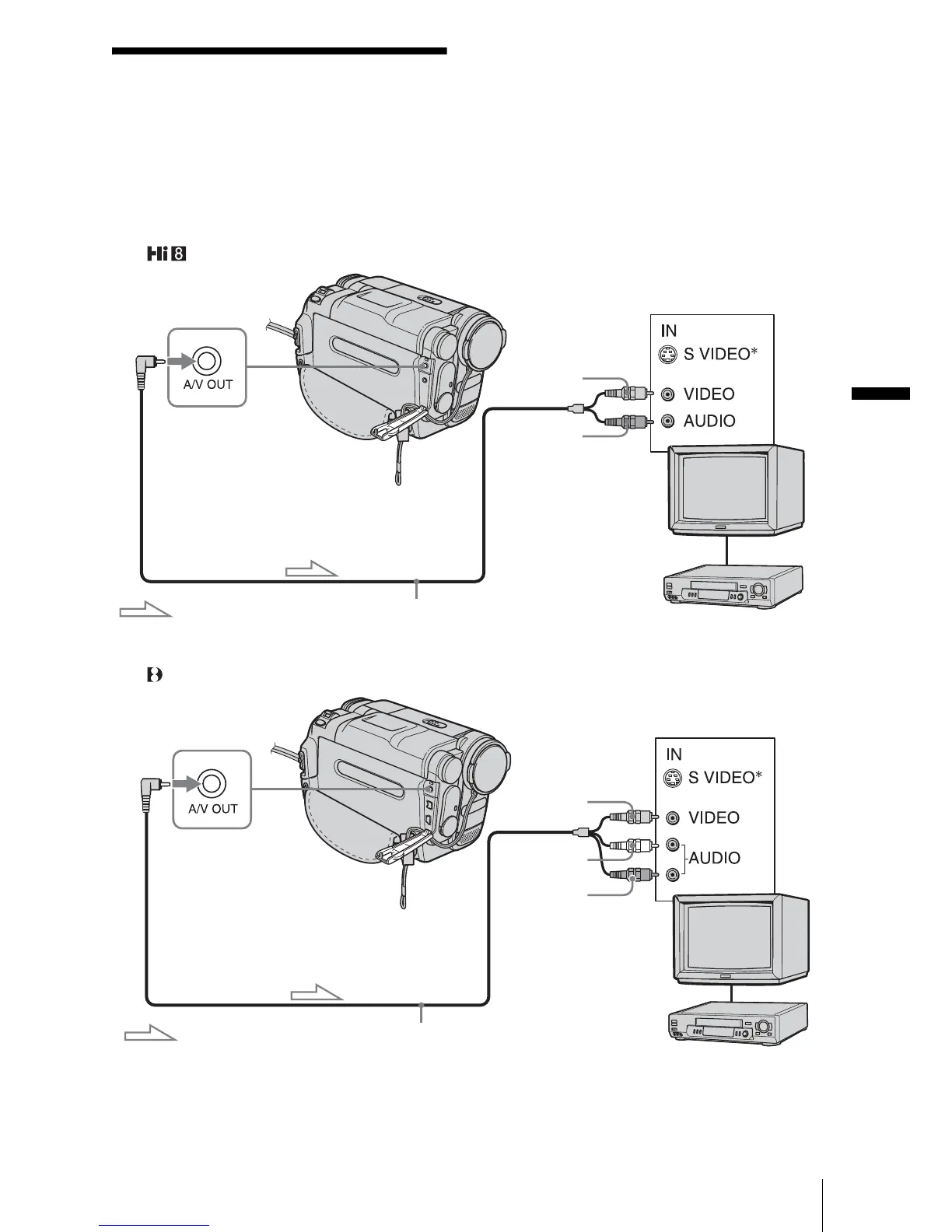
Connect your camcorder to a TV using the
supplied A/V connecting cable as shown in
the following illustration.
Connect the supplied AC Adaptor to the wall
outlet for the power supply (p. 12).
Refer also to the instruction manuals supplied
with the devices to be connected.
To copy to another tape, see page 63.
For TRV128/228/328/428:
For TRV260/265:
Signal flow
A/V OUT jack
A/V connecting cable (supplied)
VCRs or TVs
Yellow
Black
Signal flow
A/V OUT jack
A/V connecting cable (supplied)
VCRs or TVs
Yellow
White
Red
,continued














 To Next Page