Quick Start Guide
8
Quick Start Guide
Recording movies
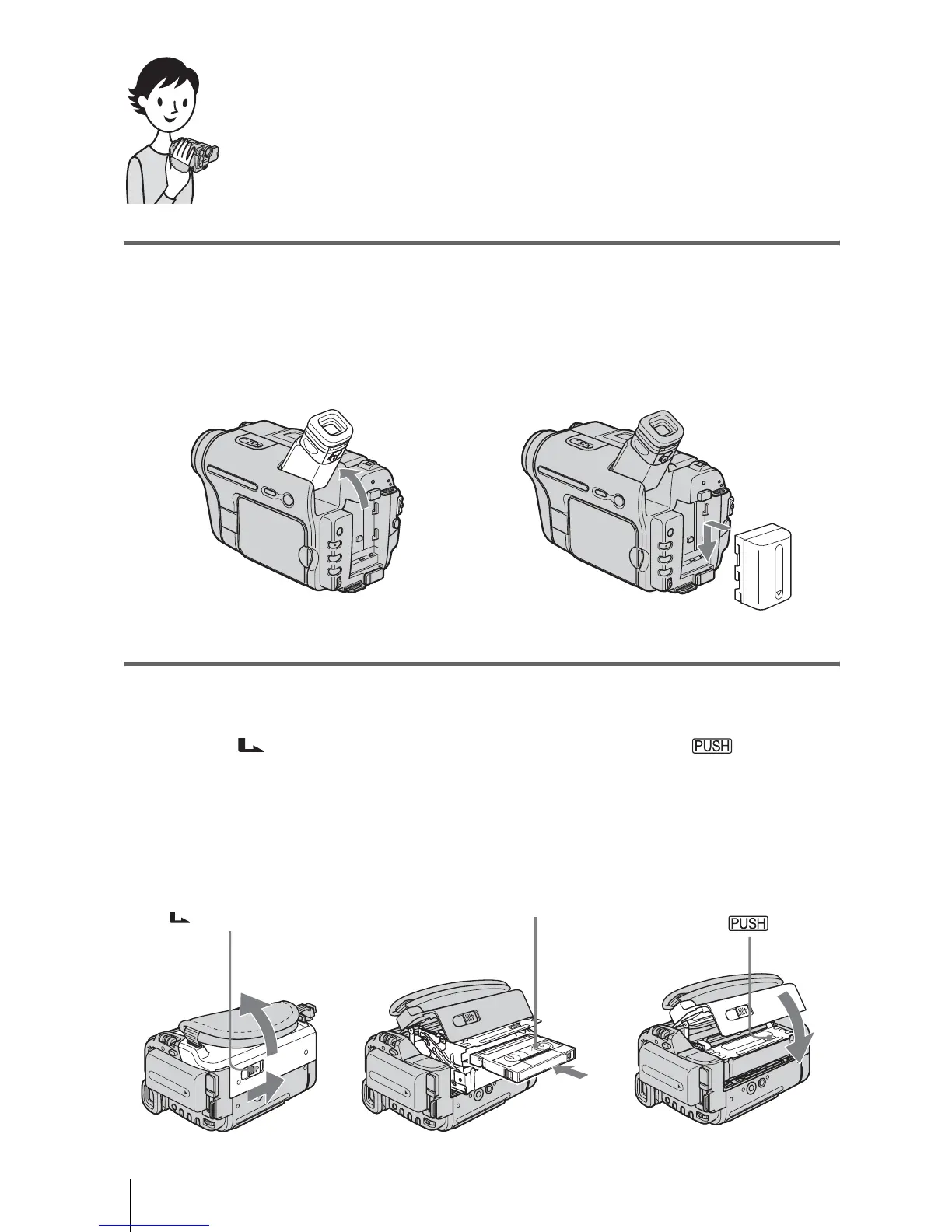
1 Attach the charged battery pack to the camcorder.
To charge the battery, see page 12.
2 Insert a cassette into the camcorder.
a Lift up the viewfinder. b Slide the battery pack in the direction
of the arrow until it clicks.
a Slide the OPEN/
EJECT lever in the
direction of the arrow
to open the lid.
The cassette compartment
comes out automatically.
b Insert the cassette with
its window-side facing
up, then push the center
of the back of the
cassette.
c Press .
Close the cassette lid after
the cassette compartment
slides back in by itself.
OPEN/EJECT lever
Window-side














 To Next Page