Getting started
Getting started
19
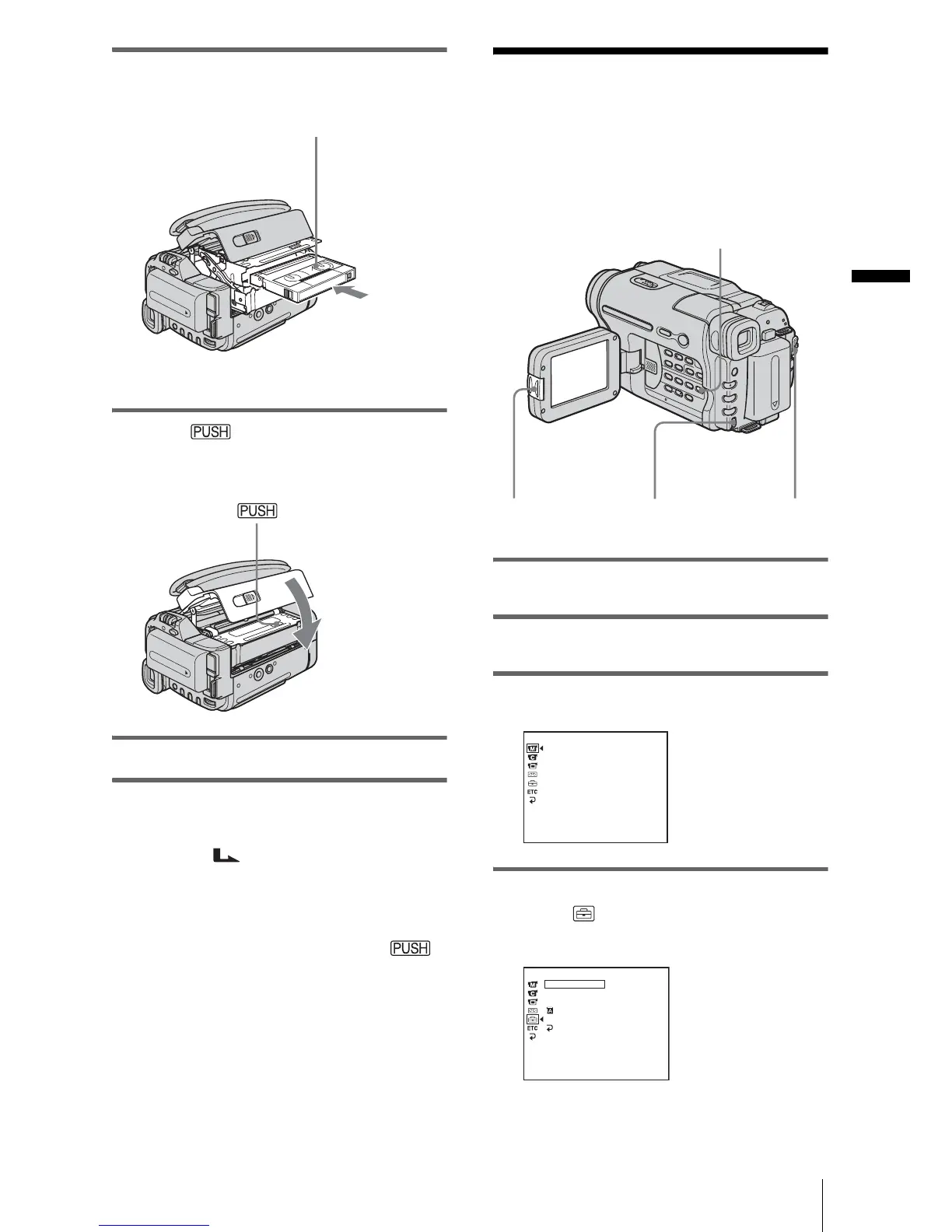
2 Insert a cassette with its window-side
facing up.
3 Press .
The cassette compartment automatically
slides back in.
4 Close the lid.
To eject the cassette
1
Slide the OPEN/EJECT lever in the
direction of the arrow and open the lid.
The cassette compartment automatically
comes out.
2 Take out the cassette, then press .
The cassette compartment automatically
slides back in.
3 Close the lid.
Step 7: Setting the
screen language
You can select the language to be used on the
LCD screen.
1 Turn on your camcorder.
2 Press OPEN to open the LCD panel.
3 Press MENU.
4 Turn the SEL/PUSH EXEC dial to
select (SETUP MENU), then press
the dial.
Window-side
Push the center of the
back of the cassette
lightly.
POWER
switch
OPEN
SEL/PUSH
EXEC dial
MENU
MANUAL SET
PROGRAM AE
P EFFECT
AUTO SHTR
[
MENU
]
: END
STBY
SETUP MENU
CLOCK SET
USB STREAM
LTR SIZE
LANGUAGE
DEMO MODE
RETURN
[
MENU
]
: END
STBY
––:––:––
,continued














 To Next Page