Dubbing/Editing
Dubbing/Editing
69
Dubbing selected
scenes from a tape
– Digital program editing
(
TRV260/265)
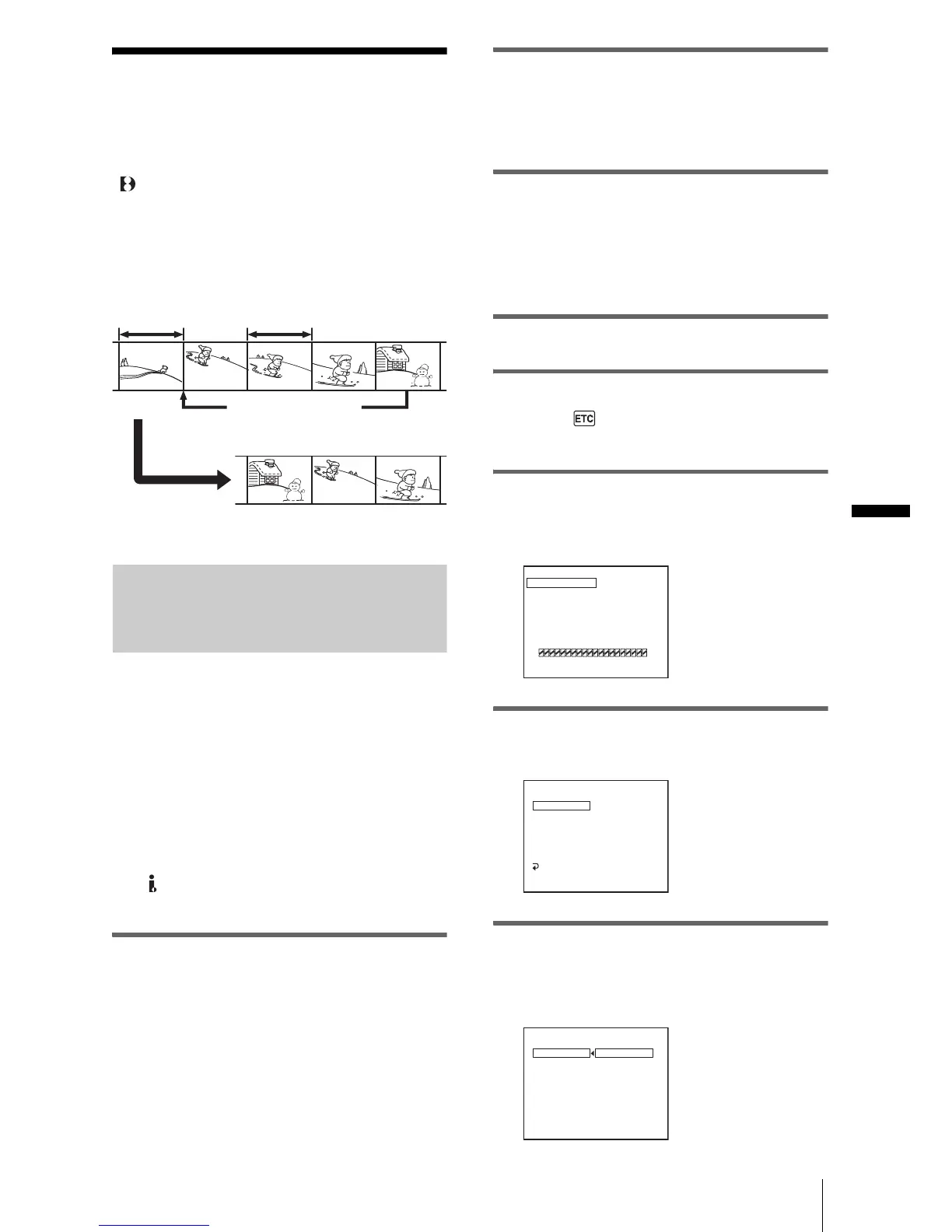
You can select up to 20 scenes (programs)
and record them in the desired order to other
recording device such as VCR.
Step 1: Preparing your camcorder
and VCR for operation
Follow the steps below when you are
performing digital program editing for the
first time to a tape in a VCR. You can skip
this setting if you have set up the VCR by the
following procedure before.
b Notes
• You cannot perform the Digital program editing on
a VCR that does not support [IR SETUP] codes.
• When your camcorder is connected to the VCR via
the DV Interface, you cannot record the title or
indicators.
1 Connect your VCR to the camcorder
as a recording device (p. 62).
You can use either the A/V connecting
cable or the i.LINK cable to make the
connection. The dubbing procedure is
easier with the i.LINK connection.
2 Prepare your VCR.
• Insert a cassette for recording.
• Set the input selector to input mode, if
your VCR has one.
3 Prepare your camcorder (playing
device).
• Insert a cassette for editing.
• Slide the POWER switch repeatedly to
select the PLAY/EDIT mode.
4 Press MENU.
5 Turn the SEL/PUSH EXEC dial to
select (OTHERS), then press the
dial.
6 Turn the SEL/PUSH EXEC dial to
select [VIDEO EDIT], then press the
dial.
7 Turn the SEL/PUSH EXEC dial to
select [EDIT SET], then press the dial.
8 Turn the SEL/PUSH EXEC dial to
select [CONTROL], then press the
dial.
Change the order
Results of editing
Delete unwanted scene
VIDEO EDIT
MARK
UNDO
ERASE ALL
START
EDIT SET
1 IN
0
:
08
:
55
:
06
TOTAL 0
:
00
:
00
:
00
SCENE 0
[
MENU
]
:
END
VIDEO EDIT
EDIT SET
CONTROL
ADJ TEST
”CUT–IN”
”CUT–OUT”
IR SETUP
PAUSEMODE
IR TEST
RETURN
IR
0
:
08
:
55
:
06
[
MENU
]
:
END
VIDEO EDIT
EDIT SET
CONTROL
IR
i. LINK
0
:
08
:
55
:
06
[
MENU
]
:
END
,continued














 To Next Page