Recording
22
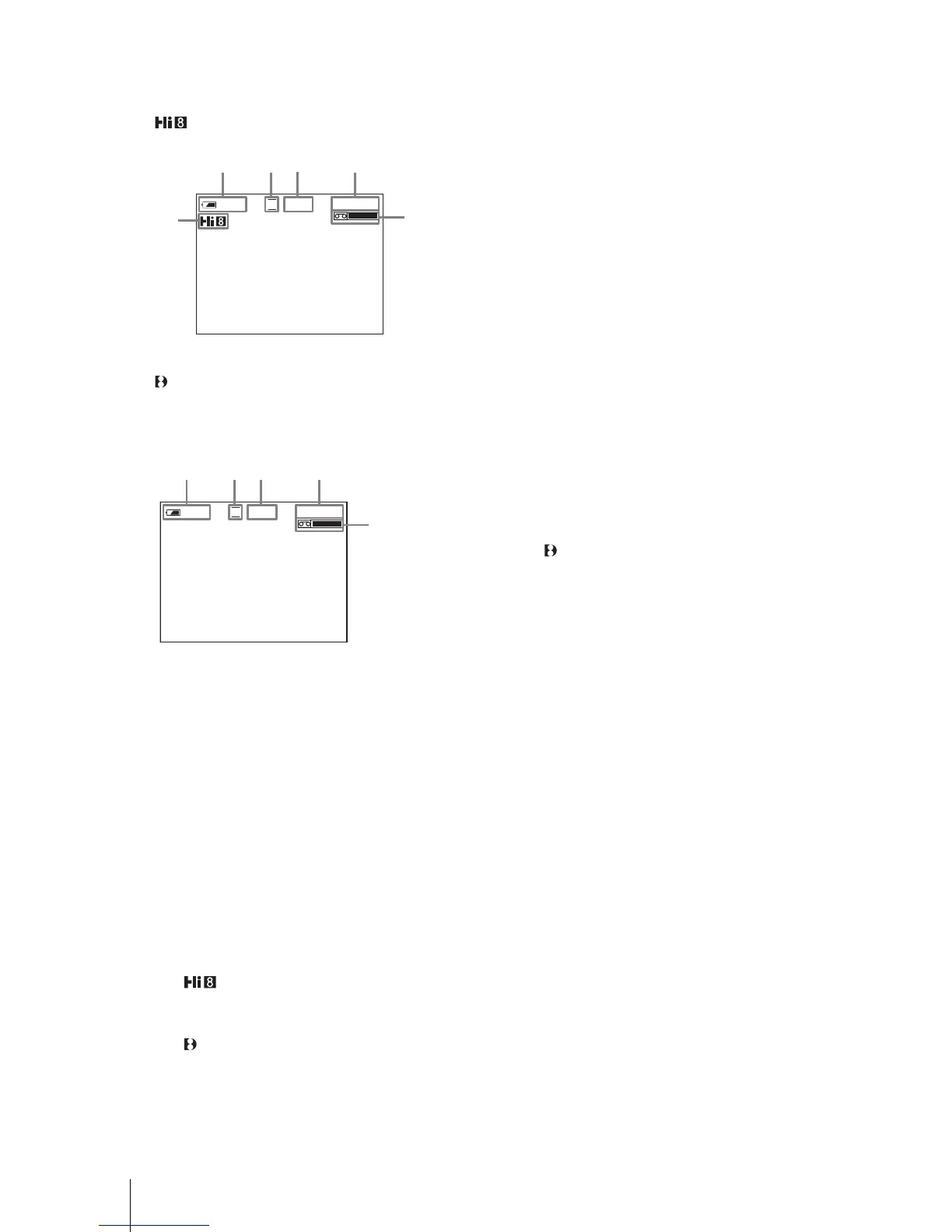
Indicators displayed during recording
The indicators will not be recorded on the tape.
For TRV128/228/328/428:
For TRV
260/265:
Date/time and camera settings data (p. 37) will
not be displayed during recording.
A Remaining battery time
The indicated time may not be correct
depending on the environment of use.
When you opened or closed the LCD panel,
it takes about 1 minute to display the correct
remaining battery time.
B Recording mode (SP or LP)
C Recording status ([STBY] (standby) or
[REC] (recording))
D Tape counter (hour: minute: second)
To set the counter to 0:00:00, press
COUNTER RESET (p. 93).
E Recording capacity
For TRV
128/228/328/428:
This appears after you insert a cassette and
record for a while.
For TRV260/265:
This appears after a while when you set the
POWER switch to CAMERA and insert a
cassette.
F Hi8 format
This appears while recording Hi8 format
tapes.
G Time code/Tape counter (hour: minute:
second)/Tape photo recording
b Notes
• Before changing the battery pack, slide the POWER
switch up to (CHG) OFF.
• In the default setting, if you do not operate the
camcorder for more than about 5 minutes, the power
will automatically turn off to preserve battery power
([A.SHUT OFF], p. 59). To restart recording, slide
the POWER switch down to select CAMERA, and
then press REC START/STOP.
z Tips
• To ensure smooth transition on a tape from the last
recorded scene to the next, note the following.
– Do not remove the cassette. (The picture will be
recorded continuously without a break even when
you turn the power off.)
– Do not record pictures in SP mode and LP mode on
the same tape.
– Avoid stopping then recording a movie in the LP
mode.
• For TRV260/265:
The recording time, date, and the camera settings
data are recorded automatically on the tape without
being displayed on the screen. You can view this
information during playback by selecting [DATA
CODE] on the screen (p. 59).
SP
0:00:00
60min
REC
123
5
4
6
SP
0:00:00
60min
REC
12
3
7
5














 To Next Page