40
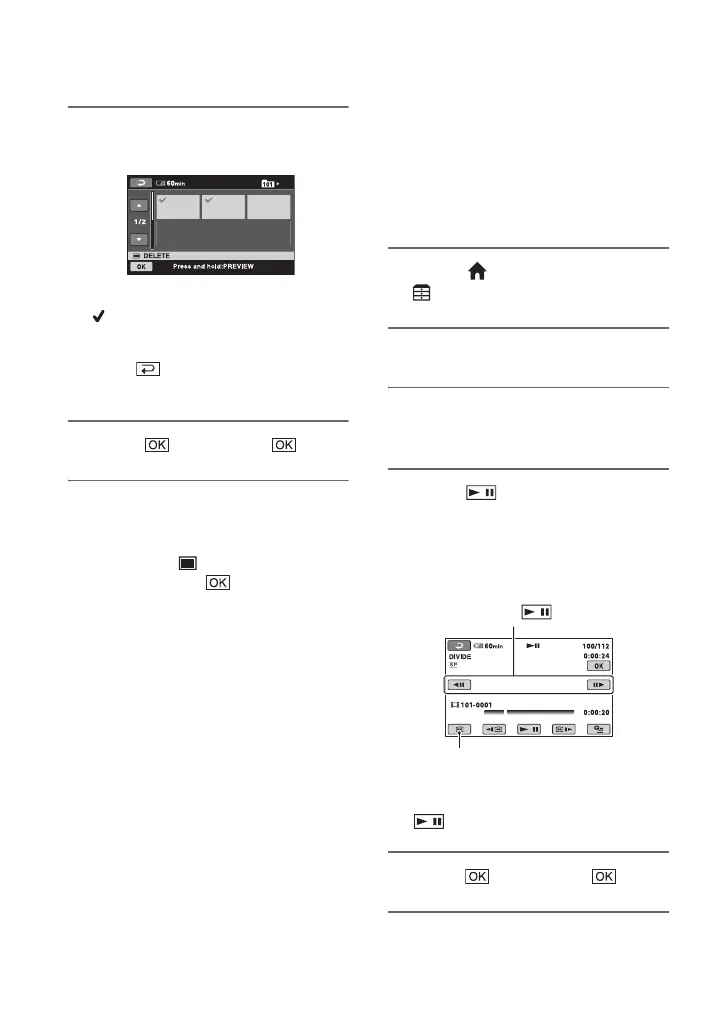
4 Touch the still image to be
deleted.
The selected still image is marked with
.
Press and hold the still image on the LCD
screen to confirm the still image.
Touch to return to the previous
screen.
5 Touch t [YES] t .
To delete all still images on the
“Memory Stick Duo”
In step 3, touch [ DELETE ALL] t
[YES] t [YES] t .
b Notes
• You cannot delete still images in the following
cases:
– “Memory Stick Duo” is write-protected
(p. 111).
– write-protection is set to the still images by
the other device.
z Tips
• To delete all images recorded on the “Memory
Stick Duo,” format the “Memory Stick Duo”
(p. 50).
Dividing a movie
You can divide movies on the hard disk of
your camcorder.
b Notes
• During Easy Handycam operation, you cannot
divide movies. Cancel Easy Handycam
operation.
1 On the (HOME MENU), touch
(OTHERS) t [EDIT].
2 Touch [DIVIDE].
3 Touch the movie to be divided.
The selected movie starts playback.
4 Touch at the point where
you want to divide the movie into
scenes.
The movie pauses.
Play and pause toggles as you press
.
5 Touch t [YES] t .
Adjusts the dividing point with more
precision after the dividing point has
been selected with .
Returns to the beginning of the
selected movie.






 To Next Page