If
paper
jams
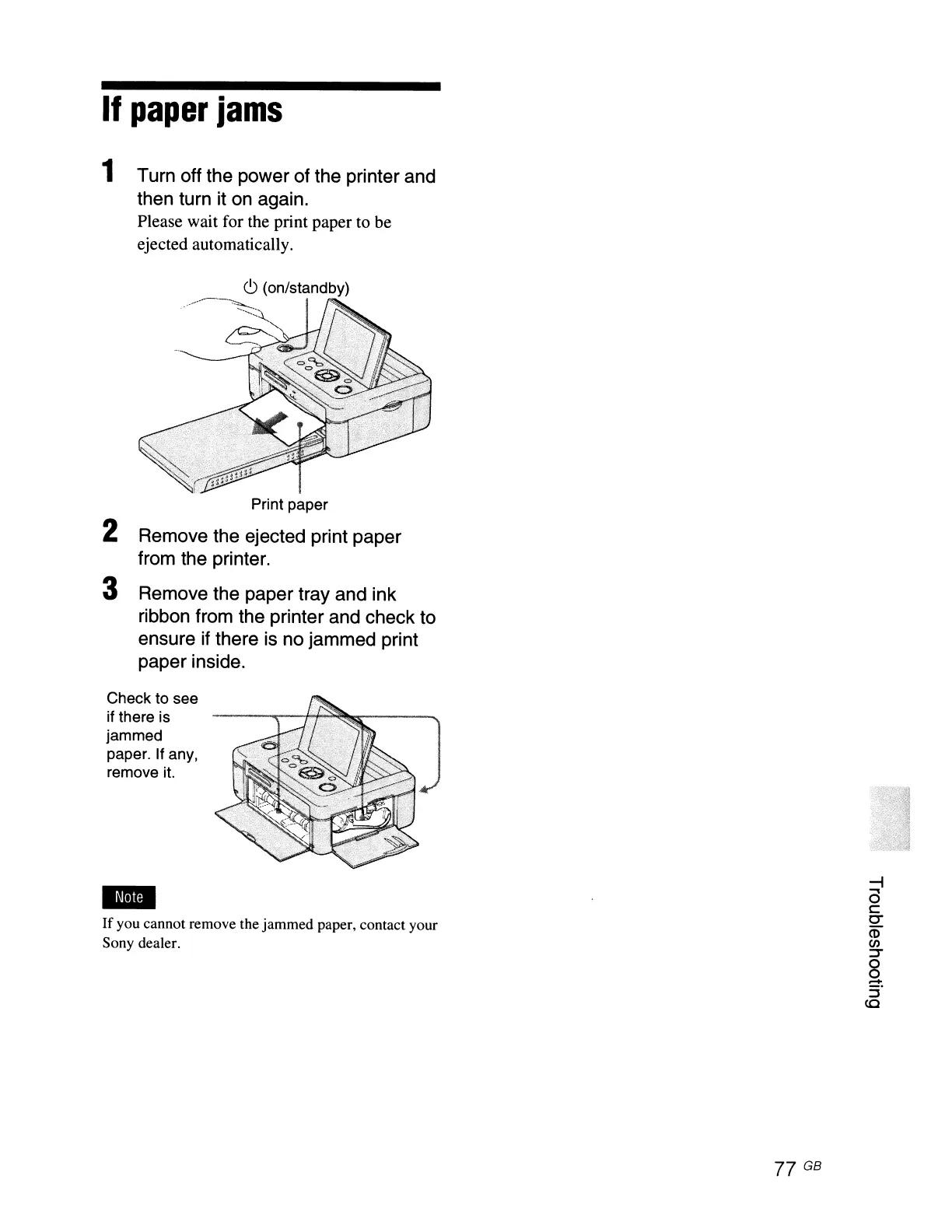
1 Turn off the power of the printer and
then turn it
on
again.
Please wait for the print paper to be
ejected automatically.
C>
(on/standby)
...
------~
2 Remove the ejected print paper
from the printer.
3 Remove the paper tray and ink
ribbon from the printer and check to
ensure if there is no jammed print
paper inside.
Check to see
if there is
jammed
paper. If any,
remove
it.
If
you cannot remove the jammed paper, contact your
Sony dealer.
77 GB
~
a
c
0-
CD
(J)
~
8
-
::;-
co



 To Next Page