EasyManua.ls Logo

Sony DPS-V55 - Basic Operations: Program Selection; Selecting and Loading Programs

Sony DPS-V55
44 pages
Print Icon
To Next Page IconTo Next Page
To Previous Page IconTo Previous Page
Loading...
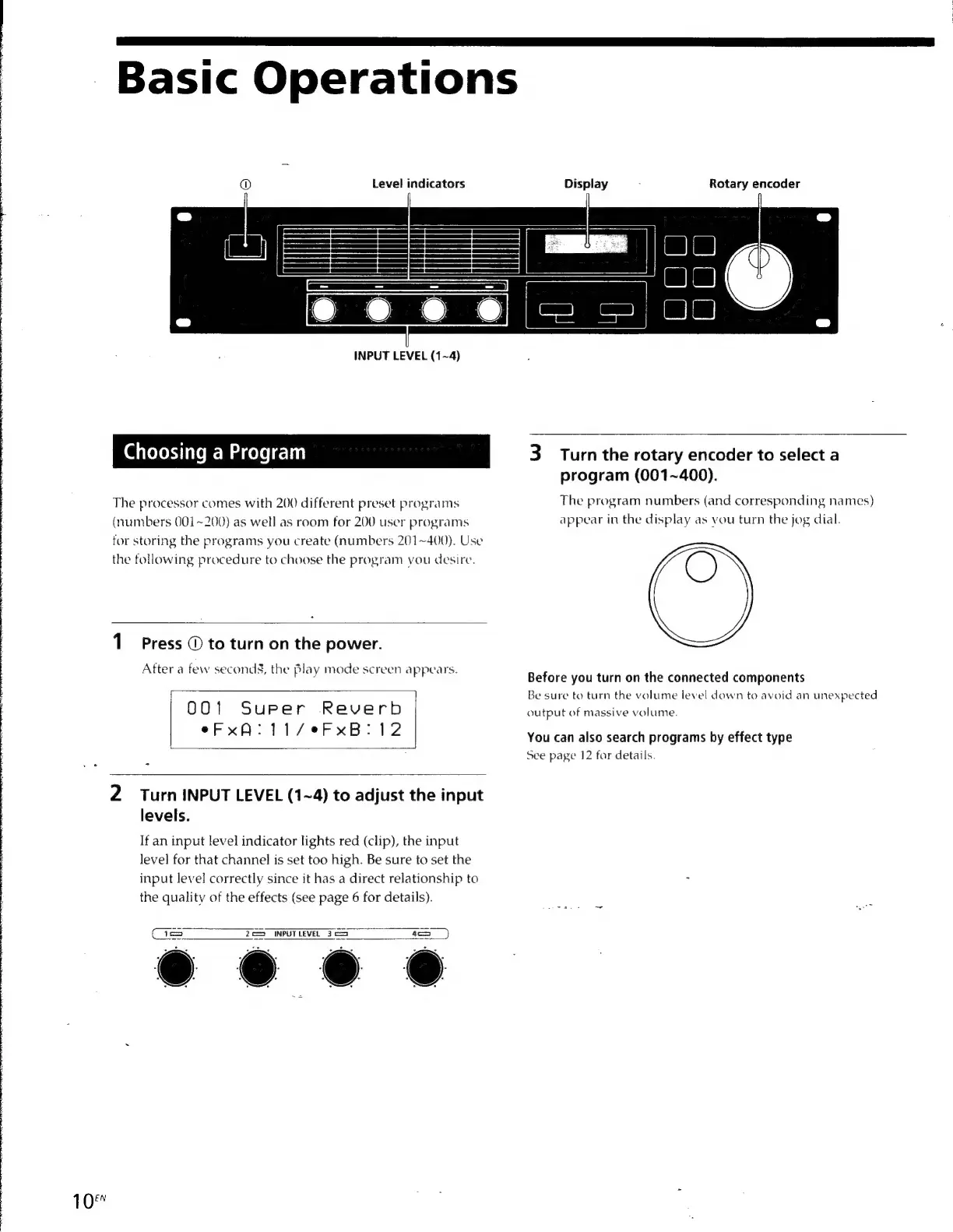
Basic
Operations
®
Level
indicators
Display
5
Rotary
encoder
INPUT
LEVEL
(1~4)
Choosing
a
Program
3
Turn
the
rotary
encoder
to
select
a
program
(001~400).
The
processor
comes
with
200
different
preset
programs
The
program
numbers
(and
corresponding
names)
(numbers
001~200)
as
well
as
room
for
200
user
programs
appear
in
the
display
as
you
turn
the
jog
dial.
for
storing
the
programs
you
create
(numbers
201~400).
Use
the
following
procedure
to
choose
the
program
you
desire.
1
Press
©
to
turn
on
the
power.
After
a
few
seconds§,
the
pla
2
screen
appears.
ter
a
few
seconds,
the
Blay
mode
screen
appears
Before
you
turn
on
the
connected
components
Be
sure
to
turn
the
volume
level
down
to
avoid
an
unexpected
0 0
1
S
urper
R
ever
b
output
of
massive
volume.
eFxA:
11/eFxB:
12
You
can
also
search
programs
by
effect
type
See
page
12
for
details.
2.)
Turn
INPUT
LEVEL
(1~4)
to
adjust
the
input
levels.
If
an
input
level
indicator
lights
red
(clip),
the
input
level
for
that
channel
is
set
too
high.
Be
sure
to
set
the
input
level
correctly
since
it
has
a
direct
relationship
to
:
the
quality
of
the
effects
(see
page
6
for
details).
2
=
INPUT
LEVEL
3
==)
Ce
10

Other manuals for Sony DPS-V55

Related product manuals