EasyManua.ls Logo

Sony DPS-V55 - Saving Your Program; Storing Custom User Programs

Sony DPS-V55
44 pages
Print Icon
To Next Page IconTo Next Page
To Previous Page IconTo Previous Page
Loading...
1
6"
Editing
a
Program
Saving
your
Program
New
programs
created
by
changing
effect
blocks,
effect
structures,
and
effect
parameters
can
be
stored
in
memory
for
later
use.
You
can
store
up
to
200
different
user
programs
using
program
numbers
201~400.
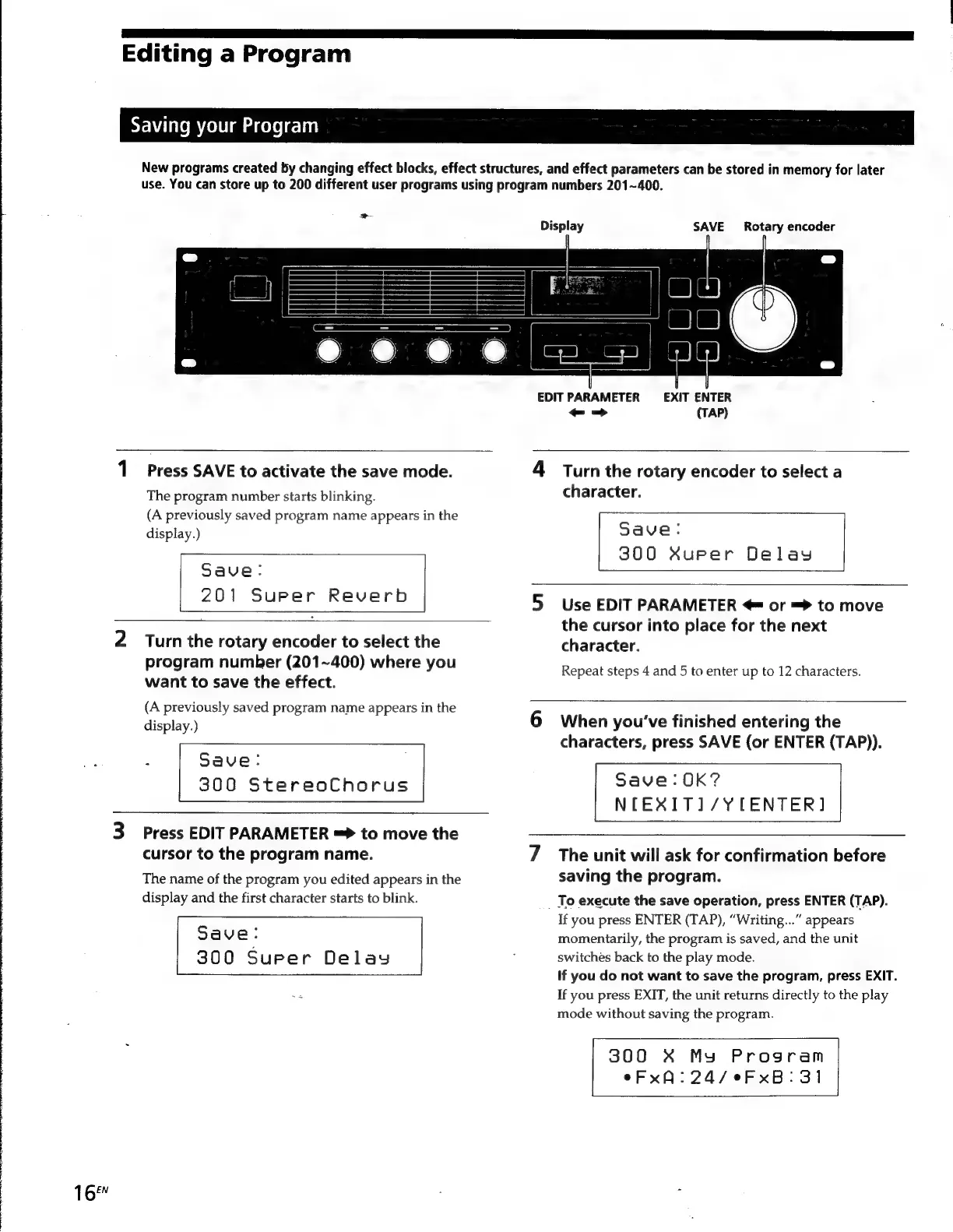
Display
SAVE
Rotary
encoder
EDIT
PARAMETER
EXIT
ENTER
-
=>
(TAP)
1
Press
SAVE
to
activate
the
save
mode.
The
program
number
starts
blinking.
(A
previously
saved
program
name
appears
in
the
display.)
Save:
201
Super
Reverb
2
Turn
the
rotary
encoder
to
select
the
program
number
(201~400)
where
you
want
to
save
the
effect.
(A
previously
saved
program
name
appears
in
the
display.)
:
Save:
300
StereoChorus
3
Press
EDIT
PARAMETER
=>
to
move
the
cursor
to
the
program
name.
The
name
of
the
program
you
edited
appears
in
the
display
and
the
first
character
starts
to
blink.
Save:
300
Super
Delay
Turn
the
rotary
encoder
to
select
a
character.
Save:
300
Xuper
Delay
Use
EDIT
PARAMETER
@
or
=
to
move
the
cursor
into
place
for
the
next
character.
Repeat
steps
4
and
5
to
enter
up
to
12
characters.
When
you’ve
finished
entering
the
characters,
press
SAVE
(or
ENTER
(TAP)).
Save:0K?
NTEXITI/YCLCENTER]
The
unit
will
ask
for
confirmation
before
saving
the
program.
To
execute
the
save
operation,
press
ENTER
(TAP).
If
you
press
ENTER
(TAP),
“Writing...”
appears
momentarily,
the
program
is
saved,
and
the
unit
switches
back
to
the
play
mode.
If
you
do
not
want
to
save
the
program,
press
EXIT.
If
you
press
EXIT,
the
unit
returns
directly
to
the
play
mode
without
saving
the
program.
300
X*
My
Program
eFxA:24/eFxB:
31

Other manuals for Sony DPS-V55

Related product manuals