100
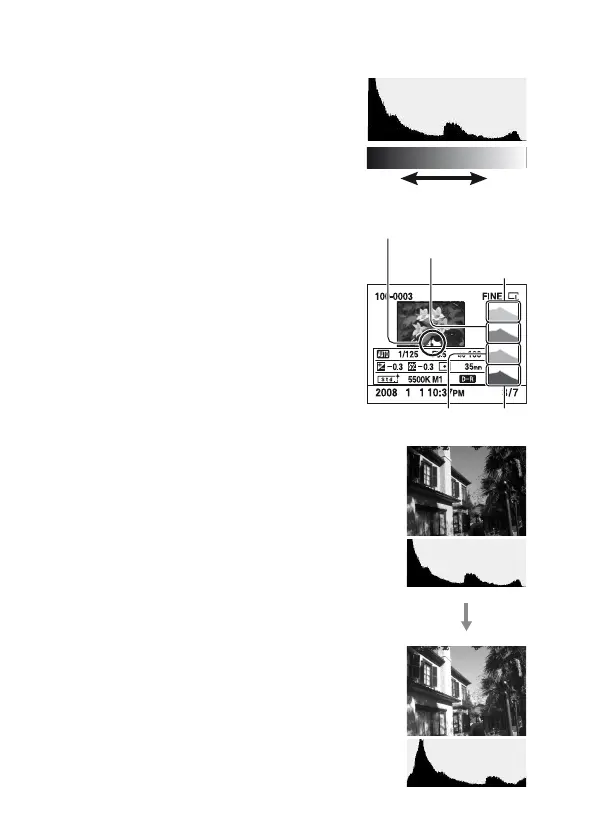
How to check the histogram
A histogram is the luminance distribution
that shows how many pixels of a
particular brightness exist in the picture.
When the image has a high-key or low-
key portion, that portion is flashed on the
histogram display (Luminance limit
warning).
The exposure compensation will change
the histogram accordingly. The right
illustration is an example.
Shooting with the exposure
compensation on the positive side
brightens the whole picture, making the
entire histogram shift to the bright side
(right side). If the exposure compensation
is applied on the negative side, the
histogram will shift to the other side.
Both ends of the histogram show a high-
key or low-key portion. It is impossible to
restore these area with a computer later.
Adjust the exposure if necessary and
shoot again.
Number of pixels
Dark Light
Luminance
R (Red)
G (Green)
B (Blue)
Flashing



 To Next Page
 Loading...