Using the shooting function
69
To deactivate the Eye-Start AF function
MENU button t 1 t [Eye-Start AF] t [Off]
• When attaching the FDA-M1AM Magnifier (not supplied) or the FDA-
A1AM Angle Finder (not supplied) to the camera, setting [Eye-Start AF]
to [Off] is recommended because the eyepiece sensors located below the
viewfinder may be activated.
Fn button t [Autofocus mode] t Select the desired setting
Shooting with your desired composition (Focus-lock)
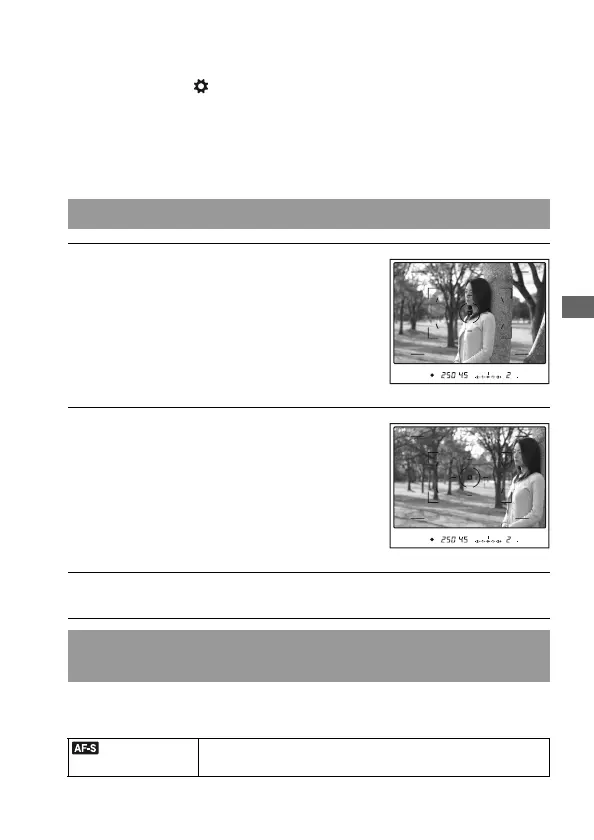
1 Place the subject within the AF
area and press the shutter button
halfway down.
2 Keep the shutter button halfway
down, and put the subject back in
the original position to re-
compose the shot.
3 Press the shutter button fully down to take the picture.
Selecting the focus method to suit the movement of the
subject (Autofocus mode)
(Single-shot
AF)
The camera focuses on and the focus is locked when you
press the shutter button halfway down.



 To Next Page
 Loading...