117
Changing your setup
You can reset the main functions of the camera.
MENU button t 3 t [Reset default] t [OK]
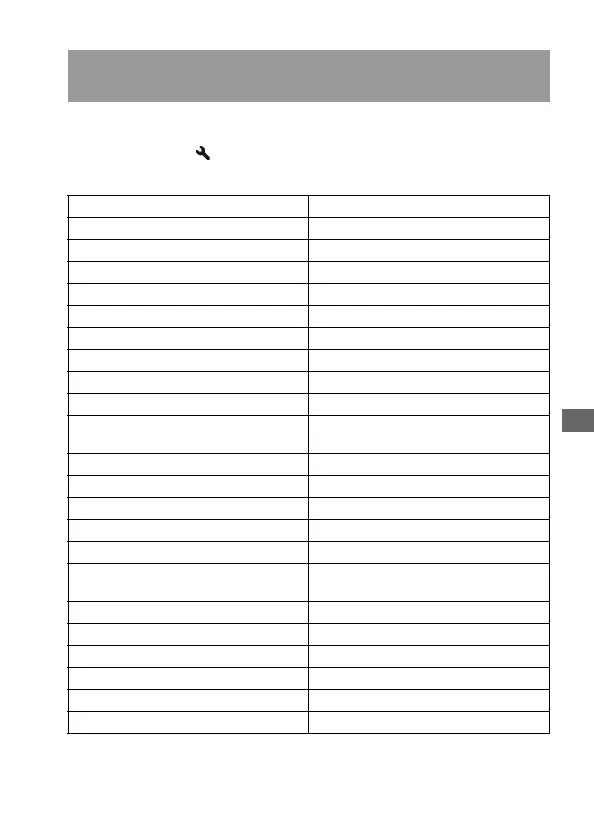
The items to be reset are as follows.
Resetting the main functions of the camera to the default
setting
Items Reset to
Exposure compensation (78) ±0.0
Metering mode (80) Multi segment
Autofocus mode (69) AF-A
Recording information display (37) Enlarged display
Drive mode (89) Single-shot adv.
White balance (83) AWB (Auto white balance)
ColorTemperature/Color filter (84) 5500K, Color filter 0
Custom white balance (85) 5500K
ISO (82) AUTO
Playback display (93) Single-image screen (with recording
data)
Image size (106) L:10M
Aspect ratio (106) 3:2
Quality (106) Fine
D-RangeOptimizer (87) Standard
Creative Style (87) Standard
Flash mode (74) Fill-flash (differs based on whether the
built-in flash is open or not)
Flash control (79) ADI flash
Flash compens. (79) ±0.0
Priority setup (111) AF
AF illuminator (73) Auto
Long exp.NR (110) On
High ISO NR (110) On



 To Next Page
 Loading...