32
Recording and playing back with ease (Easy Handycam) (Continued)
1 Turn the POWER switch A to turn on your camcorder.
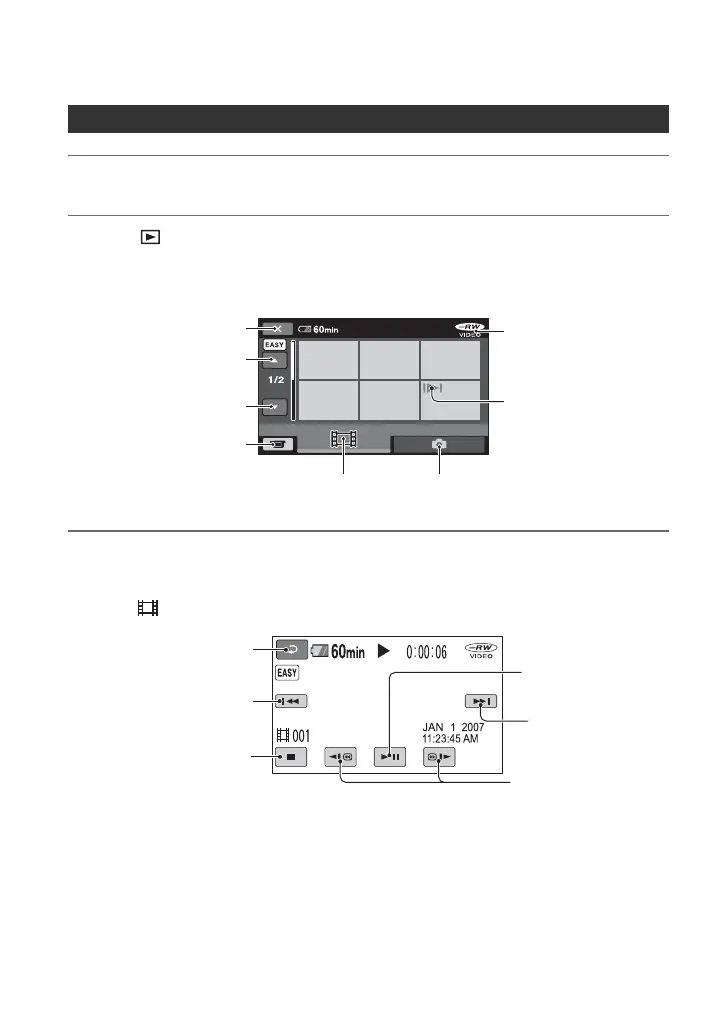
2 Press (VIEW IMAGES) F (or G).
The VISUAL INDEX screen appears on the LCD screen. (It may take some time to
display the VISUAL INDEX screen.)
3 Start playing back.
Movies:
Touch , then touch the movie you want to view.
Viewing recorded movies/still images
Previous
6 images
Next
6 images
Disc type
Appears with the image on
each of the tab that was
lastly played back/recorded
(B for the still image).
Returns to the recording
screen
Displays the movies
Displays the still images
Returns to the
recording screen
Beginning of the scene/
previous scene
Toggles Play or
Pause as you touch
Next scene
Stop (go to the
VISUAL INDEX screen)
Reverse/ Forward
Return (to the VISUAL
INDEX screen)













 To Next Page