EasyManua.ls Logo

Sony EV-S900 - Advanced Recording Scheduling Options; Timer Recording Management and Notes

Sony EV-S900
60 pages
Print Icon
To Next Page IconTo Next Page
To Previous Page IconTo Previous Page
Loading...
Timer-Activated
Recording
Hz:
24.
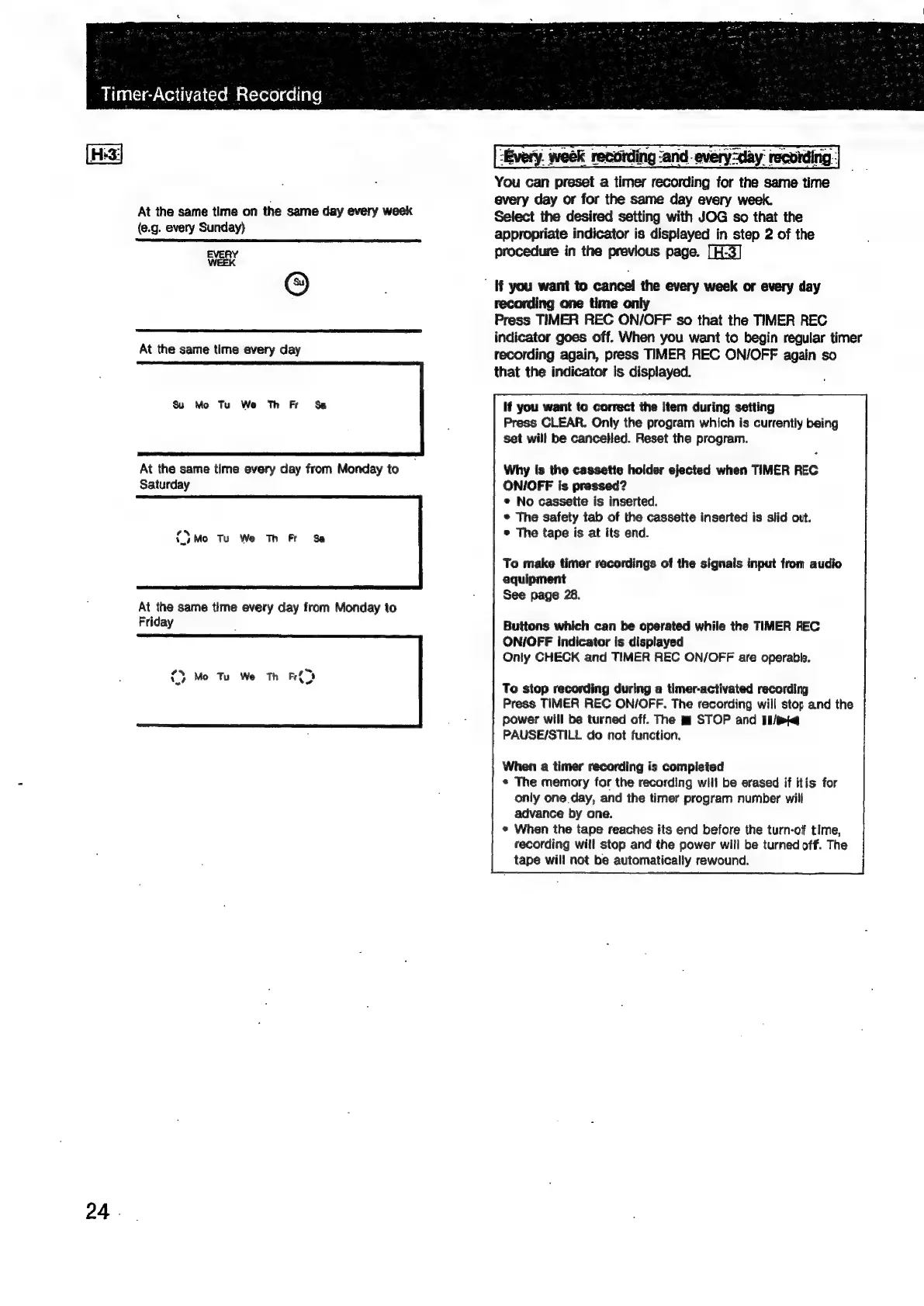
At
the
same
time
on
the
same
day
every
week
(e.g.
every
Sunday}
EVERY
WEEK
©
At
the
same
time
every
day
Su
Mo
Tu
We
Th
Fr
Sa
At
the
same
time
every
day
from
Monday
to
Saturday
0)
Mo
Tu
We
Th
Fr
Sa
At
the
same
time
every
day
from
Monday
to
Friday
{>
Mo
Tu
We
Th
Fr{%
Every.
week
recording
‘and
every-day’
recording
:
You
can
preset
a
timer
recording
for
the
same
time
every
day
or
for
the
same
day
every
week.
Select
the
desired
setting
with
JOG
so
that
the
appropriate
indicator
is
displayed
in
step
2
of
the
procedure
in
the
previous
page.
[H-3]
If
you
want
to
cancel
the
every
week
or
every
day
recording
one
time
only
Press
TIMER
REC
ON/OFF
so
that
the
TIMER
REC
indicator
goes
off.
When
you
want
to
begin
regular
timer
recording
again,
press
TIMER
REC
ON/OFF
again
so
that
the
indicator
Is
displayed.
If
you
want
to
correct
the
Item
during
setting
Press
CLEAR.
Only
the
program
which
is
currently
being
set
will
be
cancelled.
Reset
the
program.
Why
{fs
the
cassette
holder
ejected
when
TIMER
REC
ON/OFF
is
pressed?
e
No
cassette
is
inserted.
e
The
safety
tab
of
the
cassette
inserted
is
slid
out.
©
The
tape
is
at
its
end.
To
make
timer
recordings
of
the
signals
input
from
audio
equipment
See
page
28.
Buttons
which
can
be
operated
while
the
TIMER
REC
ON/OFF
indicator
is
displayed
Only
GHECK
and
TIMER
REC
ON/OFF
are
operable.
To
stop
recording
during
a
timer-activated
recording
Press
TIMER
REC
ON/OFF.
The
recording
will
stop
and
the
power
will
be
turned
off.
The
mf
STOP
and
Ii/mte
PAUSE/STILL
do
not
function.
When
a
timer
recording
is
completed
«
The
memory
for
the
recording
will
be
erased
if
itis
for
only
one
day,
and
the
timer
program
number
will
advance
by
one.
«
When
the
tape
reaches
its
end
before
the
turn-off
time,
recording
will
stop
and
the
power
will
be
turned
off.
The
tape
will
not
be
automatically
rewound.

Related product manuals