EasyManua.ls Logo

Sony EV-S900 - Setting a Timer Recording Program

Sony EV-S900
60 pages
Print Icon
To Next Page IconTo Next Page
To Previous Page IconTo Previous Page
Loading...
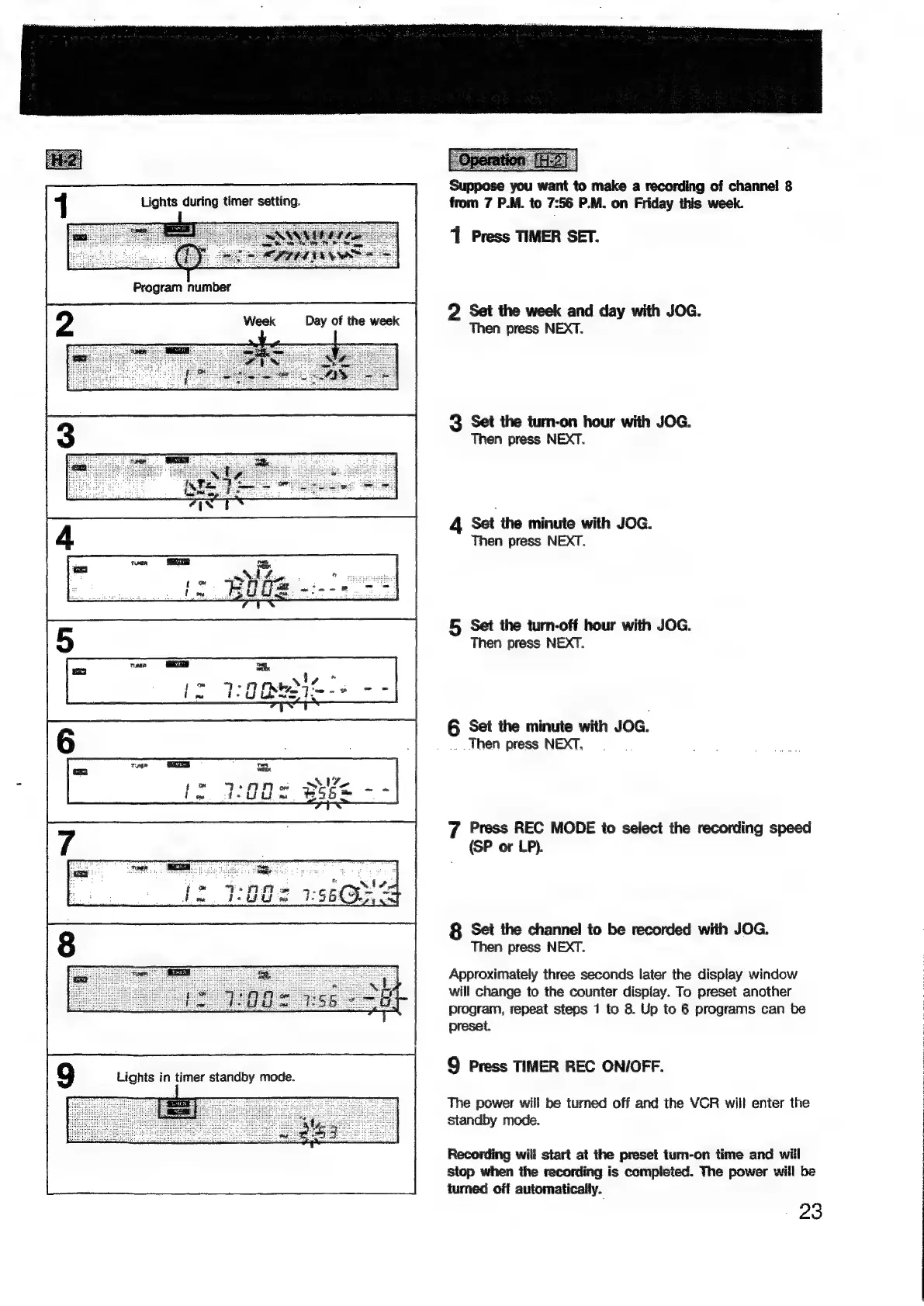
Lights
during
timer
setting.
Program
number
Week
Day
of
the
week
Gg
Lights
in
timer
standby
mode.
Suppose
you
want
to
make
a
recording
of
channel
8
from
7
P.M.
to
7:56
P.M.
on
Friday
this
week.
1
Press
THMER
SET.
2
Set
the
week
and
day
with
JOG.
Then
press
NEXT.
3
Set
the
turn-on
hour
with
JOG.
Then
press
NEXT.
4
Set
the
minute
with
JOG.
Then
press
NEXT.
5
Set
the
turn-off
hour
with
JOG.
Then
press
NEXT.
6
Set
the
minute
with
JOG.
..
Then
press
NEXT,
7
Press
REC
MODE
to
select
the
recording
speed
(SP
or
LP).
8
Set
the
channel
to
be
recorded
with
JOG.
Then
press
NEXT.
Approximately
three
seconds
later
the
display
window
will
change
to
the
counter
display.
To
preset
another
program,
repeat
steps
1
to
8.
Up
to
6
programs
can
be
preset.
9
Press
TIMER
REC
ON/OFF.
The
power
will
be
turned
off
and
the
VCR
will
enter
the
standby
mode.
Recording
will
start
at
the
preset
turn-on
time
and
will
stop
when
the
recording
is
completed.
The
power
will
be
iumed
off
automatically.
-
23

Related product manuals