EasyManua.ls Logo

Sony EV-S900 - PCM Recording and Playback; PCM Digital Multi Audio Playback

Sony EV-S900
60 pages
Print Icon
To Next Page IconTo Next Page
To Previous Page IconTo Previous Page
Loading...
30
_
Playback
‘DEY
|
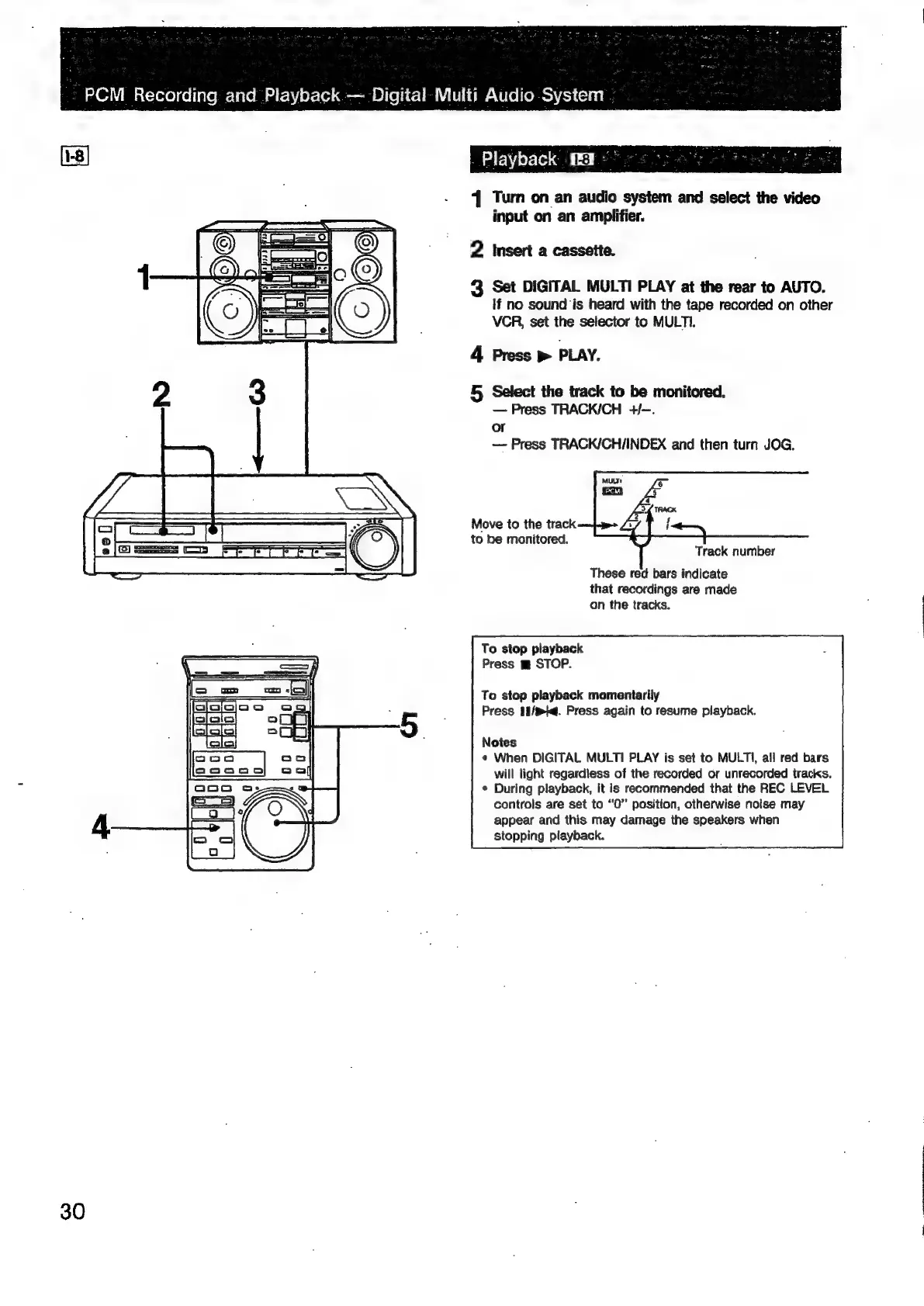
Turn
on
an
audio
system
and
select
the
video
input
on
an
amplifier.
2
Insert
a
cassette.
3
Set
DIGITAL
MULTI
PLAY
at
the
rear
to
AUTO.
If
no
sound
is
heard
with
the
tape
recorded
on
other
VCR,
set
the
selector
to
MULTI.
4
Press
>
PLAY.
5
Select
the
track
to
be
monitored.
Press
TRACK/CH
+/-.
or
Press
TRACK/CHI/INDEX
and
then
turn
JOG.
Move
to
the
track
to
be
monitored.
Track
number
These
red
bars
indicate
that
recordings
are
made
on
the
tracks.
To
stop
playback
Press
m
STOP.
To
stop
playback
momentarily
Press
11/%k@.
Press
again
to
resume
playback.
Notes
¢
When
DIGITAL
MULTI
PLAY
is
set
to
MULTI,
all
red
bars
will
light
regardless
of
the
recorded
or
unrecorded
tracks.
*
During
playback,
it
is
recommended
that
the
REC
LEVEL
controls
are
set
to
“0”
position,
otherwise
noise
may
appear
and
this
may
damage
the
speakers
when
stopping
playback.

Related product manuals