EasyManua.ls Logo

Sony EV-S900 - Marking Index Signals

Sony EV-S900
60 pages
Print Icon
To Next Page IconTo Next Page
To Previous Page IconTo Previous Page
Loading...
_Index
Function
32
The
desired
programs
can
be
ee.
located
by
the
index
signal
marked
on
the
tape.
Marking
Index
Signals
To
mark
.index:
signals
auitomatically:
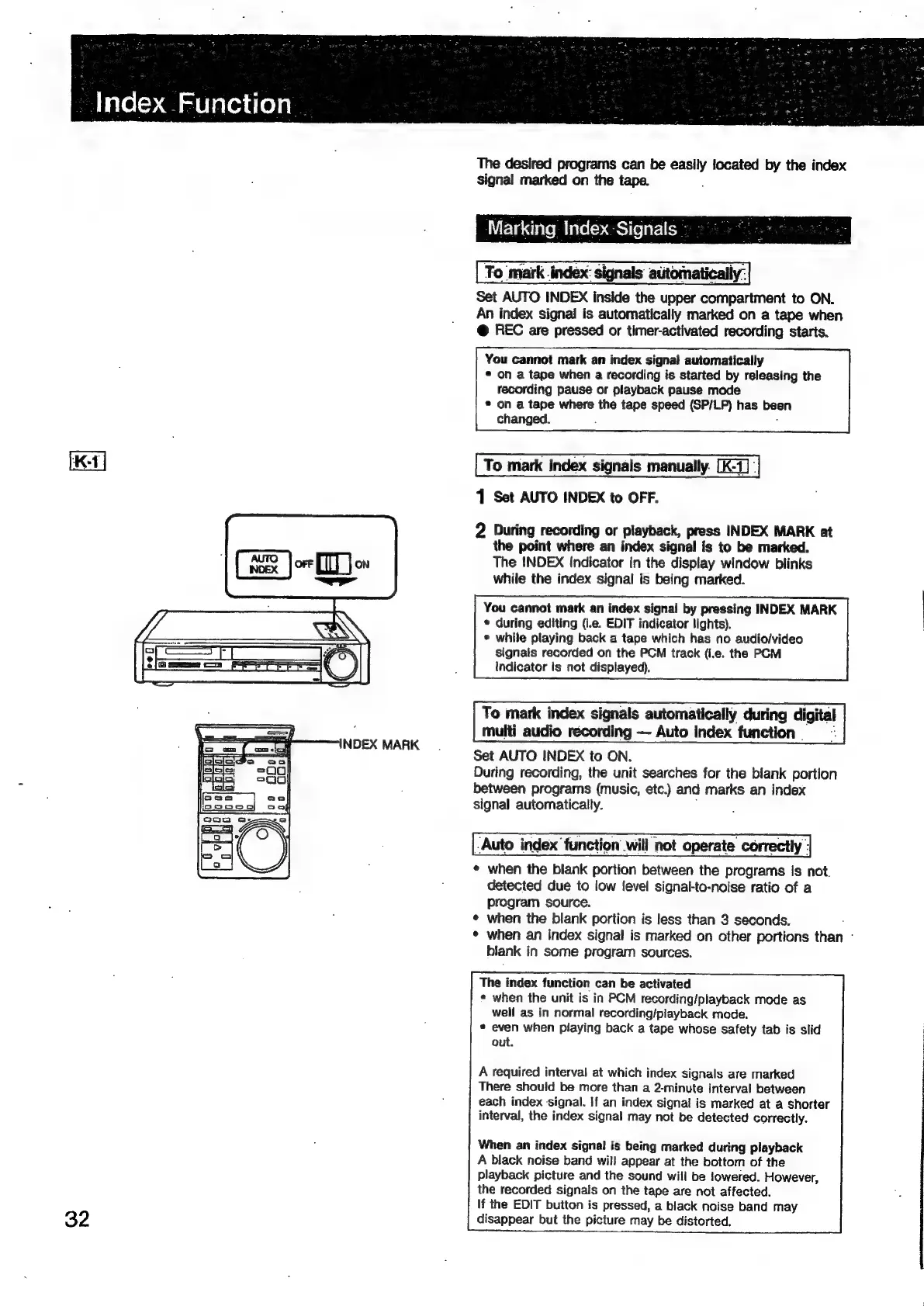
Set
AUTO
INDEX
inside
the
upper
compartment
to
ON.
An
index
signal
is
automatically
marked
on
a
tape
when
@
REC
are
pressed
or
timer-activated
recording
starts.
You
cannot
mark
an
index
signal
automatically
©
on
a
tape
when
a
recording
is
started
by
releasing
the
recording
pause
or
playback
pause
mode
®
on
a
tape
where
the
tape
speed
(SP/LP)
has
been
changed.
To
mark
index
signals
manually.
[K-1]
|
1
Set
AUTO
INDEX
to
OFF.
2
During
recording
or
playback,
press
INDEX
MARK
at
the
point
where
an
index
signal
is
to
be
marked.
The
INDEX
Indicator
in
the
display
window
blinks
while
the
index
signal
is
being
marked.
You
cannot
mark
an
index
signal
by
pressing
INDEX
MARK
*
during
editing
(i.e.
EDIT
indicator
lights).
*
while
playing
back
a
tape
which
has
no
audio/video
signals
recorded
on
the
PCM
track
(i.e.
the
PCM
indicator
is
not
displayed),
To
mark
index
signals
automatically
during
digital
multi
audio
récording
Auto
index
function
-
Set
AUTO
INDEX
to
ON.
During
recording,
the
unit
searches
for
the
blank
portion
between
programs
(music,
etc.)
and
marks
an
index
signal
automatically.
Auto
index
function
will
not
operate
correctly
|
¢
when
the
blank
portion
between
the
programs
is
not.
detected
due
to
low
level
signal-to-noise
ratio
of
a
program
source.
¢
when
the
blank
portion
is
less
than
3
seconds.
*
when
an
index
signal
is
marked
on
other
portions
than
-
blank
in
some
program
sources.
The
index
function
can
be
activated
*
when
the
unit
is
in
PCM
recording/playback
mode
as
well
as
in
normal
recording/playback
mode.
*
even
when
playing
back
a
tape
whose
safety
tab
is
slid
out.
A
required
interval
at
which
index
signals
are
marked
There
should
be
more
than
a
2-minute
interval
between
each
index
signal.
If
an
index
signal
is
marked
at
a
shorter
interval,
the
index
signal
may
not
be
detected
correctly.
When
an
index
signal
is
being
marked
during
playback
A
black
noise
band
will
appear
at
the
bottom
of
the
playback
picture
and
the
sound
will
be
lowered.
However,
the
recorded
signals
on
the
tape
are
not
affected.
If
the
EDIT
button
is
pressed,
a
black
noise
band
may
disappear
but
the
picture
may
be
distorted.

Related product manuals