EasyManua.ls Logo

Sony EV-S900 - Index Search Operation

Sony EV-S900
60 pages
Print Icon
To Next Page IconTo Next Page
To Previous Page IconTo Previous Page
Loading...
“Index
Function’
©”
34
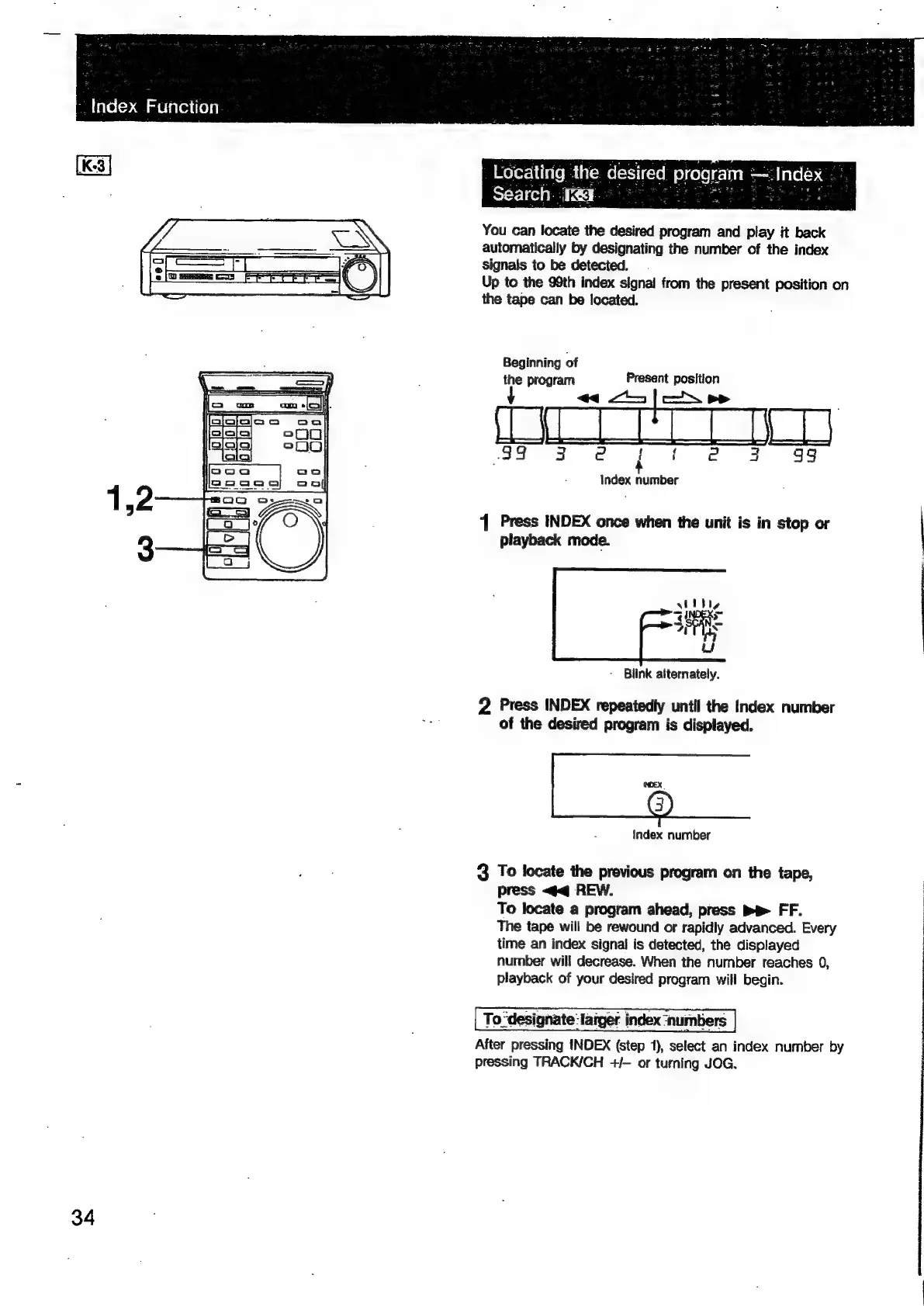
You
can
locate
the
desired
program
and
play
it
back
automatically
by
designating
the
number
of
the
index
signals
to
be
detected.
Up
to
the
99th
index
signal
from
the
present
position
on
the
tape
can
be
located.
Beginning
of
the
program
Present
position
“<1
43
|/—Xoe
|
99
3
e@
|
|
e@
43
99
Index
number
1
Press
INDEX
once
when
the
unit
is
in
stop
or
playback
mode.
-
Blink
alternately.
2
Press
INDEX
repeatedly
until
the
Index
number
of
the
desired
program
is
displayed.
Index
number
3
To
locate
the
previous
program
on
the
tape,
press
<q
REW.
To
locate
a
program
ahead,
press
Pe
FF.
The
tape
will
be
rewound
or
rapidly
advanced.
Every
time
an
index
signal
is
detected,
the
displayed
number
will
decrease.
When
the
number
reaches
0,
playback
of
your
desired
program
will
begin.
To
“designate:
larger.
index
‘numbers
After
pressing
INDEX
(step
1),
select
an
index
number
by
pressing
TRACK/CH
+/-—
or
turning
JOG.

Related product manuals