EasyManua.ls Logo

Sony EV-S900 - Index Function; Erasing Index Signals

Sony EV-S900
60 pages
Print Icon
To Next Page IconTo Next Page
To Previous Page IconTo Previous Page
Loading...
-Erasing
Index
Signals
‘Rea.
Index
signals
in
sequence
-
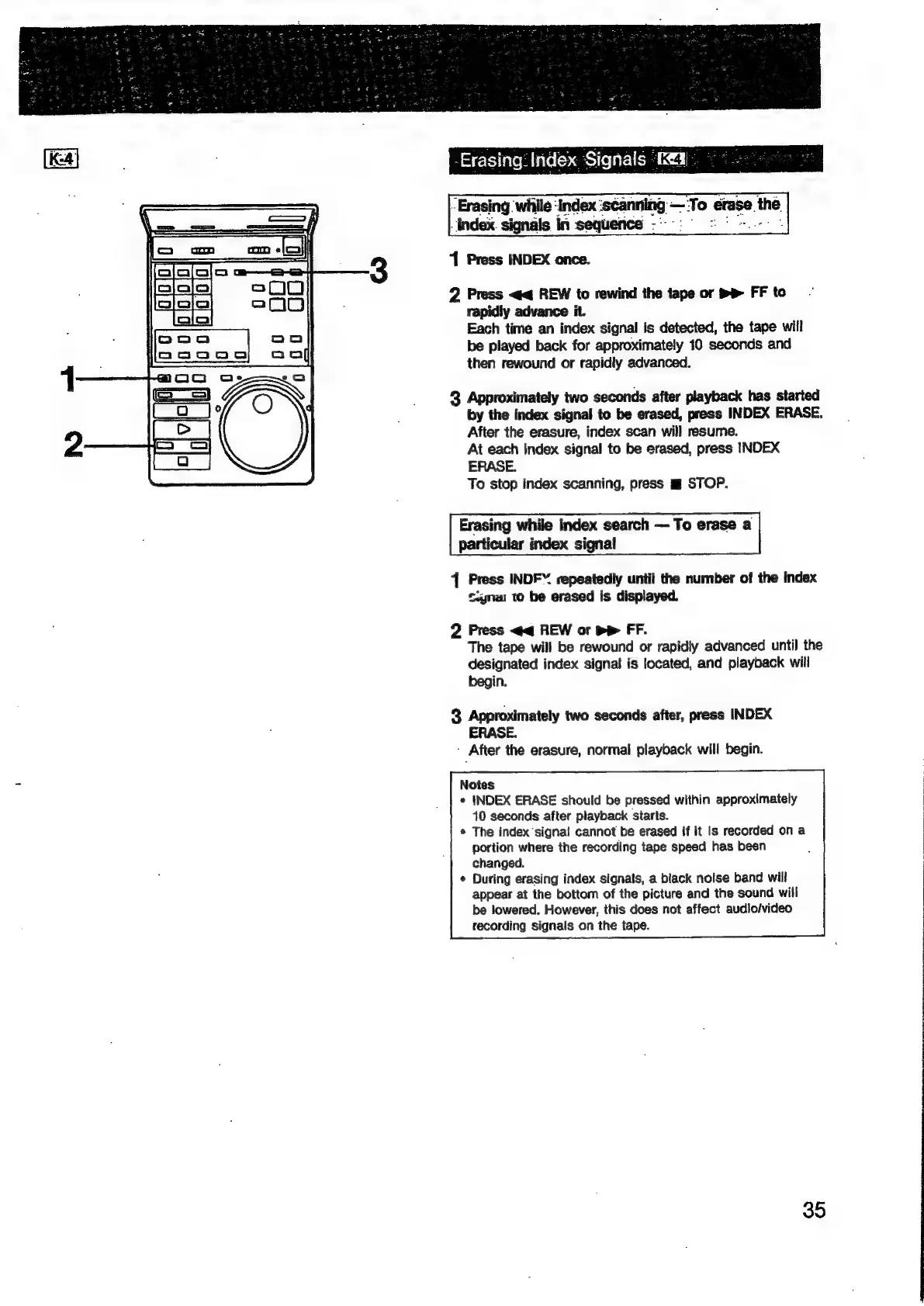
1
Press
INDEX
once.
Erasing
while
‘index
‘scanning
—‘To
erase
the.
2
Press
<<
REW
to
rewind
the
tape
or
mB»
FF
to
rapidly
advance
it.
Each
time
an
index
signal
is
detected,
the
tape
will
be
played
back
for
approximately
10
seconds
and
then
rewound
or
rapidly
advanced.
3
Approximately
two
seconds
after
playback
has
started
by
the
index
signal
to
be
erased,
press
INDEX
ERASE.
After
the
erasure,
index
scan
will
resume.
At
each
index
signal
to
be
erased,
press
INDEX
ERASE.
To
stop
index
scanning,
press
mg
STOP.
Erasing
while
Index
search
To
erase
a
particular
index
signal
4
Press
INDF™
repeatedly
until
the
number
of
the
index
Signa
to
be
erased
is
displayed.
2
Press
<q
REW
or
pp
FF.
The
tape
will
be
rewound
or
rapidly
advanced
until
the
designated
index
signat
is
located,
and
playback
will
begin.
3
Approximately
two
seconds
after,
press
INDEX
ERASE.
After
the
erasure,
normal
playback
will
begin.
Notes
¢
INDEX
ERASE
should
be
pressed
within
approximately
410
seconds
after
playback
starts.
*
The
index
‘signa!
cannot
be
erased
if it
is
recorded
on
a
portion
where
the
recording
tape
speed
has
been
changed.
¢
During
erasing
index
signals,
a
black
noise
band
will
appear
at
the
bottom
of
the
picture
and
the
sound
will
be
lowered.
However,
this
does
not
affect
audio/video
recording
signals
on
the
tape.
35

Related product manuals