EasyManua.ls Logo

Sony EV-S900 - Transferring Tape Contents; Editing Home Movie Tapes

Sony EV-S900
60 pages
Print Icon
To Next Page IconTo Next Page
To Previous Page IconTo Previous Page
Loading...
Trans
36
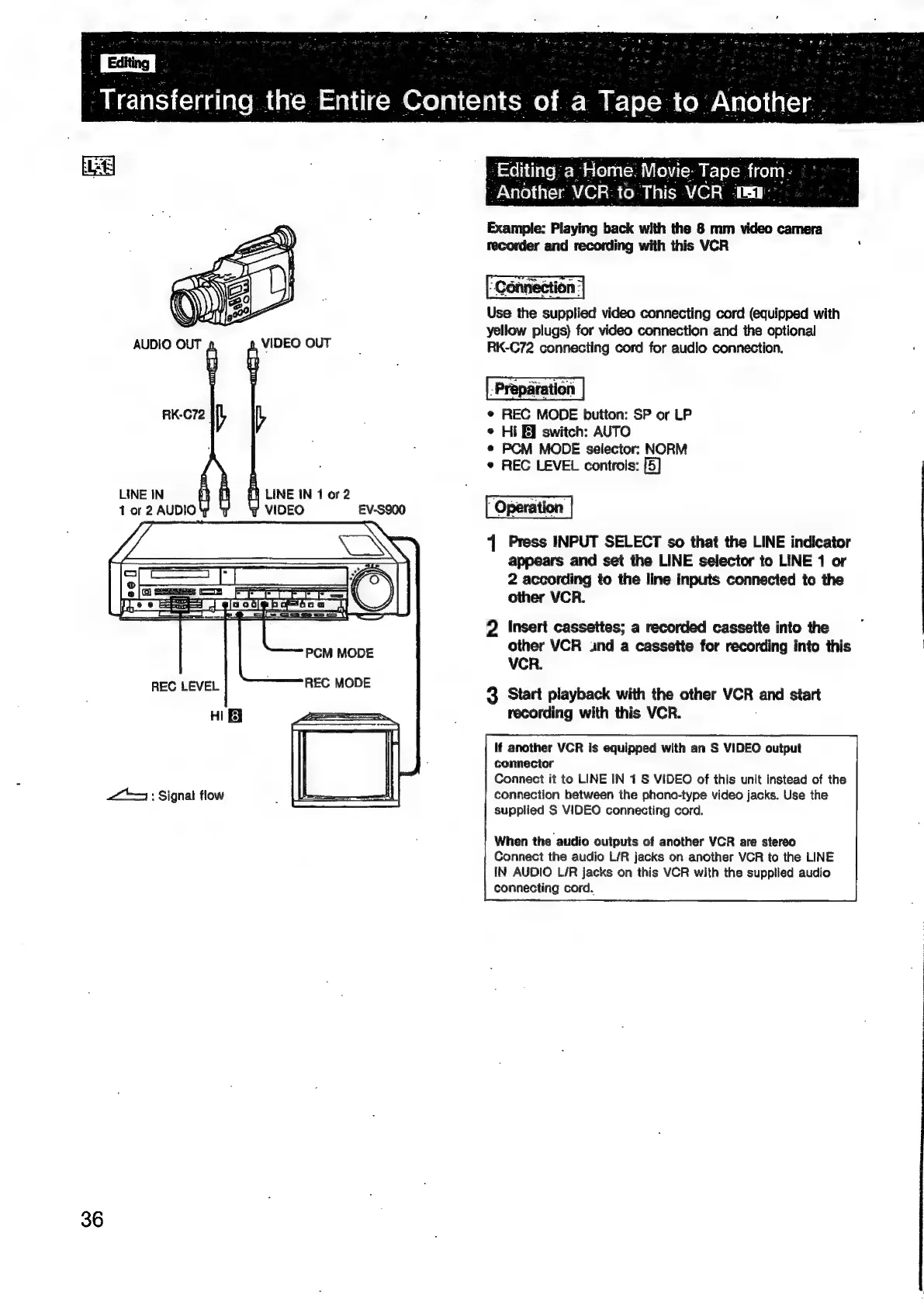
AUDIO
OUT
VIDEO
OUT
ae
V
LINE
IN
1
or
2
AUDIO
<2
:
Signat
flow
LINE
tN
1
or
2
VIDEO
EV-S900
Editing’
a
Home.
Movie-
Tape
from
Another
VCR:
to
This
VCR
-
Example:
Playing
back
with
the
8
mm
video
camera
recorder
and
recording
with
this
VCR
:
Use
the
supplied
video
connecting
cord
(equipped
with
yellow
plugs)
for
video
connection
and
the
optional
RK-C72
connecting
cord
for
audio
connection.
e
REC
MODE
button:
SP
or
LP
¢
Hi
J
switch:
AUTO
*
PCM
MODE
selector:
NORM
¢
REC
LEVEL
controls:
{5}
1
Press
INPUT
SELECT
so
that
the
LINE
indicator
appears
and
set
the
LINE
selector
to
LINE
1
or
2
according
to
the
line
inputs
connected
to
the
other
VCR.
2
Insert
cassettes;
a
recorded
cassette
into
the
other
VCR
und
a
cassette
for
recording
into
this
|
VCR.
3
Start
playback
with
the
other
VCR
and
start
recording
with
this
VCR.
If
another
VCR
is
equipped
with
an
S
VIDEO
output
connector
Connect
it
to
LINE
IN
1
S
VIDEO
of
this
unit
instead
of
the
connection
between
the
phono-type
video
jacks.
Use
the
supplied
S
VIDEO
connecting
cord.
When
the
audio
outputs
of
another
VCR
are
stereo
Connect
the
audio
L/R
jacks
on
another
VCR
to
the
LINE
IN
AUDIO
L/R
jacks
on
this
VCR
with
the
supplied
audio
connecting
cord.

Related product manuals