EasyManua.ls Logo

Sony EV-S900 - Page 43

Sony EV-S900
60 pages
Print Icon
To Next Page IconTo Next Page
To Previous Page IconTo Previous Page
Loading...
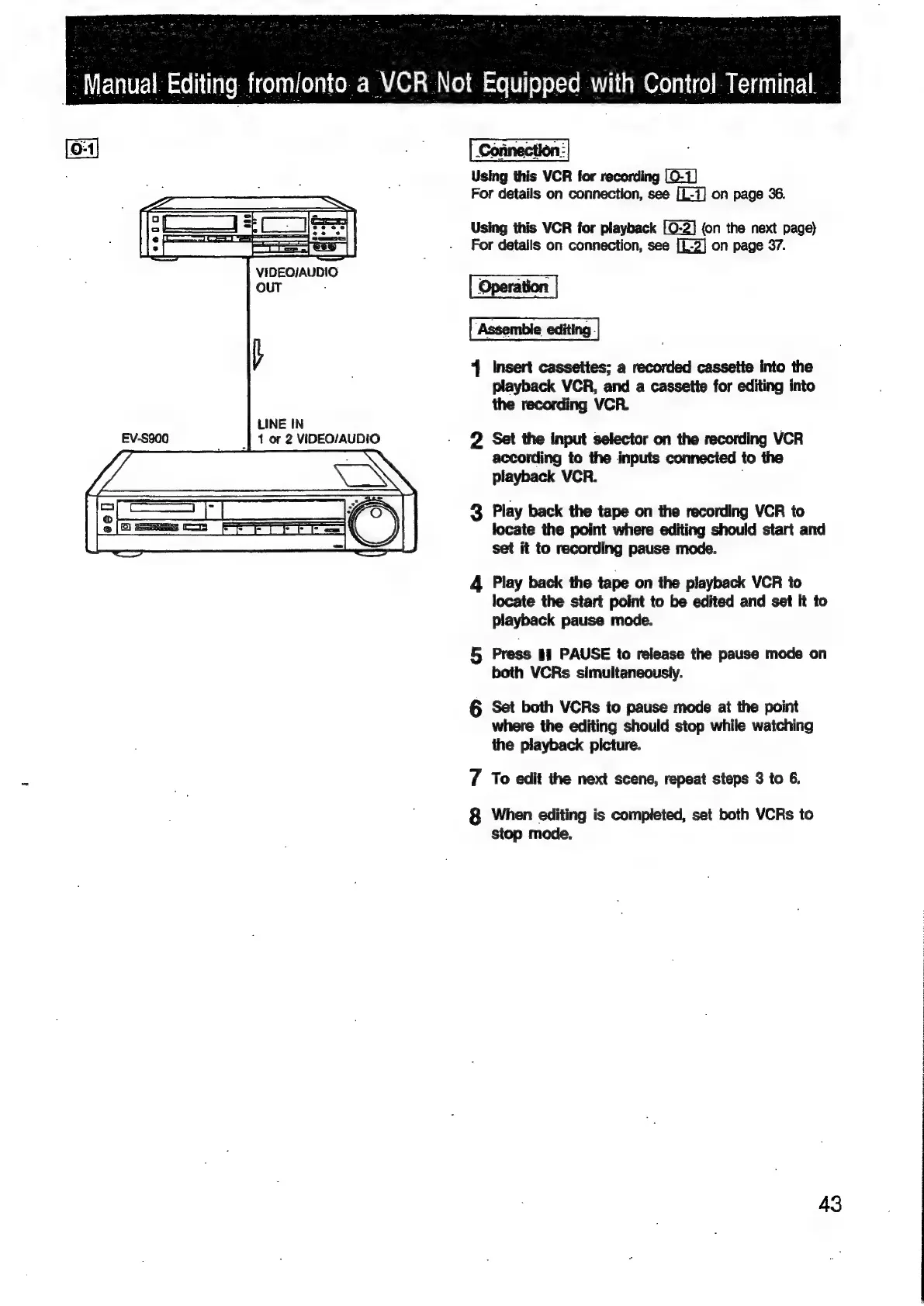
VIDEO/AUDIO
OUT
:
LINE
IN
_|
1
or
2
VIDEO/AUDIO
|
Manual
Editing
fromlonto
a
VCR
Not
Equipped
with
Control
Terminal.
Using
this
VCR
for
recording
[0-1]
For
details
on
connection,
see
[L-7]
on
page
36.
Using
this
VCR
for
playback
[0-2]
(on
the
next
page)
For
details
on
connection,
see
[L-2]
on
page
37.
Operation
‘Assemble
editing.
4
Insert
cassettes;
a
recorded
cassette
into
the
playback
VCR,
and
a
cassette
for
editing
into
the
recording
VCR.
2
Set
the
input
selector
on
the
recording
VCR
according
to
the
inputs
connected
to
the
playback
VCR.
3
Play
back
the
tape
on
the
recording
VCR
to
locate
the
point
where
editing
should
start
and
set
it
to
recording
pause
mode.
4
Play
back
the
tape
on
the
playback
VCR
to
locate
the
start
point
to
be
edited
and
set
it
to
playback
pause
mode.
5
Press
ii
PAUSE
to
release
the
pause
mode
on
both
VCRs
simultaneously.
§
Set
both
VCRs
to
pause
mode
at
the
point
where
the
editing
should
stop
while
watching
the
playback
picture.
7
To
edit
the
next
scene,
repeat
steps
3
to
6.
8
When
editing
is
completed,
set
both
VCRs
to
stop
mode.
43

Related product manuals