EasyManua.ls Logo

Sony EV-S900 - Page 44

Sony EV-S900
60 pages
Print Icon
To Next Page IconTo Next Page
To Previous Page IconTo Previous Page
Loading...
.
Manual
Editing
‘fromionto
a
VCR
Not
Equipped
‘with
Control.
Terminal
oS
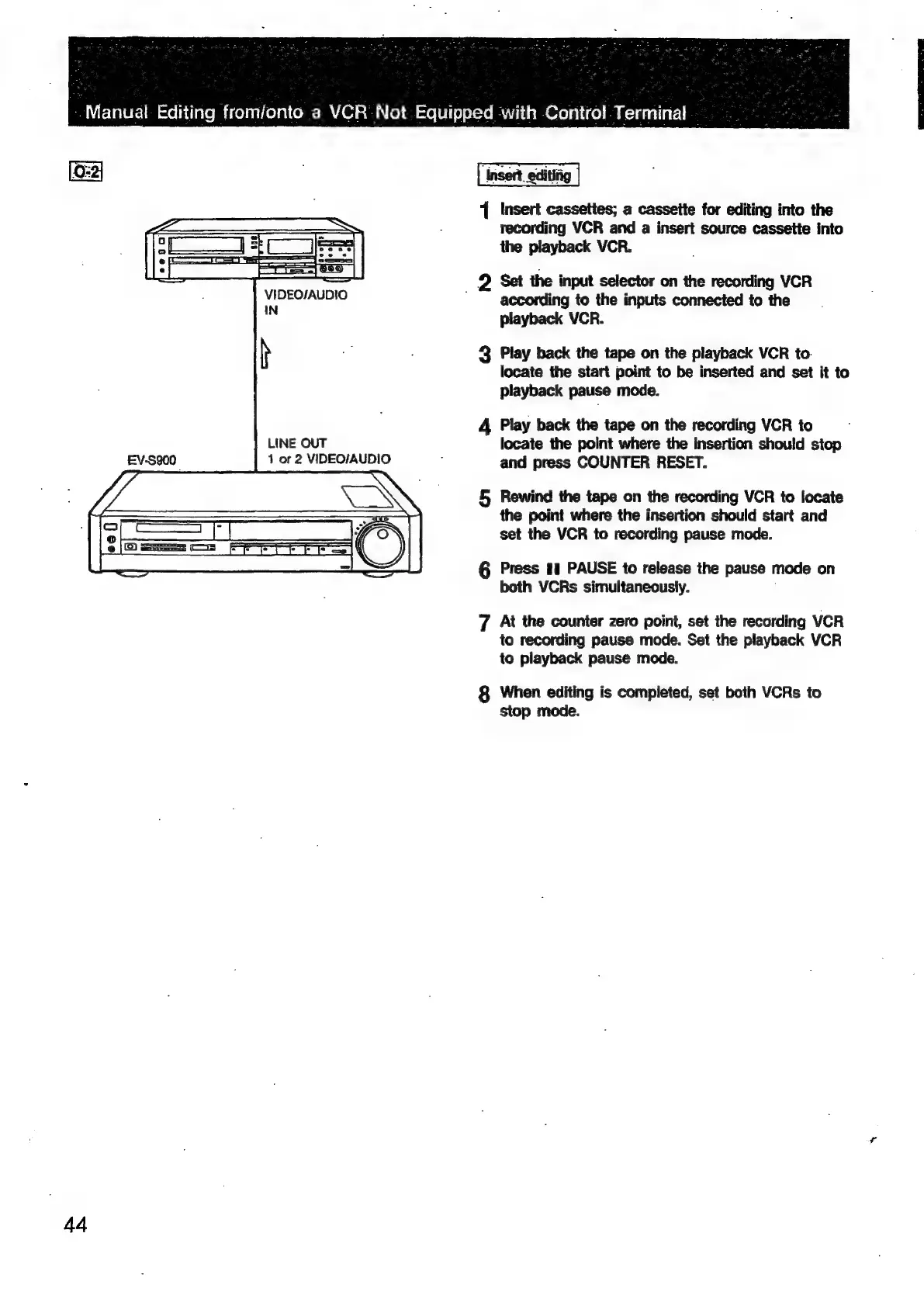
VIDEO/AUDIO
IN
h
LINE
OUT
1
or
2
VIDEO/AUDIO
44
1
Insert
cassettes;
a
cassette
for
editing
into
the
recording
VCR
and
a
insert
source
cassette
into
the
playback
VCR.
_
Q
Set
the
input
selector
on
the
recording
VCR
according
to
the
inputs
connected
to
the
playback
VCR.
3
Play
back
the
tape
on
the
playback
VCR
to.
locate
the
start
point
to
be
inserted
and
set
it
to
playback
pause
mode.
4
Play
back
the
tape
on
the
recording
VCR
to
locate
the
point
where
the
insertion
should
stop
and
press
COUNTER
RESET.
5,
Rewind
the
tape
on
the
recording
VCR
to
locate
the
point
where
the
insertion
should
start
and
set
the
VCR
to
recording
pause
mode.
G6
Press
11
PAUSE
to
release
the
pause
mode
on
both
VCRs
simultaneously.
;
7
At
the
counter
zero
point,
set
the
recording
VCR
to
recording
pause
mode.
Set
the
playback
VCR
to
playback
pause
mode.
8
When
editing
is
completed,
set
both
VCRs
to
stop
mode.

Related product manuals