33
Enjoying Photos
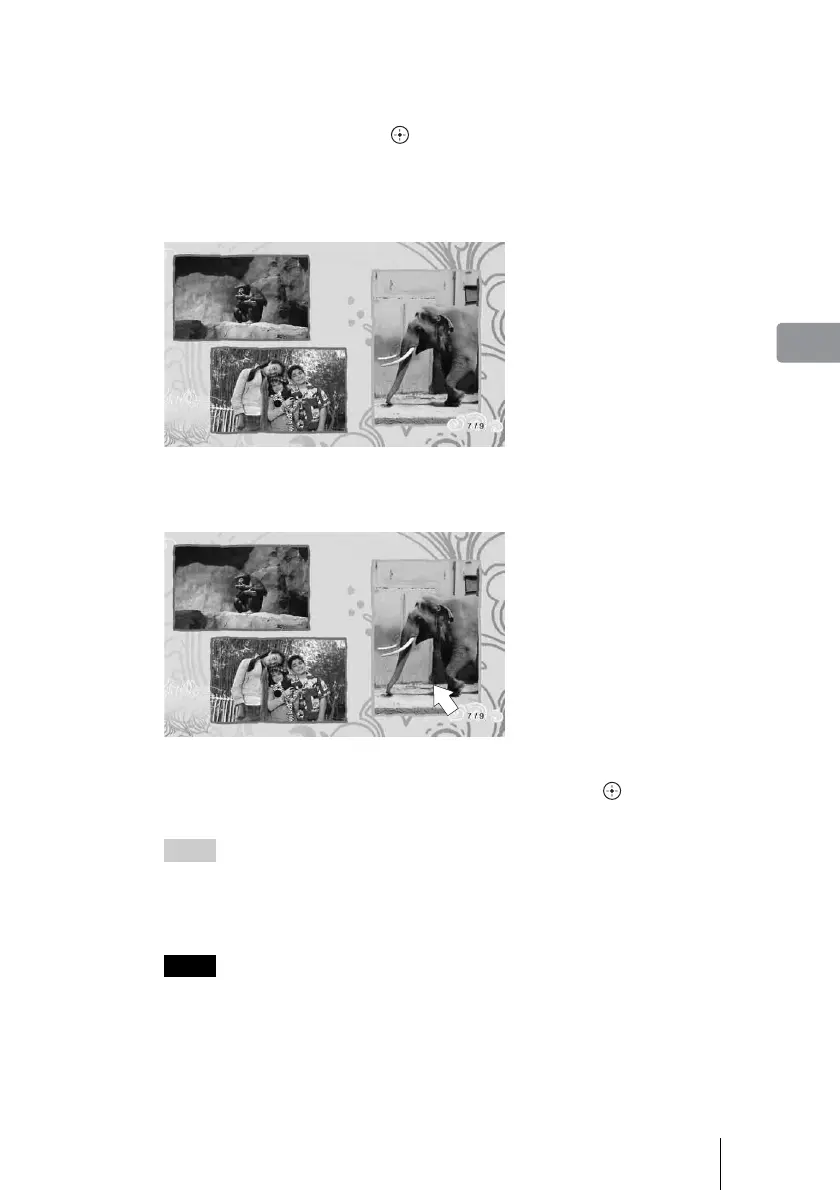
Scrapbook viewing mode
You can switch between Page mode and Cursor mode.
To switch the mode, press OPTIONS during playback and select [Page Mode]
or [Cursor Mode], then press .
Page Mode
You can browse the entire scrapbook as if turning pages of a photo album.
Press < or , to turn pages.
Cursor Mode
You can select a single photo on a page for zooming.
To turn pages, select the left-most or the right-most photo and press < or ,.
To show a photo in full-screen, press Mm<,, and then . To return to the
scrapbook, press RETURN.
Hints
• When you view the photo in full screen, you can export or print the photo (see “Viewing
Photos (Photo Browser)” on page 27).
• To rotate a scrapbook photo, display the photo in full screen in Cursor mode, then select
[Rotate (right/left)] in the OPTIONS menu.
Notes
• Even if you add/erase photos to/from an album after creation, the scrapbook remains
unchanged. In this case, you can create a new scrapbook manually (page 37).
• You cannot select a photo from the front or back cover of a scrapbook.



 To Next Page