56
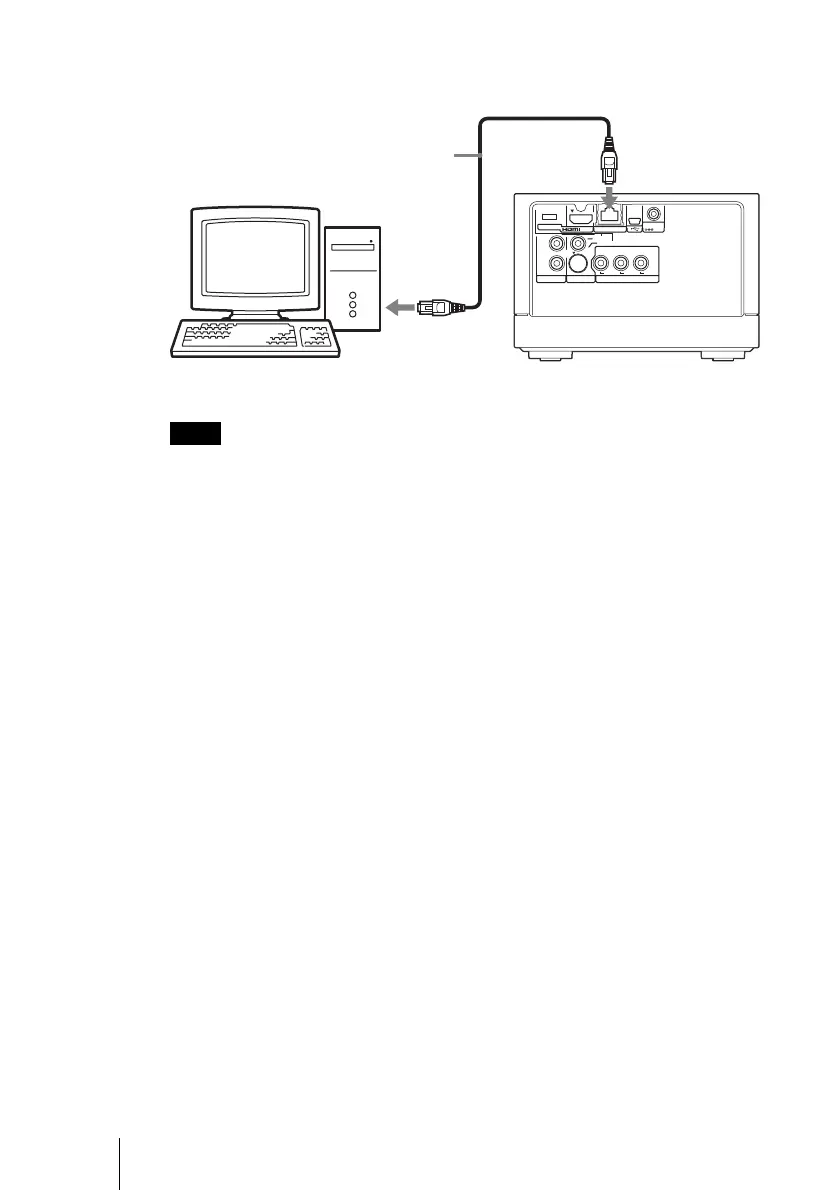
Example 3: When network connection of the computer is available
(for connection E, F)
Note
When connecting the unit and computer as illustrated above, the following settings are
necessary.
– Set the IP address of the computer to “Use a fixed IP address.”
– Set the IP address on the unit (page 61).
480i/480p/
720p/1080i
RESOLUTION
OUT
S-VIDEO
VIDEO
L
R
AUDIO OUT VIDEO OUT COMPONENT VIDEO OUT
Y
LAN
(
10/100
)
DC IN
16V
P
B
P
R
Straight or
crossover cable
(not supplied)
to LAN port
Computer
to LAN port
Unit



 To Next Page