KDF-46E2000/46E2010/50E2000/50E2010/55E2000/55E2010
KDF-46E2000/46E2010/50E2000/50E2010/55E2000/55E2010
52
2-7. H/V CENTER CONFIRMATION AND
ADJUSTMENTS
Use the following instructions to adjust the pictures horizontal and
vertical center after replacing either of the following:
Optical Block Assembly
Mirror Cover
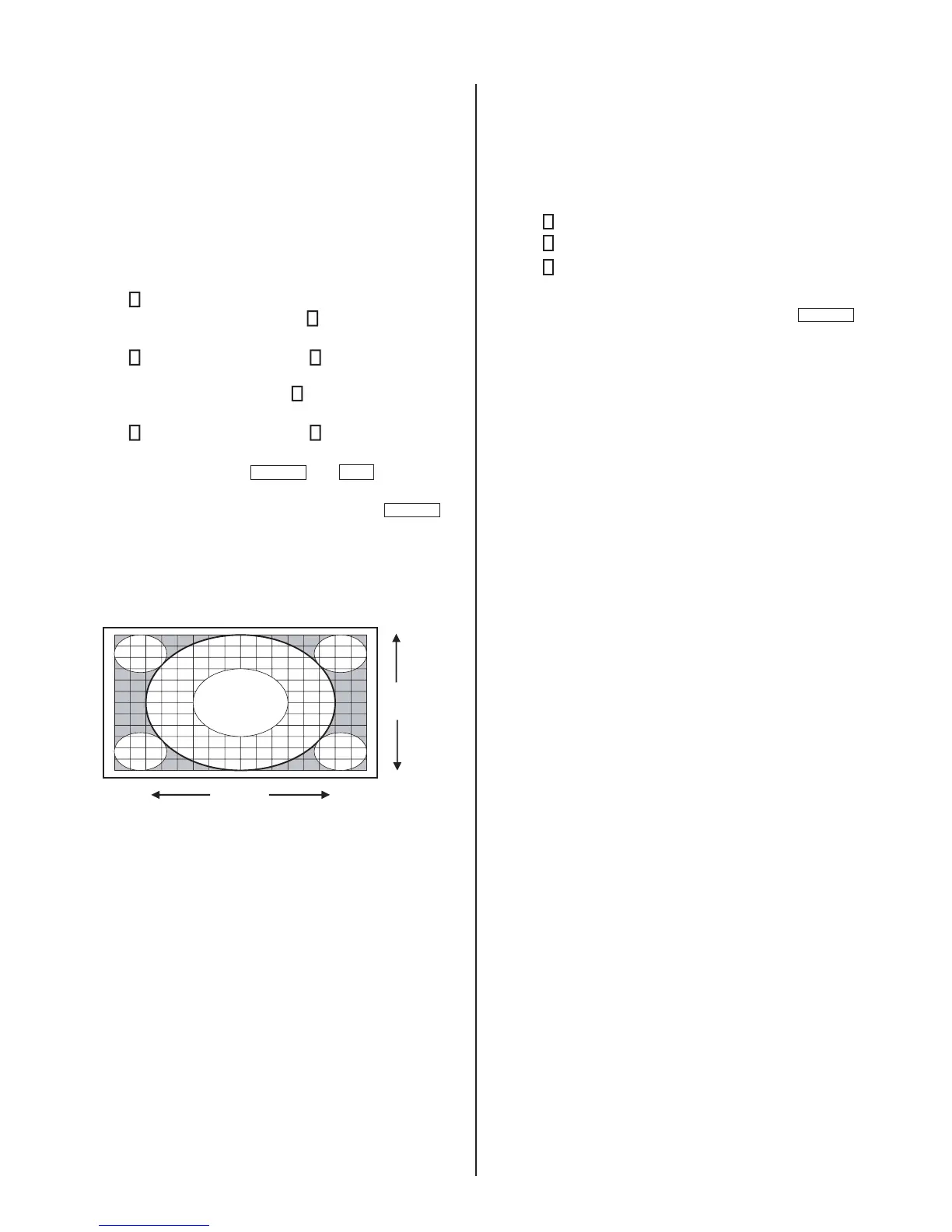
1. Set the signal to RF Monoscope, check the H/V center in “Full”
picture mode.
2. If the center is shifted, adjust the Horizontal and/or Vertical settings.
a. Access Service Adjustment Mode.
b. Press
2
until the HELIOS_3 category displays.
c. To adjust the Horizontal setting, press
1
until the DHPS (22) item
displays.
d. Press
3
to increase the data value, or
6
to decrease the data
value.
e. To adjust the Vertical setting, press
1
to display the DVPS (23)
item.
f. Press
3
to increase the data value, or
6
to decrease the data
value.
g. To save the changes, press
MUTING
then
ENT
to write into
memory.
h. To exit service mode, turn the power off by pressing
POWER
.
Wait 2 minutes before restarting the set to allow the fans to
completely shut down or the Service Menu will appear on the
screen.
K
DHPS 22 (for H center)
DVPS 23 (for V center)
DVPS
DHPS
2-8. IRIS ADJUSTMENTS
Use the following instructions to adjust the IRIS after replacing
either of the following:
Optical Block Assembly
B Block Assembly
1. Access Service Adjustment Mode.
2. Press
2
until the IRIS_ADJ category displays.
3. Press
1
until the AUTO (7) item displays.
4. Press
3
to change the data value to 1.
5. Wait approximately 5 seconds until the data value is reset to 0.
6. To exit service mode, turn the power off by pressing
POWER
.
Wait 2 minutes before restarting the set to allow the fans to
completely shut down or the Service Menu will appear on the screen.



 To Next Page