1-8
4
-US
The Personal LCD Display is a brand-new
concept in visual display
Note on the LCD (Liquid Crystal
Display)
The LCD screen is made with high-
precision technology. However, black
points or bright points of light (red, blue,
or green) may appear constantly on the
LCD screen. This is not a malfunction.
(Effective dots: more than 99.999%)
Congratulations on your purchase of the
Sony Personal LCD Display. The Personal
LCD Display using current technology in
small, lightweight visual displays, provides
a television viewing experience similar to
watching a 30-inch television from a
distance of approximately 4 feet in SVGA
mode. (Viewing experience may differ
according to individual perception.)
The Personal LCD Display creates an image
through two separate liquid crystal
displays, in close proximity to your eyes.
To insure your safe use of the Personal LCD
Display, please become familiar with its
basic operations, including proper fitting
instructions, and be aware of any symptoms
of eye fatigue or other discomfort you may
experience.
3D Stereoscopic pictures
You can enjoy 3D (3-dimensional)
stereoscopic pictures by using video signals
that are already processed to compensate
for parallax. The Personal LCD Display
switches these optimized pictures for each
eye using a frame sequential method (field
sequential in the S-Video input) to display
the 3D stereoscopic pictures.
• In PC mode, you can select the display
mode between 2D (normal pictures) and
3D stereoscopic.
• In Video mode, only the signal input to
the S-Video connector is available, and
the display mode is fixed to 3D
stereoscopic mode.
•IBM PC/AT and VGA are registered trademarks of IBM Corporation of the U.S.A.
•Microsoft, MS, MS-DOS and Windows
are registered trademarks of Microsoft Corporation in the
United States and other countries.
•Macintosh is a trademark licensed to Apple Computer, Inc., registered in the U.S.A. and other
countries.
•VESA is a trademark of Video Electronics Standard Association.
•All other product names mentioned herein may be the trademarks or registered trademarks of
their respective companies. Furthermore, “” and “ ” are not mentioned in each case in this
manual.
WARNING
YOUR FAILURE TO FOLLOW THESE
OPERATING INSTRUCTIONS AND THE
SUPPLIED IMPORTANT SAFEGUARDS
MAY RESULT IN EYE FATIGUE, EYE
IMPAIRMENT, OR OTHER EYE INJURY,
PROPERTY DAMAGE, OR DEATH.
WARNING
THIS PRODUCT SHOULD NOT BE USED
BY CHILDREN AGE 15 OR YOUNGER.
THE EYES OF CHILDREN ARE STILL
DEVELOPING AND MAY BE ADVERSELY
AFFECTED FROM USE OF THIS
PRODUCT.
SECTION 1
GENERAL
6
-US
Features
• A powerful, big screen experience comparable to
watching a 30-inch screen from approximately 4
feet (1.2 m) away (SVGA mode).
• You can connect the Personal LCD Display,
which is equipped with two 1.55 million dot
LCDs, to your PC to see the screen of the PC in
SVGA or VGA screen mode. You can also enjoy
3D stereoscopic pictures, as well as 2D pictures,
in SVGA or VGA screen mode.
About the Personal LCD Display
Caution: The screen is always right in front of you.
The Personal LCD Display is a head-mounted display. With this type of display, the screen is
always in front of you even when you move your head. Because of this feature, you can
concentrate on the screen more easily compared with ordinary TVs, and you have a sense of
being in the action.
• It is easy to adjust the Personal LCD Display to your face and eyes. You can use the display
unit even while wearing glasses.
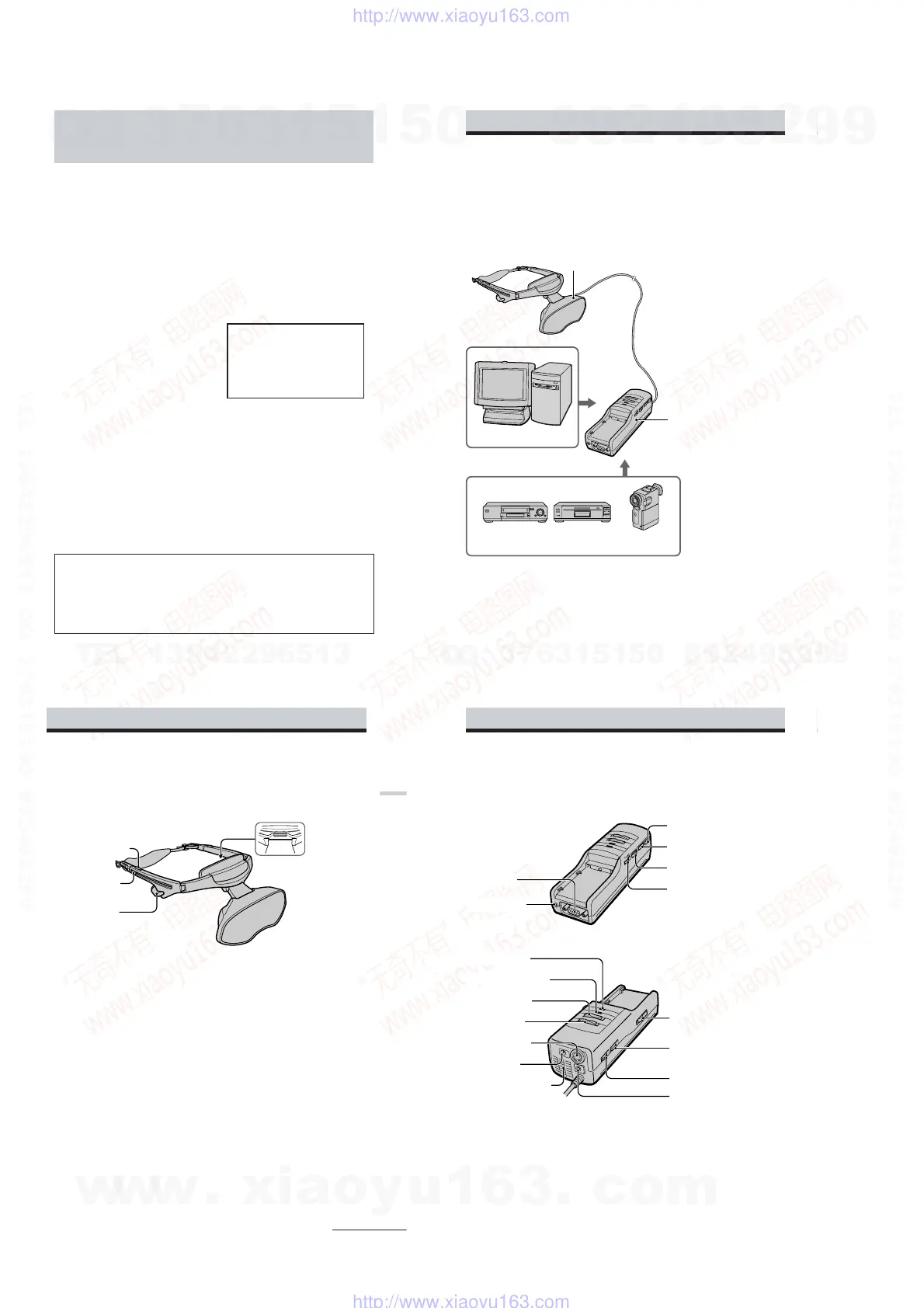
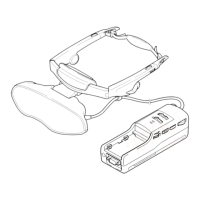
The Personal LCD Display consists of the following items:
The display unit is equipped with two small (left and right) LCDs.
Personal Computer
VCR Laser disc player Camcorder
Power supply box
You can supply power using the
supplied AC power adapter or the
optional Sony rechargeable battery
pack.
When using with the Personal LCD
Display, connect your video
equipment or PC to the connector
on the power supply box.
You can adjust the sound volume.
You can also use the SEE-
THROUGH control in order to see
the surrounding environment.
• You can enjoy high quality 3D stereoscopic
pictures by connecting to video equipment such
as a digital camera recorder or a VCR.
• The see-through function allows you to see the
surrounding environment while wearing the
Personal LCD Display.
• You can use the Personal LCD Display while
wearing glasses.
• Solid and lightweight components made of
magnesium alloy, with the display unit
weighing about 5.3 oz. (120 g).
Display unit
7
-US
Getting Started
Locating the parts and controls
Refer to the pages indicated in parentheses ( ) for details.
POWER SAVING SENSOR
(inner side) (24, 26)
Strap release button (17)
Earphone slide button
(18)
Stereo earphone (18)
Display unit
continued
8
-US
Power supply box
MENU button (25)
CONTROL connector (12, 13)
BRIGHT control (20)
VOL control (20)
PUSH DISPLAY jog dial (21, 25)
POLARITY switch (12, 15)
SEE-THROUGH control (22)
RGB connector
(9 to 11, 36)
POWER/POWER SAVING
lamp (19, 26)
POWER switch (19)
PC-VIDEO switch
(9 to 14, 19)
S VIDEO connector
(14)
DC IN connector
(16)
Ventilation openings (33)
BATT RELEASE button (29)
CHARGE lamp (29)
Locating the parts and controls (continued)
AUDIO connector
(9 to 11)
w
w
w
.
x
i
a
o
y
u
1
6
3
.
c
o
m
Q
Q
3
7
6
3
1
5
1
5
0
9
9
2
8
9
4
2
9
8
T
E
L
1
3
9
4
2
2
9
6
5
1
3
9
9
2
8
9
4
2
9
8
0
5
1
5
1
3
6
7
3
Q
Q
TEL 13942296513 QQ 376315150 892498299
TEL 13942296513 QQ 376315150 892498299
http://www.xiaoyu163.com
http://www.xiaoyu163.com


 To Next Page