1-141-14 E
29
-US
Operations
Using the optional battery pack
DISPOSAL OF LITHIUM ION BATTERY.
LITHIUM ION BATTERY.
DISPOSE OF PROPERLY.
You can return your unwanted lithium ion batteries to your nearest Sony Service Center or
Factory Service Center.
NOTE: In some areas the disposal of lithium ion batteries in household or business trash may be
prohibited.
For the Sony Service Center nearest you call 1-800-222-SONY (United States only)
For the Sony Factory Service Center nearest you call 416-499-SONY (Canada only)
Caution: Do not handle damaged or leaking lithium ion batteries.
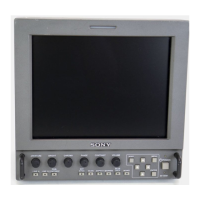
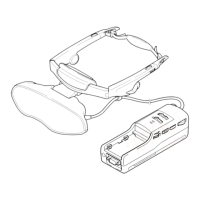
If you use a battery pack such as the NP-F550/F750/F950, you can use the Personal LCD Display
without connecting to a wall outlet.
Charging the battery pack
Charge the battery pack before use. You can charge the battery pack using the power supply box.
If you attach the battery pack as described below, the battery pack charges while you are not
using the Personal LCD Display.
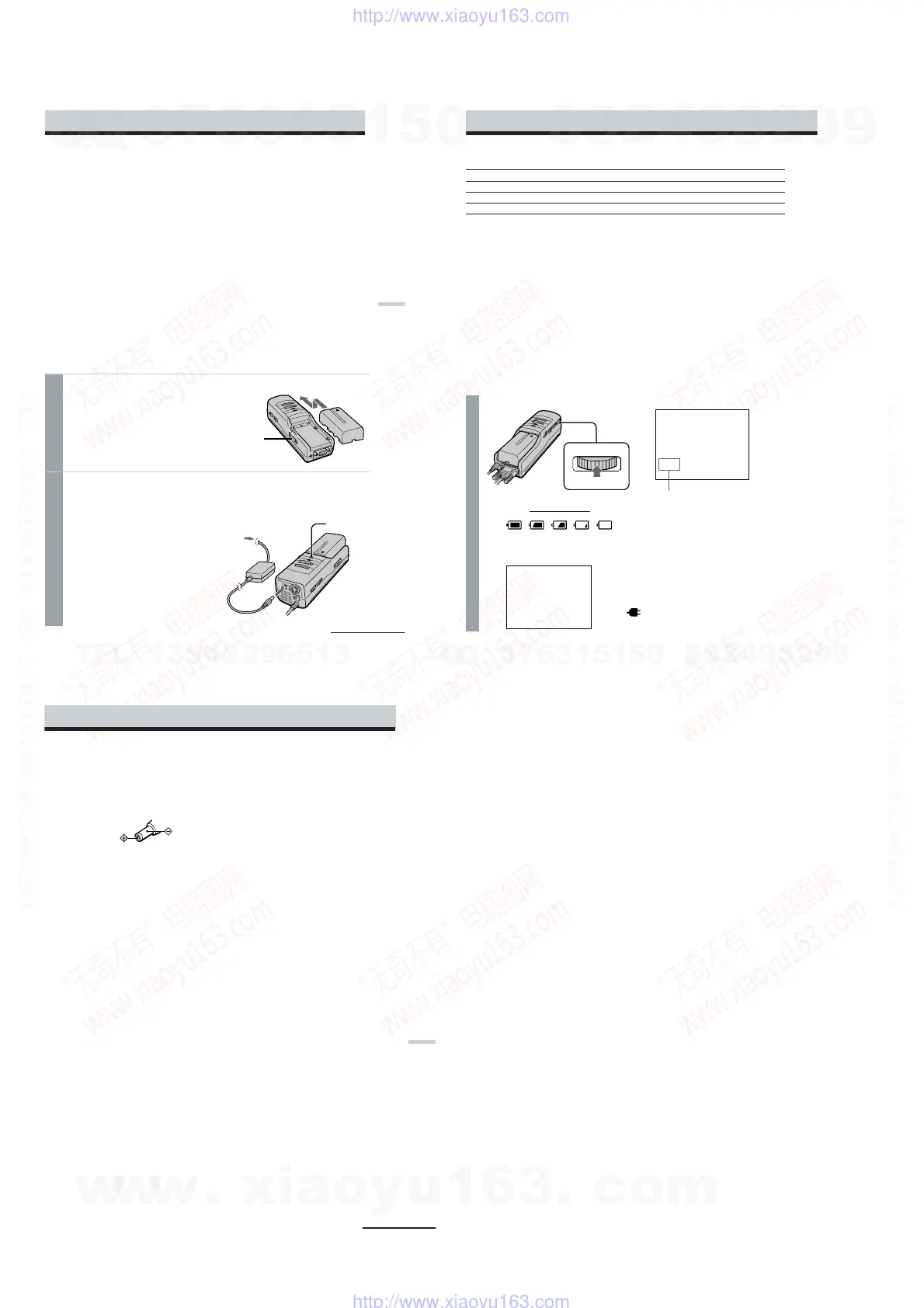
1
Attach the battery pack to the power supply box.
Install the battery pack properly making
sure it is not crooked against the power
supply box.
To remove the battery pack, while sliding
BATT RELEASE, pull out the battery
pack.
2
Connect the AC power adapter to the DC IN connector on the
power supply box. Then, connect the AC power cord to the AC
power adapter and to a wall outlet.
Charge the battery pack on a flat place
without vibration. The CHARGE lamp
lights up. When the battery pack is fully
charged, the CHARGE lamp goes out.
Battery life and charging time are shown
in the table below.
Battery pack
to wall outlet
AC power
adapter
BATT RELEASE
button
to DC IN
Power supply
box
CHARGE lamp
continued
30
-US
Checking the remaining battery life
When no indication or caution appears on the screen, press the jog dial.
When the battery pack is weak, the following message appears on the screen. Replace the
battery pack with a charged one.
Remaining battery life
When using the AC power adapter,
the “
” mark appears on the
screen.
•The battery life and charging time may change depending on the conditions of use.
•You can also use a battery pack such as the NP-500/510/710/F530/F730/F930 (not supplied) with
the Personal LCD Display.
•You can use an InfoLITHIUM™ battery pack with the Personal LCD Display. When using such a
battery pack, the estimated remaining battery life is displayed not with the time counter, but with the
indicator.
•The battery life listed above is for PC mode. When you use the Personal LCD Display in video mode,
the battery life is reduced to 80% of the PC mode.
“InfoLITHIUM” is a trademark of Sony Corporation.
Notes
•If the POWER/POWER SAVING lamp flashes while using the battery pack, charge the battery pack.
•Use the supplied AC power adapter only when charging a battery pack.
•Battery life may be shorter in a cold environment. This is a typical battery characteristic.
•You cannot charge the battery pack in power save mode. Turn off the Personal LCD Display, then it
starts charging the battery pack.
Battery pack Charging time Battery life (fully charged battery, PC mode)
NP-F550 Approx. 6 hours Approx. 1 hour
NP-F750 Approx. 12 hours Approx. 2 hours
NP-F950 Approx. 18 hours Approx. 3 hours
dead
Fully
charged
b
b
PUSH DISPLAY
THE BATTERY PACK
IS EMPTY.
REPLACE WITH A
CHARGED BATTERY.
Using the optional battery pack (continued)
31
-US
Additional Information
Precautions
Use
• Operate the product only with the
supplied AC power adapter. If you use a
different AC power adapter, it may cause
a malfunction.
Unified polarity plug
• Should any liquid or solid object fall into
the cabinet, unplug the product and have
it checked by qualified personnel before
operating it further.
• Always turn the product off when you do
not use it.
Unplug the product from the wall outlet if
you are not going to use it for several days
or more. To disconnect the cord, pull it
out by the plug. Never pull the cord itself.
• Do not overload wall outlet, extension
cords, or convenience receptacles beyond
their capacity, since this can result in fire
or electric shock.
• Do not use attachments not recommended
by the manufacturer, as they may cause
hazards.
• Avoid using earphones at high volume.
Hearing experts advise against
continuous, loud, and extended play. If
you experience a ringing in your ears,
reduce volume or discontinue use.
• Do not touch the AC power adapter or
power supply box with wet hands. If you
fail to observe this, it may cause electric
shock.
• Do not drop or give a mechanical shock to
the product.
Installation
• To prevent internal heat build-up, do not
block the ventilation openings.
• Avoid operating the product at
temperatures below 41˚F (5˚C).
• Do not subject the product to high
temperature or direct sunlight. If you do
not observe the above instructions, the
product may become deformed and the
screens may become impossible to align.
If you keep watching misaligned screens,
you may develop eye fatigue. If you find
the screens misaligned, have the product
repaired at an authorized service center.
• Do not place the product in locations
where it is wet, humid, dusty, smoky, or
steamy. Do not use this product near or
around water. It may cause fire or
electric shock. Especially, do not use the
product in the bathroom.
• If the product is transported directly from
a cold to a warm location, or if the room
temperature has changed suddenly, the
picture may be blurred or show poor
color. This is because moisture has
condensed on the mirror or lenses inside.
If this happens, let the moisture
evaporate before using the product.
• Do not place the product on an unstable
cart, stand, table, or shelf. The product
may fall, causing serious injury to a child
or an adult, and serious damage to the
product.
• Do not allow anything to rest on or roll
over the power cord, and do not place the
product where the power cord is subject
to wear or abuse.
continued
w
w
w
.
x
i
a
o
y
u
1
6
3
.
c
o
m
Q
Q
3
7
6
3
1
5
1
5
0
9
9
2
8
9
4
2
9
8
T
E
L
1
3
9
4
2
2
9
6
5
1
3
9
9
2
8
9
4
2
9
8
0
5
1
5
1
3
6
7
3
Q
Q
TEL 13942296513 QQ 376315150 892498299
TEL 13942296513 QQ 376315150 892498299
http://www.xiaoyu163.com
http://www.xiaoyu163.com


 To Next Page